KeePassXC
KeePassXC: A free local vault for technical users who want control over their password database. Ranked #16 of 90 in Password Managers by our editors (7.6/10); pricing: Free plan; best for technical users wanting a free local vault.
At a glance
- Editor score7.6 / 10
- PricingFree plan
- Best forTechnical users wanting a free local vault
- Free planYes
- Paid fromFree
- Passkey supportYes
- Facts checked20 Sep 2026
Where it wins
- Free, open-source vaults store credentials in encrypted local databases
- Supports passkeys, TOTP, browser autofill, and password generation
- YubiKey, OnlyKey, SSH Agent, and KeeShare support extend control
Where it doesn't
- Desktop-centered coverage excludes mobile platforms
- Users manage local database storage and synchronization themselves
- KeeShare shares selected credentials rather than providing hosted account sharing
Our verdict on KeePassXC
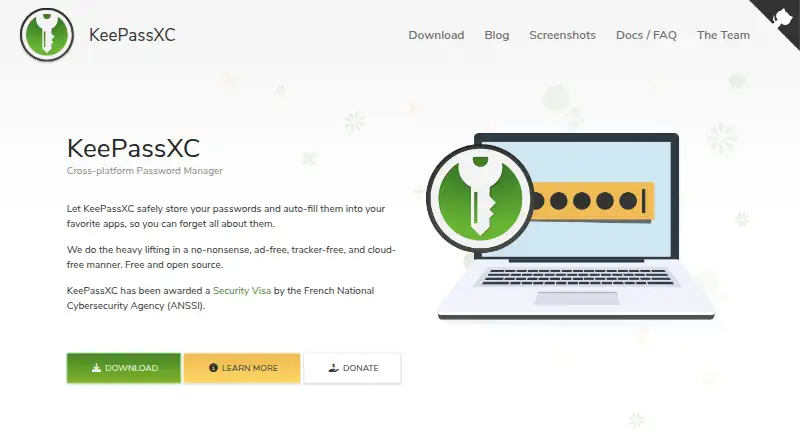
KeePassXC is a free, open-source password manager for Windows, macOS, and Linux. It stores usernames, passwords, URLs, attachments, and notes in encrypted local databases instead of vendor-operated remote servers. The product is aimed at technical users who prefer direct control over their vault files and want a desktop password manager with browser integration, passkey support, TOTP generation, and hardware-key options.
Its free model keeps the core feature set straightforward: there are no paid tiers to compare. The application includes password generation, automatic form filling, database import and export, and browser integration for Google Chrome, Mozilla Firefox, Microsoft Edge, Chromium, Vivaldi, Brave, and Tor Browser. The browser integration can store and use passkeys, while TOTP storage and generation keep authentication codes alongside credentials. SSH Agent integration adds a focused capability for users managing secure shell access.
The main trade-off is its local, desktop-centered design. KeePassXC does not operate as a hosted account-based service, so users retain responsibility for their encrypted database files and the way those files are synchronized. KeeShare supports sharing and synchronization for selected credentials, but this approach suits users comfortable managing local data rather than buyers seeking a centrally managed vault. YubiKey and OnlyKey challenge-response support, along with passkey storage and authentication, give the product depth for security-conscious technical workflows. Choose KeePassXC if local ownership, open-source software, and desktop coverage matter most; choose another password manager if mobile apps or a hosted account experience are essential.
Your product? Our editors can test KeePassXC in depth and publish a review, labelled as paid · from $149/mo →
KeePassXC pricing
KeePassXC fact sheet
| Free plan | Yes |
|---|---|
| Paid from | Free |
| Passkey support | Yes |
| Secure sharing | Yes |
| Business admin controls | Not verified |
| Supported platforms | Windows, macOS, Linux, Chrome, Firefox, Edge |
| Family plan | Not verified |
| Passwordless account login | No |
| Deployment | Desktop, Browser extension |
| Platforms | Windows, macOS, Linux, Chrome extension |
| Compliance & security | 2FA |
| Support | Community, Docs |
| Built for | Solo, Small business (editorial estimate) |
| Integrations | 7 integrations: Google Chrome, Mozilla Firefox, Microsoft Edge, Chromium, Vivaldi, Brave … |
| Pricing | Free plan |
| Website | keepassxc.org |
| Facts checked | 20 Sep 2026 |
KeePassXC integrations
KeePassXC lists 7 integrations on its own site.
- Google Chrome
- Mozilla Firefox
- Microsoft Edge
- Chromium
- Vivaldi
- Brave
- Tor Browser
Alternatives to KeePassXC
- Proton PassA broad free password manager with passkeys, sharing, and apps across major platforms.9.4
- 1PasswordBroad vault, passkey, sharing, and administration features, with no free plan.9.2
- NordPassA broad password manager with a capable free plan and clear business tiers.9.0


See all KeePassXC alternatives →
Also Ranked In
KeePassXC is ranked in 2 of our directories.
Used KeePassXC? Be the first to review it
The editor score above is our own research. What this page doesn't have yet is a reader's view — what you used KeePassXC for, what worked and what didn't. No stars are seeded and no review is paid for; an editor reads every one before it appears.
Write a reviewTwo minutes · verified accounts only · read by an editor before it appears
Featured on iTechGuides

KeePassXC is listed in our Password Managers directory. Add the badge to your site — it links back to this page.
<a href="https://www.itechguides.com/products/keepassxc/"><img src="https://www.itechguides.com/best/badge/keepassxc.svg" alt="Featured on iTechGuides" width="230" height="46"></a>
Reviewed by iTechGuides Editors · Editorial team · Updated Oct 2026
Advertiser disclosure: iTechGuides is reader-supported. Vendors can pay for top positions in our rankings and for a place on other products' pages, and we may earn a commission when you click some links. Bought places stand at the number bought; this page and our disclosure say so. Paying vendors may get a fuller, more detailed review from our editors, and that review can change their score. How we rank.
Last updated · How we research and update