
KeePass Password Safe
KeePass Password Safe: A highly customizable local vault for technical users who value control over convenience. Ranked #37 of 90 in Password Managers by our editors (6.0/10); pricing: Free plan; best for technical users wanting a free local vault.
At a glance
- Editor score6.0 / 10
- PricingFree plan
- Best forTechnical users wanting a free local vault
- Free planYes
- Paid fromFree
- Passkey supportYes
- Founded2003 · Metzingen, Germany
- Facts checked20 Sep 2026
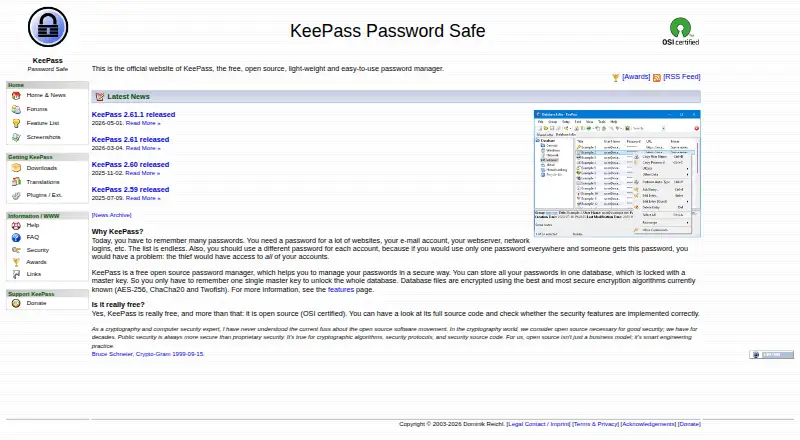
Where it wins
- Strong encryption with AES, ChaCha20 and Twofish
- Free, open-source GPL software with portable installation
- Plugins, synchronization and shared database editing support
Where it doesn't
- Business administration is not provided
- Windows is native; Linux and macOS use Mono
- Mobile and browser apps are contributed ports, not the core application
Our verdict on KeePass Password Safe
KeePass is a free, open-source password manager for storing credentials in encrypted database files. It is aimed at technical users who want local control over their vault rather than a vendor-hosted subscription service. The project offers KeePass 1.x and 2.x editions, with KeePass 2.x actively developed. Core capabilities include password generation, groups and nested subgroups, search, import and export, Auto-Type, global hotkeys, drag-and-drop entry transfer, and timed clipboard clearing.
The standout strength is control over storage and customization. Databases can use AES, ChaCha20 or Twofish encryption, with master passwords, key files and Windows user-account key sources available for access protection. KeePass also supports synchronization across files and URLs, shared database editing for multiple users, and integrations with Dropbox, Microsoft OneDrive, Google Drive, FTP, HTTP, HTTPS and WebDAV. Its plugin architecture extends the application with additional integrations, while passkeys are supported in KeePass 2.x through plugins.
The trade-off is a more technical, locally managed experience. KeePass runs natively on Windows and can run on Linux and macOS through Mono. The official site lists mobile and browser applications as contributed ports rather than part of the core application, so users seeking a unified hosted experience may prefer an alternative. There is also no business administration capability in the published feature set. KeePass is a strong choice for individuals and technically capable teams comfortable managing encrypted files, synchronization and plugins; it is less suited to organizations that need centralized business administration or a vendor-managed platform.
Your product? Our editors can test KeePass Password Safe in depth and publish a review, labelled as paid · from $149/mo →
KeePass Password Safe pricing
KeePass Password Safe fact sheet
| Free plan | Yes |
|---|---|
| Paid from | Free |
| Passkey support | Yes |
| Secure sharing | Yes |
| Business admin controls | Yes |
| Supported platforms | Windows, Linux, macOS |
| Family plan | Not verified |
| Passwordless account login | Not verified |
| Deployment | Desktop |
| Platforms | Windows, Linux, macOS |
| Support | Community, Docs |
| Built for | Solo, Small business (editorial estimate) |
| Integrations | 1 integrations: Plugins and extensions See all → |
| Pricing | Free plan |
| Website | keepass.info |
| Facts checked | 20 Sep 2026 |
KeePass Password Safe integrations
KeePass Password Safe lists 1 integrations on its own site.
- Plugins and extensions
See all KeePass Password Safe integrations →
Alternatives to KeePass Password Safe
- Proton PassA broad free password manager with passkeys, sharing, and apps across major platforms.9.4
- 1PasswordBroad vault, passkey, sharing, and administration features, with no free plan.9.2
- NordPassA broad password manager with a capable free plan and clear business tiers.9.0


See all KeePass Password Safe alternatives →
Also Ranked In
KeePass Password Safe is ranked in 2 of our directories.
Used KeePass Password Safe? Be the first to review it
The editor score above is our own research. What this page doesn't have yet is a reader's view — what you used KeePass Password Safe for, what worked and what didn't. No stars are seeded and no review is paid for; an editor reads every one before it appears.
Write a reviewTwo minutes · verified accounts only · read by an editor before it appears
Featured on iTechGuides
KeePass Password Safe is listed in our Password Managers directory. Add the badge to your site — it links back to this page.
<a href="https://www.itechguides.com/products/keepass-password-safe/"><img src="https://www.itechguides.com/best/badge/keepass-password-safe.svg" alt="Featured on iTechGuides" width="230" height="46"></a>
Reviewed by iTechGuides Editors · Editorial team · Updated Oct 2026
Advertiser disclosure: iTechGuides is reader-supported. Vendors can pay for top positions in our rankings and for a place on other products' pages, and we may earn a commission when you click some links. Bought places stand at the number bought; this page and our disclosure say so. Paying vendors may get a fuller, more detailed review from our editors, and that review can change their score. How we rank.
Last updated · How we research and update