JMP
JMP: A mature desktop option for interactive quality and experimental analysis. Ranked #8 of 106 in Statistical Analysis Software by our editors (8.7/10); pricing: 30-day trial; best for interactive quality and experimental analysis.
At a glance
- Editor score8.7 / 10
- Pricing30-day trial
- Best forInteractive quality and experimental analysis
- Free planNo
- DeploymentDesktop
- Founded1989 · Cary, North Carolina, USA
- Facts checked20 Sep 2026
Where it wins
- Interactive visualization, preparation, modeling, and statistical testing
- Design of experiments, reliability, and quality engineering analysis
- SAS, MATLAB, R, and Python integrations with scripting support
Where it doesn't
- No free plan
- Desktop deployment limits access to Windows and macOS
- Annual per-user subscription may not suit occasional analysts
Our verdict on JMP
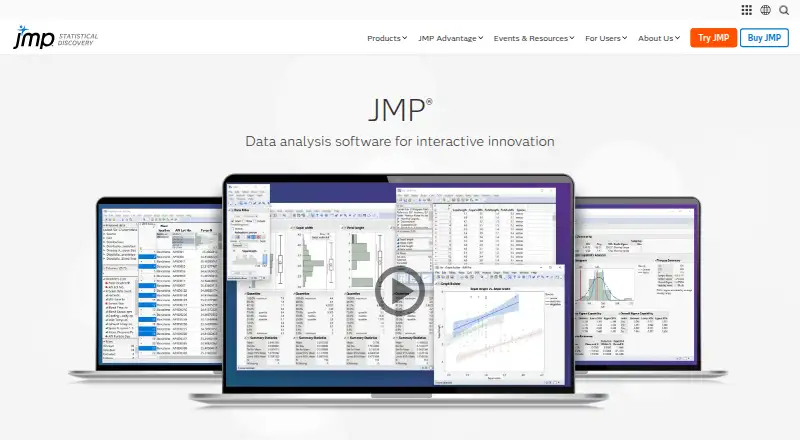
JMP is desktop statistical analysis software for scientists, engineers, researchers, and organizations. It combines interactive data visualization with data cleaning and preparation, statistical modeling, regression, experimental design, reliability analysis, quality engineering, and reporting. The software runs on Windows and macOS and is sold through an annual per-user subscription. Its focus is a strong fit for teams that need to explore data visually while moving into formal analysis, testing, and process improvement.
The feature set covers a broad statistical workflow. Users can work with regression and distribution analysis, hypothesis testing, ANOVA, nonparametric tests, design of experiments, reliability analysis, and quality and process engineering analysis. JMP also supports data sharing and interactive web visualizations, alongside automation and scripting. Import options include Excel, text files, PDF, SPSS, SAS data sets, XML, JSON, SQL databases, Google Sheets, HDF5, R, MATLAB, Internet or remote computer sources, and PI Server. This breadth makes it more suitable for recurring analytical work than for a single narrow statistical task.
JMP’s ecosystem fit is another important consideration. Integrations with SAS, MATLAB, R, and Python can support teams working across statistical, scientific, and programming environments, while scripting provides a path for automation. The product has been available since 1989, giving it a long-established presence in statistical analysis software. Choose JMP when interactive exploration, experimental design, quality analysis, and reliability work belong in one desktop application. Consider another option if a free plan, open-source licensing, or deployment beyond Windows and macOS is essential.
Your product? Our editors can test JMP in depth and publish a review, labelled as paid · from $149/mo →
JMP pricing
JMP fact sheet
| Free plan | No |
|---|---|
| Paid from | Not verified |
| Deployment | Desktop |
| Statistical tests | Yes |
| Regression models | Yes |
| Scripting support | Yes |
| Bayesian analysis | Not verified |
| Data import formats | Excel, text files, PDF, SPSS, SAS data sets, XML, JSON, SQL databases, Google Sheets, HDF5, R, MATLAB, Internet or remote computer, PI Server |
| Free trial | 30 days · no card needed |
| Deployment | Desktop |
| Platforms | Windows, macOS |
| Support | Email, Phone, Community, Docs |
| Built for | Solo, Small business, Mid-market, Enterprise (editorial estimate) |
| Integrations | 60+ integrations: SAS, MATLAB, R, Python See all → |
| Pricing | 30-day trial (source) |
| Website | jmp.com |
| Facts checked | 20 Sep 2026 |
JMP integrations
JMP lists 60+ integrations on its own site — the 4 named here are the ones its pages call out.
- SAS
- MATLAB
- R
- Python
Alternatives to JMP
- RA free, programmable environment for statistical analysis, modeling, visualization, and data import.9.4
- StataA broad, scriptable desktop environment for professional and reproducible applied analysis.9.3
- IBM SPSS StatisticsA broad desktop statistics suite with testing, modeling, forecasting, reporting, and R/Python integration.9.2


JMP vs the competition



Compare JMP with any tool side by side →
Also Ranked In
JMP is ranked in 4 of our directories.
Used JMP? Be the first to review it
The editor score above is our own research. What this page doesn't have yet is a reader's view — what you used JMP for, what worked and what didn't. No stars are seeded and no review is paid for; an editor reads every one before it appears.
Write a reviewTwo minutes · verified accounts only · read by an editor before it appears
Featured on iTechGuides

JMP is listed in our Statistical Analysis Software directory. Add the badge to your site — it links back to this page.
<a href="https://www.itechguides.com/products/jmp/"><img src="https://www.itechguides.com/best/badge/jmp.svg" alt="Featured on iTechGuides" width="230" height="46"></a>
Reviewed by iTechGuides Editors · Editorial team · Updated Oct 2026
Advertiser disclosure: iTechGuides is reader-supported. Vendors can pay for top positions in our rankings and for a place on other products' pages, and we may earn a commission when you click some links. Bought places stand at the number bought; this page and our disclosure say so. Paying vendors may get a fuller, more detailed review from our editors, and that review can change their score. How we rank.
Last updated · How we research and update