Jib
Jib: A focused, open-source choice for Java teams building images through Maven or Gradle. Ranked #11 of 34 in Container Build Tools by our editors (6.2/10); pricing: Open source; best for java projects using Maven or Gradle.
At a glance
- Editor score6.2 / 10
- PricingOpen source
- Best forJava projects using Maven or Gradle
- Paid fromNone
- Build methodDaemonless
- Facts checked20 Sep 2026
Where it wins
- Builds Docker and OCI images without a Docker daemon
- Supports layered images, local caching, and multi-platform manifests
- Pushes images directly to container registries
Where it doesn't
- Its strongest fit is Java application builds
- Caching is local rather than a broader shared cache
- Command-line image building is centered on files and JARs
Our verdict on Jib
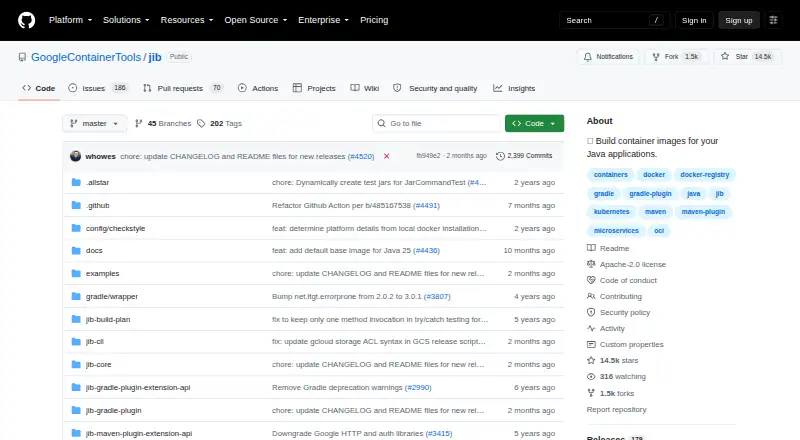
Jib is an open-source container build tool for Java applications. It creates Docker and OCI images without requiring a Docker daemon and is available through Maven and Gradle plugins, the Jib Core Java library, and a command-line interface. That makes it suited to Java developers and teams building images in local environments or CI pipelines, particularly when Maven or Gradle already drives the application build.
Its main strength is the depth of its Java build workflow. Jib separates application components into layers, supports incremental rebuilds, and provides local caching for base-image and application layers. It can also build multi-platform images with manifest lists and push images directly to container registries. Integrations include Maven, Gradle, Google Cloud Build, Docker, and Docker Registry V2, giving teams several ways to connect image creation with existing build and registry workflows.
Jib is free and open source, so its value comes from its build capabilities rather than a hosted service model. The tool supports Windows, macOS, and Linux, and its daemonless approach can fit environments where a Docker daemon is not part of the build process. The trade-off is focus: its strongest fit is Java application builds, with workflows organized around Maven, Gradle, Java libraries, files, and JARs. Choose Jib when your team wants direct, daemonless Java image builds with layers, caching, multi-platform output, and registry pushes. Teams seeking a container builder centered on other application ecosystems should consider a different tool.
Jib pricing
Jib fact sheet
| Free plan | Not verified |
|---|---|
| Paid from | None |
| Build method | Daemonless |
| Multi-architecture builds | Yes |
| Build cache backends | Local |
| SBOM generation | Not verified |
| Build secret handling | Not verified |
| Concurrent builds | Not verified |
| Deployment | Desktop |
| Platforms | Windows, macOS, Linux |
| Support | Community, Docs |
| Built for | Solo, Small business, Mid-market, Enterprise (editorial estimate) |
| Integrations | 5 integrations: Maven, Gradle, Google Cloud Build, Docker, Docker Registry V2 |
| Pricing | Open source |
| Website | github.com |
| Facts checked | 20 Sep 2026 |
Jib integrations
Jib lists 5 integrations on its own site.
- Maven
- Gradle
- Google Cloud Build
- Docker
- Docker Registry V2
Alternatives to Jib
- BuildKitA flexible, open-source builder for concurrent, cached, multi-platform container builds.9.0
- Docker BuildxA free BuildKit interface for multi-platform, cached, and attested image builds.8.2
- DepotA capable remote BuildKit platform for teams that need speed, caching, and multi-architecture builds.8.2


Used Jib? Be the first to review it
The editor score above is our own research. What this page doesn't have yet is a reader's view — what you used Jib for, what worked and what didn't. No stars are seeded and no review is paid for; an editor reads every one before it appears.
Write a reviewTwo minutes · verified accounts only · read by an editor before it appears
Featured on iTechGuides

Jib is listed in our Container Build Tools directory. Add the badge to your site — it links back to this page.
<a href="https://www.itechguides.com/products/jib/"><img src="https://www.itechguides.com/best/badge/jib.svg" alt="Featured on iTechGuides" width="230" height="46"></a>
Reviewed by iTechGuides Editors · Editorial team · Updated Sep 2026
Advertiser disclosure: iTechGuides is reader-supported. We may earn a commission when you click some links. It never changes a score or a verdict. How we rank.
Last updated · How we research and update