
IPMI Monitor
IPMI Monitor: A focused self-hosted monitor for large IPMI-managed fleets with deep hardware controls. Ranked #7 of 59 in Hardware Monitoring Software by our editors (8.1/10); pricing: Free plan; best for large IPMI-managed server fleets.
At a glance
- Editor score8.1 / 10
- PricingFree plan
- Best forLarge IPMI-managed server fleets
- Free planYes
- Paid from$100/mo
- Remote monitoringYes
- Facts checked19 Sep 2026
Where it wins
- Unlimited servers on the Free plan
- Remote power controls and IPMI/BMC sensor monitoring
- Prometheus export with Grafana, email, Telegram, and webhook support
Where it doesn't
- Paid plans start at $100 per month
- The Free plan provides basic monitoring only
- Requires a Linux or Docker self-hosted deployment
Our verdict on IPMI Monitor
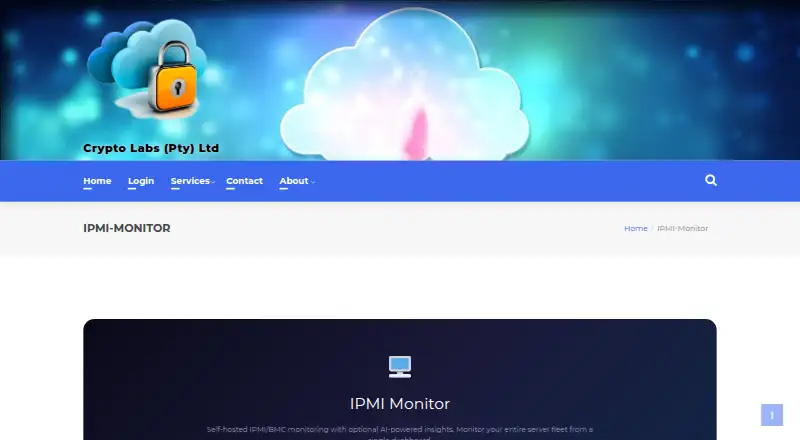
IPMI Monitor is a self-hosted web application for monitoring servers through IPMI and BMC interfaces. It is aimed at homelabs, data centers, GPU operations, and organizations managing multiple servers. The application runs on Linux hosts or through Docker and communicates directly with server management interfaces without agents. Its scope covers real-time fleet dashboards, sensor readings, System Event Logs, SSH and system logs, ECC memory errors, GPU health, and remote power operations. Optional AI features add summaries, predictions, chat, and maintenance analysis.
The Free plan costs $0 per month and supports unlimited servers with basic monitoring only. Standard costs $100 per month for up to 50 servers and includes 1M tokens per month plus a one-month free trial. Standard+ adds servers beyond 50 at $15 per 10 servers per month, with 100K additional tokens per month. Professional costs $500 per month for up to 500 servers and includes 10M tokens per month plus a one-month free trial. This structure makes the free tier useful for broad basic coverage, while advanced controls and higher-scale capabilities require a paid plan.
Platform fit is a strong point for teams already operating Linux or Docker infrastructure. Prometheus metrics export supports monitoring workflows built around Prometheus and Grafana, while configurable alerts can use email, Telegram, or webhooks. User roles and backup/restore add administrative controls for shared operations. The product is a good choice for teams that need IPMI/BMC visibility, hardware error detection, and remote power management across a large fleet. It is less suitable for teams seeking a hosted service, or for smaller deployments that do not need its specialized hardware-management focus or paid-tier capabilities.
Your product? Our editors can test IPMI Monitor in depth and publish a review, labelled as paid · from $149/mo →
IPMI Monitor pricing
All 4 IPMI Monitor plans and prices →
IPMI Monitor fact sheet
| Free plan | Yes |
|---|---|
| Paid from | $100/mo |
| Supported platforms | Linux, Docker, self-hosted web application |
| Remote monitoring | Yes |
| Monitored device limit | Not verified |
| Sensor history | Not verified |
| Alert channels | Email, Telegram, webhooks |
| Custom sensor support | Not verified |
| Deployment | Cloud, Self-hosted, Desktop |
| Platforms | Web, Linux |
| Integrations | 5 integrations: Prometheus, Grafana, Email, Telegram, Webhooks |
| Pricing | Free plan (source) |
| Website | cryptolabs.co.za |
| Facts checked | 19 Sep 2026 |
IPMI Monitor integrations
IPMI Monitor lists 5 integrations on its own site.
- Prometheus
- Grafana
- Telegram
- Webhooks
Alternatives to IPMI Monitor
- GlassmkrFree monitoring for Linux hardware, with hosted simplicity or self-hosted control.9.3
- Supermicro SuperDoctor 5A free, focused monitor for Supermicro server health, alerts, logs, and remote power control.9.2
- HWiNFOA deep Windows diagnostics suite for users who need detailed sensors, reports, and alerts.9.1

See all IPMI Monitor alternatives →
IPMI Monitor vs the competition
- IPMI Monitor vs Glassmkr
- IPMI Monitor vs Supermicro SuperDoctor 5
- IPMI Monitor vs HWiNFO
- IPMI Monitor vs NVIDIA Data Center GPU Manager
- IPMI Monitor vs smartmontools
- IPMI Monitor vs MSI Afterburner


Compare IPMI Monitor with any tool side by side →
Used IPMI Monitor? Be the first to review it
The editor score above is our own research. What this page doesn't have yet is a reader's view — what you used IPMI Monitor for, what worked and what didn't. No stars are seeded and no review is paid for; an editor reads every one before it appears.
Write a reviewTwo minutes · verified accounts only · read by an editor before it appears
Featured on iTechGuides

IPMI Monitor is listed in our Hardware Monitoring Software directory. Add the badge to your site — it links back to this page.
<a href="https://www.itechguides.com/products/ipmi-monitor/"><img src="https://www.itechguides.com/best/badge/ipmi-monitor.svg" alt="Featured on iTechGuides" width="230" height="46"></a>
Reviewed by iTechGuides Editors · Editorial team · Updated Sep 2026
Advertiser disclosure: iTechGuides is reader-supported. Vendors can pay for top positions in our rankings and for a place on other products' pages, and we may earn a commission when you click some links. Bought places stand at the number bought; this page and our disclosure say so. Paying vendors may get a fuller, more detailed review from our editors, and that review can change their score. How we rank.
Last updated · How we research and update