iCopy - Free Photocopier
iCopy - Free Photocopier: A focused, free Windows copier for scans, PDFs, ADFs, and duplex workflows. Ranked #14 of 22 in Scanner Software by our editors (7.1/10); pricing: Free plan; best for free Windows scanner-to-printer copying.
At a glance
- Editor score7.1 / 10
- PricingFree plan
- Best forFree Windows scanner-to-printer copying
- Free planYes
- Paid fromFree
- Facts checked22 Sep 2026
Where it wins
- Copies directly from scanners to printers
- Supports ADF, duplex, and multi-page scanning
- Creates PDFs and image files without external software
Where it doesn't
- Windows desktop only
- OCR is not part of the documented feature set
- Latest documented release is from 2020
Our verdict on iCopy - Free Photocopier
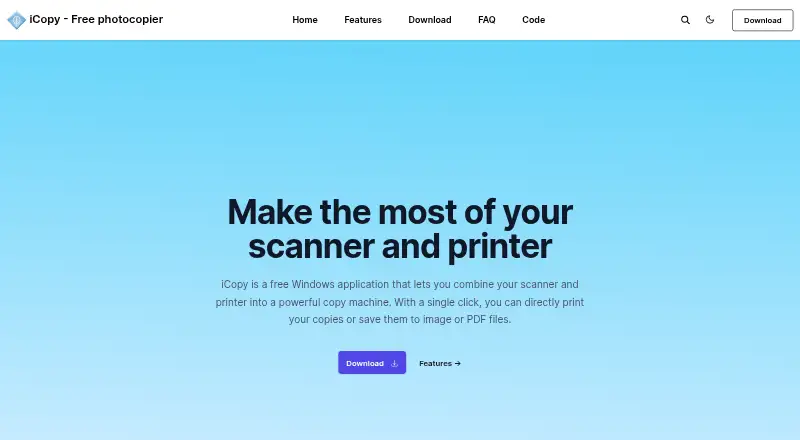
iCopy - Free Photocopier is a free, open-source Windows desktop application that combines a scanner and printer into a straightforward photocopier. It is intended for solo users and small teams that need to copy documents, save scans, or create PDFs without a broader document-management system. The application supports WIA-compatible scanners, scanner-button operation, and command-line use, giving it a practical fit for basic desktop scanning workflows.
Its strongest area is scan-to-copy and scan-to-file functionality. iCopy can send documents directly from a scanner to a printer, save scans as JPG, BMP, GIF, PNG, or PDF files, and process multiple pages. Automatic Document Feeder support helps with batches, while duplex scanning is available with compatible scanners. Controls for brightness, contrast, resolution, scaling, and color mode provide useful adjustment without adding a separate scanning application. These capabilities make it a focused option for document copying rather than a general-purpose capture platform.
The trade-off is its narrow scope. iCopy is limited to Windows desktop use and does not provide documented AI features or OCR. It also lacks broader document-management capabilities, so users seeking searchable scans, workflow automation, or a wider platform ecosystem should choose another product. The latest documented release is from 2020, which may matter to buyers prioritizing a more recently updated application. For straightforward Windows scanner-to-printer copying, multipage scanning, and PDF creation, iCopy is a practical fit; organizations needing advanced document processing or cross-platform access should look elsewhere.
Your product? Our editors can test iCopy - Free Photocopier in depth and publish a review, labelled as paid · from $149/mo →
iCopy - Free Photocopier pricing
iCopy - Free Photocopier fact sheet
| Free plan | Yes |
|---|---|
| Paid from | Free |
| Supported platforms | Windows |
| OCR included | Not verified |
| ADF support | Yes |
| Duplex scanning | Yes |
| Output formats | JPG, BMP, GIF, PNG, PDF |
| Cloud destinations | Not verified |
| Deployment | Desktop |
| Platforms | Windows |
| Support | Tickets, Docs |
| Built for | Solo, Small business (editorial estimate) |
| Pricing | Free plan |
| Website | icopy.sourceforge.io |
| Facts checked | 22 Sep 2026 |
Alternatives to iCopy - Free Photocopier
- NAPS2A capable free scanner utility for searchable PDFs, batch workflows, and automation.9.4
- ScanSnap HomeA capable free companion for organizing scans across desktop and mobile.9.2
- PaperStream CaptureA capable Windows scanner workflow for batch capture, extraction, checking, and routing.8.9

See all iCopy - Free Photocopier alternatives →
Used iCopy - Free Photocopier? Be the first to review it
The editor score above is our own research. What this page doesn't have yet is a reader's view — what you used iCopy - Free Photocopier for, what worked and what didn't. No stars are seeded and no review is paid for; an editor reads every one before it appears.
Write a reviewTwo minutes · verified accounts only · read by an editor before it appears
Featured on iTechGuides

iCopy - Free Photocopier is listed in our Scanner Software directory. Add the badge to your site — it links back to this page.
<a href="https://www.itechguides.com/products/icopy-free-photocopier/"><img src="https://www.itechguides.com/best/badge/icopy-free-photocopier.svg" alt="Featured on iTechGuides" width="230" height="46"></a>
Reviewed by iTechGuides Editors · Editorial team · Updated Oct 2026
Advertiser disclosure: iTechGuides is reader-supported. Vendors can pay for top positions in our rankings and for a place on other products' pages, and we may earn a commission when you click some links. Bought places stand at the number bought; this page and our disclosure say so. Paying vendors may get a fuller, more detailed review from our editors, and that review can change their score. How we rank.
Last updated · How we research and update