
HTTPeep
HTTPeep: A free capture proxy with deep traffic simulation and replay tools. Ranked #6 of 27 in Web Debugging Proxies by our editors (8.7/10); pricing: Free plan · 7-day trial; best for developers wanting free capture plus simulation tools.
At a glance
- Editor score8.7 / 10
- PricingFree plan · 7-day trial
- Best forDevelopers wanting free capture plus simulation tools
- Free planYes
- Paid from$49 one-time
- Facts checked20 Sep 2026
Where it wins
- Free Community plan includes capture, breakpoints, mocking, replay, and routing
- Traffic simulation covers latency, bandwidth, failures, and disconnects
- Works across desktop, browser, terminal, mobile, and developer ecosystems
Where it doesn't
- Community is limited to basic proxy, request viewing, and simple rule matching
- Solo includes a one-device license and one year of updates
- The Team version is still in development
Our verdict on HTTPeep
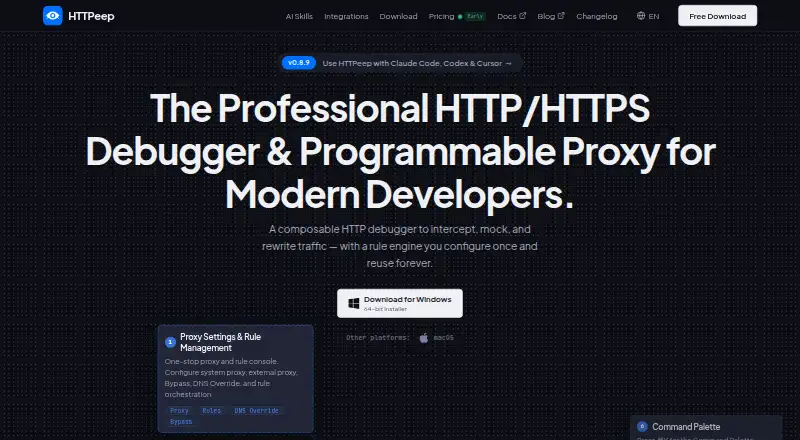
HTTPeep is a cross-platform HTTP/HTTPS debugging proxy for developers and QA engineers. It captures and decrypts application traffic locally, so teams can inspect requests and responses, edit traffic, mock APIs, route requests to local or staging services, and replay sessions. Desktop applications are available for macOS, Windows, and Linux, with integrations for browsers, terminal workflows, desktop apps, iOS traffic, and languages including JavaScript/Node.js, Python, Rust, and Go. It is a strong fit for developers who want a free starting point with more than basic inspection.
Its main strength is the breadth of traffic control in a local workflow. HTTPeep supports request and response breakpoints, programmable editing, local response mapping, DNS overrides, remote routing, and simulation for latency, bandwidth, failures, and disconnects. Rules are stored as YAML files for reuse and version control. The bundled CLI and terminal UI extend the proxy into scripting, CI, and terminal-based workflows, while MCP integration supports AI-agent workflows. That combination makes it suitable for debugging behavior that is difficult to reproduce with inspection alone.
The Community plan provides a Basic proxy, request viewing, and simple rule matching, while the broader feature set is part of HTTPeep’s paid positioning. Solo costs $49 one-time and includes the same Pro features, a one-device license, and one year of updates. Professional costs $79 one-time and adds all professional features, priority tech support, and perpetual use. Developers should choose HTTPeep when capture, simulation, replay, and programmable rules matter across multiple environments. It is less suitable for teams that need a released Team version or users who only need a minimal proxy without paid-tier requirements.
Your product? Our editors can test HTTPeep in depth and publish a review, labelled as paid · from $149/mo →
HTTPeep pricing
All 3 HTTPeep plans and prices →
HTTPeep fact sheet
| Free plan | Yes |
|---|---|
| Paid from | $49 one-time |
| Platforms | Not verified |
| Request/response editing | Yes |
| Breakpoint rules | Yes |
| Traffic replay | Yes |
| Response mocking | Yes |
| WebSocket inspection | Not verified |
| Proxy chaining | Yes |
| Free trial | 7 days · no card needed |
| Money-back guarantee | 7 days |
| Deployment | Desktop |
| Platforms | Windows, macOS, Linux |
| Support | Email, Docs |
| Built for | Solo, Small business, Mid-market (editorial estimate) |
| Integrations | 10 integrations: JavaScript/Node.js, Python, Rust, Go, curl, Chrome … See all → |
| Pricing | Free plan · 7-day trial (source) |
| Website | httpeep.com |
| Facts checked | 20 Sep 2026 |
HTTPeep integrations
HTTPeep lists 10 integrations on its own site.
- JavaScript/Node.js
- Python
- Rust
- Go
- curl
- Chrome
- Microsoft Edge
- Electron
- iOS
- terminal
See all HTTPeep integrations →
Alternatives to HTTPeep
- mitmproxyA broad, programmable proxy for debugging HTTP, HTTPS, WebSockets, and related traffic.9.4
- FluxzyA broad debugging proxy with a capable free personal tier and €49 perpetual Pro access.9.3
- HTTP ToolkitA broad HTTP debugging proxy for teams working across browsers, apps, containers, and APIs.9.2



See all HTTPeep alternatives →
HTTPeep vs the competition
- HTTPeep vs mitmproxy
- HTTPeep vs Fluxzy
- HTTPeep vs HTTP Toolkit
- HTTPeep vs Fiddler Everywhere
- HTTPeep vs NetworkSpy
- HTTPeep vs Whistle



Compare HTTPeep with any tool side by side →
Used HTTPeep? Be the first to review it
The editor score above is our own research. What this page doesn't have yet is a reader's view — what you used HTTPeep for, what worked and what didn't. No stars are seeded and no review is paid for; an editor reads every one before it appears.
Write a reviewTwo minutes · verified accounts only · read by an editor before it appears
Featured on iTechGuides

HTTPeep is listed in our Web Debugging Proxies directory. Add the badge to your site — it links back to this page.
<a href="https://www.itechguides.com/products/httpeep/"><img src="https://www.itechguides.com/best/badge/httpeep.svg" alt="Featured on iTechGuides" width="230" height="46"></a>
Reviewed by iTechGuides Editors · Editorial team · Updated Oct 2026
Advertiser disclosure: iTechGuides is reader-supported. Vendors can pay for top positions in our rankings and for a place on other products' pages, and we may earn a commission when you click some links. Bought places stand at the number bought; this page and our disclosure say so. Paying vendors may get a fuller, more detailed review from our editors, and that review can change their score. How we rank.
Last updated · How we research and update