
HDClone
HDClone: A Windows-focused cloning tool with unusually broad imaging and rescue options. Ranked #4 of 26 in Disk Cloning Software by our editors (8.8/10); pricing: Free plan; best for windows cloning with imaging depth.
At a glance
- Editor score8.8 / 10
- PricingFree plan
- Best forWindows cloning with imaging depth
- Free planYes
- Paid from€19.90 one-time
- Supported operating systemsWindows
- Founded2006 · Munich, Germany
- Facts checked20 Sep 2026
Where it wins
- Free private-use edition covers simple cloning
- Supports encrypted, differential, compressed, and virtual images
- Multi-target cloning supports 4, 8, or 16 targets
Where it doesn't
- Runs only on Windows
- Advanced capabilities require higher editions
- Portable and multi-target options cost more
Our verdict on HDClone
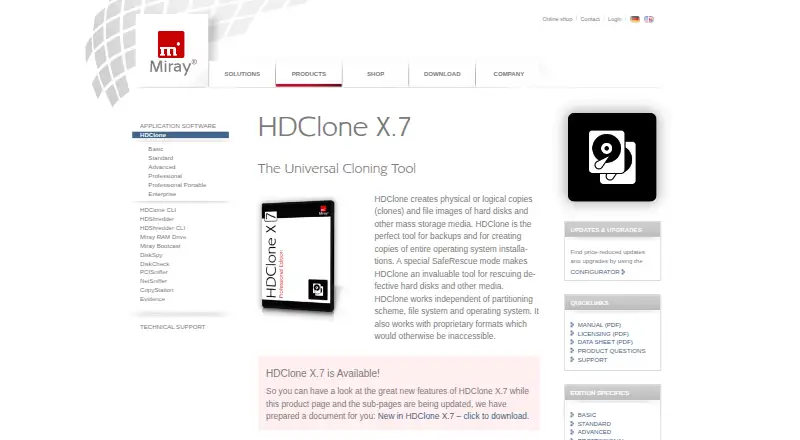
HDClone is Windows software for creating physical and logical clones, file images, backups, migrations, and recovery copies of hard disks and other storage media. It is aimed at private users who need simple cloning, as well as professionals and organizations handling rescue work, operating-system migration, imaging, or repeated deployments. The product can run as a Windows application or from self-booting USB and CD/DVD media, and it supports both drive-level and partition-level work.
Its edition structure makes the feature depth the main buying consideration. The Free Edition provides simple cloning for private use. Basic Edition adds drive and partition cloning, file images, and Miray Virtual Disk for €19.90 one-time. Standard Edition costs €39.90 one-time and adds SmartCopy logical copies, compressed images, and password-protected images. Advanced Edition adds differential images, Intel software RAID support, and HFS+ SmartCopy. Professional Edition costs €99 one-time and includes professional cloning and rescue, encrypted and virtual images, and SafeRescue mode. Professional Edition Portable costs €199 one-time and is designed for use on clients' PCs.
HDClone is particularly suited to workflows that need more than a straightforward disk copy. Automatic partition upsizing and downsizing supports migration to different drive sizes, while virtual image formats include VMDK, VHDX, and VDI. SafeRescue mode, bootable media, and recovery of defective media broaden its role beyond routine cloning. Enterprise Edition 4x costs €299 one-time and Enterprise Edition 8x costs €499 one-time; the product also supports multi-target cloning for 4, 8, or 16 targets. Choose HDClone if Windows compatibility and imaging flexibility matter more than a narrow, simple cloning workflow. Users on other operating systems should choose an alternative.
Your product? Our editors can test HDClone in depth and publish a review, labelled as paid · from $149/mo →
HDClone pricing
All 9 HDClone plans and prices →
HDClone fact sheet
| Free plan | Yes |
|---|---|
| Paid from | €19.90 one-time |
| Supported operating systems | Windows |
| Clone scope | Both |
| Bootable media | Yes |
| Resize during cloning | Yes |
| Sector cloning modes | Both |
| Scheduled cloning | Not verified |
| Dissimilar-hardware restore | Not verified |
| Deployment | Desktop |
| Platforms | Windows |
| Compliance & security | GDPR |
| Support | Email, Phone, Tickets, Community, Docs |
| Built for | Solo, Small business, Mid-market, Enterprise (editorial estimate) |
| Pricing | Free plan (source) |
| Website | miray-software.com |
| Facts checked | 20 Sep 2026 |
Alternatives to HDClone
- ClonezillaA capable free choice for cross-platform cloning, recovery, and multi-device deployment.9.4
- RescuezillaA free, cross-platform recovery toolkit for imaging, cloning, and restoring computers.9.2
- FOG ProjectA strong free choice for network-based imaging, with more deployment focus than general-purpose cloning.9.0



See all HDClone alternatives →
HDClone vs the competition
- HDClone vs Clonezilla
- HDClone vs Rescuezilla
- HDClone vs FOG Project
- HDClone vs Lazesoft Disk Image & Clone
- HDClone vs Macrium Reflect
- HDClone vs EaseUS Disk Copy


Compare HDClone with any tool side by side →
Used HDClone? Be the first to review it
The editor score above is our own research. What this page doesn't have yet is a reader's view — what you used HDClone for, what worked and what didn't. No stars are seeded and no review is paid for; an editor reads every one before it appears.
Write a reviewTwo minutes · verified accounts only · read by an editor before it appears
Featured on iTechGuides

HDClone is listed in our Disk Cloning Software directory. Add the badge to your site — it links back to this page.
<a href="https://www.itechguides.com/products/hdclone/"><img src="https://www.itechguides.com/best/badge/hdclone.svg" alt="Featured on iTechGuides" width="230" height="46"></a>
Reviewed by iTechGuides Editors · Editorial team · Updated Oct 2026
Advertiser disclosure: iTechGuides is reader-supported. Vendors can pay for top positions in our rankings and for a place on other products' pages, and we may earn a commission when you click some links. Bought places stand at the number bought; this page and our disclosure say so. Paying vendors may get a fuller, more detailed review from our editors, and that review can change their score. How we rank.
Last updated · How we research and update