HDClone
HDClone: Affordable Windows and Linux cloning with broad imaging and recovery options. Ranked #18 of 32 in Disk Imaging Software by our editors (7.7/10); pricing: Free plan; best for affordable cloning across Windows and Linux.
At a glance
- Editor score7.7 / 10
- PricingFree plan
- Best forAffordable cloning across Windows and Linux
- Free planYes
- Paid from€19.90 one-time
- Bare-metal restoreYes
- Founded2006 · Munich, Germany
- Facts checked21 Sep 2026
Where it wins
- Free private-use cloning with bootable media creation
- Differential, compressed, password-protected, and encrypted images
- SafeRescue, LiveImage, and support for Windows and Linux
Where it doesn't
- Incremental imaging is not part of the feature set
- The free edition is limited to private-use cloning
- Cloud destinations are not central to its imaging model
Our verdict on HDClone
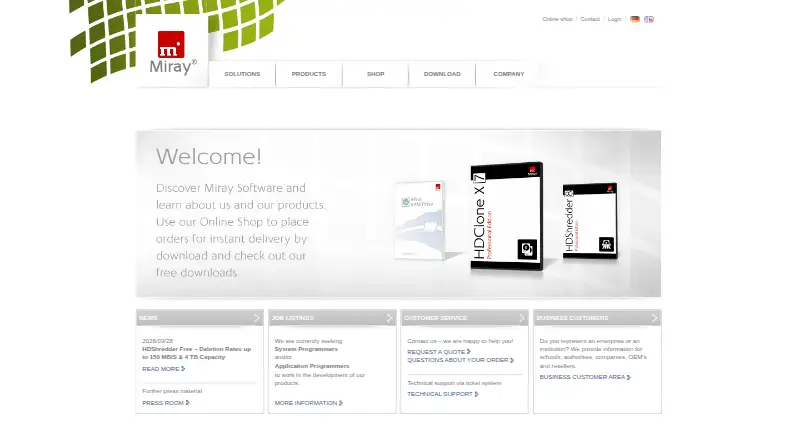
HDClone is disk imaging and cloning software from Miray Software AG for Windows and Linux. It creates physical or logical clones, file-based disk images, bootable recovery media, and operating-system migrations. Its editions cover private users, technicians, and enterprise mass-cloning workflows, with features for partition copying, recovery, image mounting, and defective-media rescue. The free edition focuses on private-use cloning, drive and SSD copying, and bootable media creation.
Pricing follows a primarily one-time license model. The Free Edition provides private-use cloning, while Basic Edition costs €19.90 one-time and adds partition copying, file images, Miray Virtual Disk, and Windows or self-booting modes. Standard Edition costs €39.90 one-time and adds SmartCopy logical copies, compressed and password-protected images, HotCopy, and LiveImage. Professional Edition costs €99 one-time and includes professional cloning and rescue, encrypted and RAW images, plus SCSI, SAS, and RAID support. Professional Edition Portable costs €199 one-time for portable technician use on clients’ PCs. Advanced Edition adds differential images, QuickCompress, SafeRescue, HFS+ support, and FastCopy, while Enterprise Edition adds mass cloning and parallel cloning to multiple targets.
The standout strength is breadth across cloning, imaging, migration, and recovery. HDClone can resize partitions during copying, mount Miray Virtual Disk images, create recovery media from USB or CD/DVD, and operate during Windows use through HotCopy and LiveImage. SafeRescue addresses defective media, while password protection and encryption support more controlled image handling. Its imaging model centers on local cloning and image files, with differential rather than incremental imaging. Choose HDClone for affordable Windows and Linux cloning, recovery media, and flexible one-time licensing. Consider another option if incremental imaging or cloud-focused destinations are central requirements.
Your product? Our editors can test HDClone in depth and publish a review, labelled as paid · from $149/mo →
HDClone pricing
All 7 HDClone plans and prices →
HDClone fact sheet
| Free plan | Yes |
|---|---|
| Paid from | €19.90 one-time |
| Bare-metal restore | Yes |
| Bootable recovery media | Yes |
| Incremental images | No |
| Differential images | Yes |
| Supported platforms | Windows, Linux |
| Image encryption | Yes |
| Cloud image destination | Not verified |
| Deployment | Desktop, Self-hosted |
| Platforms | Windows, Linux |
| Support | Email, Tickets, Community |
| Built for | Solo, Small business, Mid-market, Enterprise (editorial estimate) |
| Integrations | 1 integrations: Miray Virtual Disk |
| Pricing | Free plan (source) |
| Website | miray.de |
| Facts checked | 21 Sep 2026 |
HDClone integrations
HDClone lists 1 integrations on its own site.
- Miray Virtual Disk
Alternatives to HDClone
- ClonezillaA capable free imaging toolkit for technical users and multi-computer deployment.9.3
- Macrium ReflectA Windows-focused imaging suite for detailed backup and resilient recovery.9.1
- Acronis True ImageA broad personal backup suite with cloning, recovery, mobile coverage and ransomware monitoring.9.0



See all HDClone alternatives →
Used HDClone? Be the first to review it
The editor score above is our own research. What this page doesn't have yet is a reader's view — what you used HDClone for, what worked and what didn't. No stars are seeded and no review is paid for; an editor reads every one before it appears.
Write a reviewTwo minutes · verified accounts only · read by an editor before it appears
Featured on iTechGuides

HDClone is listed in our Disk Imaging Software directory. Add the badge to your site — it links back to this page.
<a href="https://www.itechguides.com/products/hdclone-disk-imaging-software/"><img src="https://www.itechguides.com/best/badge/hdclone-disk-imaging-software.svg" alt="Featured on iTechGuides" width="230" height="46"></a>
Reviewed by iTechGuides Editors · Editorial team · Updated Oct 2026
Advertiser disclosure: iTechGuides is reader-supported. Vendors can pay for top positions in our rankings and for a place on other products' pages, and we may earn a commission when you click some links. Bought places stand at the number bought; this page and our disclosure say so. Paying vendors may get a fuller, more detailed review from our editors, and that review can change their score. How we rank.
Last updated · How we research and update