
Hazel
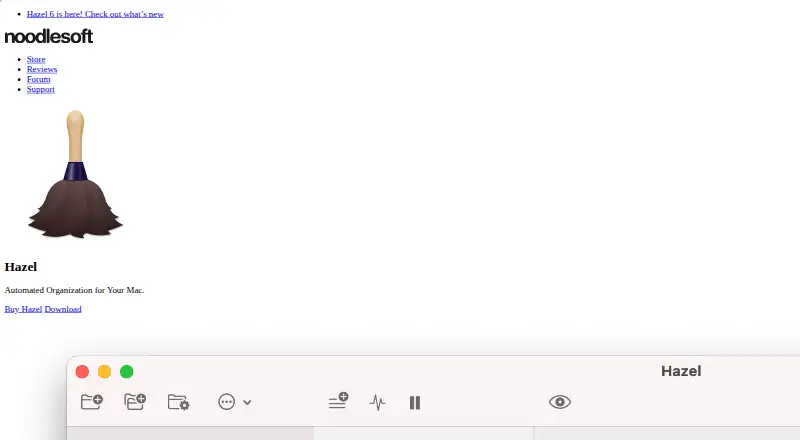
Hazel: A powerful one-time-purchase tool for automating file management on macOS. Ranked #126 of 131 in Workflow Automation Tools by our editors (3.0/10); pricing: 14-day trial; best for mac users automating local file management.
At a glance
- Editor score3.0 / 10
- Pricing14-day trial
- Best forMac users automating local file management
- Free planNo
- Paid from$42 one-time
- Multi-step workflowsYes
- Founded2006 · New York City
- Facts checked21 Sep 2026
Where it wins
- Nested conditions support detailed, attribute-based file rules
- Handles file operations, archives, tags, uploads, and scripts
- One-time pricing avoids a recurring subscription
Where it doesn't
- Runs on macOS rather than across multiple operating systems
- No webhooks for cloud-service event triggers
- No free plan; the trial lasts 14 days
Our verdict on Hazel
Hazel is a macOS desktop utility from Noodlesoft that watches selected folders and applies user-defined rules to files and folders. It is aimed at individuals and Mac users who want to automate downloads, documents, media libraries, trash maintenance, and other recurring file-management tasks. Rules can inspect names, dates, contents, tags, comments, media metadata, and other attributes, then apply actions such as moving, copying, renaming, archiving, uploading, tagging, notifying, or running scripts and workflows.
The published plans show a one-time price of $42 for Hazel 6 with a single-user license. A Hazel 6 Family Pack costs $65 and covers up to 5 members of a household, while Hazel 6 Upgrade costs $20 for upgrades from a previous version. There is no free plan, but a 14-day free trial is available. The main value is the rule engine: nested logic lets users combine conditions for more specific automation, while actions cover common file operations, archive handling, Finder tags, color labels, comments, trash management, and App Sweep.
Hazel fits Apple's ecosystem through Finder, Dropbox, Photos, Music, TV, AppleScript, JavaScript, Automator, Shortcuts, and shell-script actions. It also supports FTP, SFTP, and WebDAV uploads, giving local rules a route to external file destinations. This makes it a strong choice for Mac-centered file organization and cleanup, especially where automation should run on the desktop. Users seeking a cross-platform or cloud-first workflow platform, webhook-based triggers, or broader service orchestration should choose an alternative. Hazel is most suitable when local folder monitoring and detailed file rules are the main requirement.
Your product? Our editors can test Hazel in depth and publish a review, labelled as paid · from $149/mo →
Hazel pricing
All 3 Hazel plans and prices →
Hazel fact sheet
| Free plan | No |
|---|---|
| Paid from | $42 one-time |
| Native connectors | Not verified |
| Multi-step workflows | Yes |
| Conditional logic | Yes |
| Webhook triggers | Not verified |
| Included task runs | Not verified |
| Minimum run interval | Not verified |
| Free trial | 14 days |
| Money-back guarantee | 30 days |
| Deployment | Desktop |
| Platforms | macOS |
| Support | Community, Docs |
| Built for | Solo, Small business (editorial estimate) |
| Integrations | 11 integrations: Dropbox, FTP, SFTP, WebDAV, Photos, Music … |
| Pricing | 14-day trial (source) |
| Website | noodlesoft.com |
| Facts checked | 21 Sep 2026 |
Hazel integrations
Hazel lists 11 integrations on its own site.
- Dropbox
- FTP
- SFTP
- WebDAV
- Photos
- Music
- TV
- AppleScript
- JavaScript
- Automator
- Shortcuts
Alternatives to Hazel
- ZapierA mature no-code automation platform with exceptional app coverage and flexible workflow logic.9.3
- MakeBroad no-code automation with a free plan, 3,000+ apps, and multi-step routing.9.2
- Microsoft Power AutomateA Microsoft-focused automation platform combining cloud flows, desktop RPA, governance, and Copilot.9.0


Used Hazel? Be the first to review it
The editor score above is our own research. What this page doesn't have yet is a reader's view — what you used Hazel for, what worked and what didn't. No stars are seeded and no review is paid for; an editor reads every one before it appears.
Write a reviewTwo minutes · verified accounts only · read by an editor before it appears
Featured on iTechGuides

Hazel is listed in our Workflow Automation Tools directory. Add the badge to your site — it links back to this page.
<a href="https://www.itechguides.com/products/hazel/"><img src="https://www.itechguides.com/best/badge/hazel.svg" alt="Featured on iTechGuides" width="230" height="46"></a>
Guides on workflow automation tools
- Top 5 n8n Alternatives in 2026: Choosing the Right Workflow Automation ToolAug 2026
- 5 Workflow Automation Tools for Professionals: How to ChooseOct 2026
- n8n Workflow Automation Software Review (2026): Powerful, Flexible, and Not for EveryoneAug 2026
Reviewed by iTechGuides Editors · Editorial team · Updated Oct 2026
Advertiser disclosure: iTechGuides is reader-supported. Vendors can pay for top positions in our rankings and for a place on other products' pages, and we may earn a commission when you click some links. Bought places stand at the number bought; this page and our disclosure say so. Paying vendors may get a fuller, more detailed review from our editors, and that review can change their score. How we rank.
Last updated · How we research and update