GSM
GSM: A focused Ludusavi and Rclone workflow for versioned, cross-platform save backups. Ranked #12 of 26 in Game Save Managers by our editors (8.2/10); pricing: Free plan; best for lean Ludusavi and Rclone backup workflow.
At a glance
- Editor score8.2 / 10
- PricingFree plan
- Best forLean Ludusavi and Rclone backup workflow
- Free planYes
- Paid fromFree
- Facts checked20 Sep 2026
Where it wins
- Automatic save detection through Ludusavi
- Versioned backups with per-game retention and SHA256 files
- Rclone uploads and backup-library synchronization between machines
Where it doesn't
- Unsupported games require manual backups
- Restore choices are manual rather than automatic
- Interfaces are limited to Linux and Windows
Our verdict on GSM
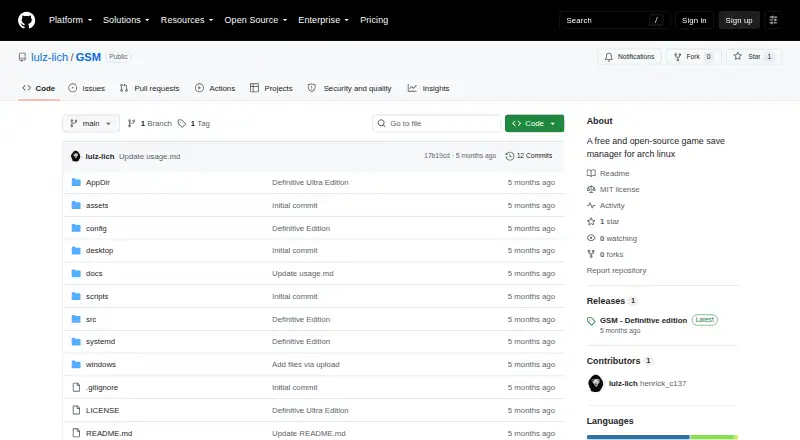
GSM is a free, open-source game save manager for Linux and Windows. It is designed for players who want a cross-platform workflow for backing up, synchronizing, and restoring game saves. Automatic detection through Ludusavi handles supported games, while manual backups cover unsupported titles. The product provides both a Linux GUI and TUI, along with a Windows GUI and single-file EXE build.
Its strongest fit is the combination of Ludusavi and Rclone. GSM can upload backups to cloud storage through Rclone and synchronize backup libraries between machines, while versioned backups preserve multiple points in a game's history. Per-game retention helps control how many versions remain, and SHA256 integrity files add a way to check backup integrity. These capabilities make GSM more suitable for organized, multi-machine save management than for a simple one-time copy workflow.
The restore workflow offers practical choice: users can restore the latest backup, all backups, or game-specific backups. That flexibility is useful when different games need different recovery points, but the published category details describe restore options as manual. Unsupported games also require manual backups, so the experience depends on how well a title fits Ludusavi's detection workflow. Choose GSM if you want a free, open-source manager centered on version history, Rclone cloud storage, and Linux or Windows support. Consider another option if you need a broader platform range, automated restore behavior, or a workflow built around scheduled execution.
Your product? Our editors can test GSM in depth and publish a review, labelled as paid · from $149/mo →
GSM pricing
GSM fact sheet
| Free plan | Yes |
|---|---|
| Paid from | Free |
| Automatic backup | Not verified |
| Cloud synchronization | Yes |
| Scheduled backups | Not verified |
| Version history | Yes |
| Game detection | Automatic |
| Supported platforms | Multi-platform |
| Restore options | Manual |
| Deployment | Desktop |
| Platforms | Windows, Linux |
| Support | Community |
| Built for | Solo, Small business (editorial estimate) |
| Integrations | 2 integrations: Ludusavi, Rclone |
| Pricing | Free plan |
| Website | github.com |
| Facts checked | 20 Sep 2026 |
GSM integrations
GSM lists 2 integrations on its own site.
- Ludusavi
- Rclone
Alternatives to GSM
- LudusaviA free, open-source save manager with GUI, CLI, retention, and cloud-sync options.9.4
- Game Save GenieA free, open-source save manager with broad game detection and versioned cloud backups.9.3
- GSBSA capable open-source choice for self-hosted sync, versioning, and recovery.9.2
Used GSM? Be the first to review it
The editor score above is our own research. What this page doesn't have yet is a reader's view — what you used GSM for, what worked and what didn't. No stars are seeded and no review is paid for; an editor reads every one before it appears.
Write a reviewTwo minutes · verified accounts only · read by an editor before it appears
Featured on iTechGuides

GSM is listed in our Game Save Managers directory. Add the badge to your site — it links back to this page.
<a href="https://www.itechguides.com/products/gsm/"><img src="https://www.itechguides.com/best/badge/gsm.svg" alt="Featured on iTechGuides" width="230" height="46"></a>
Reviewed by iTechGuides Editors · Editorial team · Updated Oct 2026
Advertiser disclosure: iTechGuides is reader-supported. Vendors can pay for top positions in our rankings and for a place on other products' pages, and we may earn a commission when you click some links. Bought places stand at the number bought; this page and our disclosure say so. Paying vendors may get a fuller, more detailed review from our editors, and that review can change their score. How we rank.
Last updated · How we research and update