GPU-Z
GPU-Z: A free, portable Windows utility for quick local GPU identification and diagnostics. Ranked #8 of 59 in Hardware Monitoring Software by our editors (8.0/10); pricing: Free plan; best for quick standalone GPU identification.
At a glance
- Editor score8.0 / 10
- PricingFree plan
- Best forQuick standalone GPU identification
- Free planYes
- Paid fromFree
- Facts checked21 Sep 2026
Where it wins
- Free downloadable executable with no subscription cost
- Displays video-card and GPU information on Windows
- Provides local graphics-hardware diagnostics for desktop users
Where it doesn't
- Windows-only availability limits cross-platform use
- No remote monitoring for centralized device oversight
- Narrower scope than full hardware monitoring products
Our verdict on GPU-Z
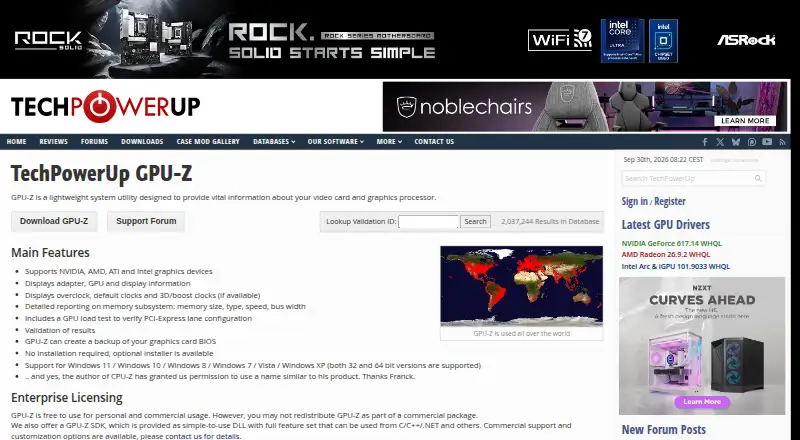
GPU-Z is a lightweight desktop utility from TechPowerUp for identifying graphics hardware and presenting information about installed video cards and GPUs. It is aimed at PC enthusiasts, solo users, and small teams that need quick local graphics-hardware diagnostics on Windows. The product is distributed as a downloadable standalone executable, with standard and ASUS ROG-themed versions available. Its focus is direct and narrow: identify the GPU, display relevant hardware information, and support local inspection rather than manage a wider hardware estate.
The product’s main strength is its focused delivery model. A downloadable executable can suit users who want a standalone desktop utility rather than a broader monitoring platform, and the published plans show a free product with a starting price of 0. GPU-Z covers video-card and GPU information display, GPU identification, and local graphics-hardware diagnostics. That makes it a practical fit for checking graphics hardware on an individual Windows machine, particularly when a user values a small, dedicated tool over a larger operational system.
GPU-Z is less suitable when monitoring needs extend beyond a single local device. Its published positioning excludes remote monitoring and integrations, so it does not target centralized fleet visibility or connected workflows across multiple systems. The feature scope is also narrower than full hardware monitoring products. Choose GPU-Z when the priority is quick, standalone GPU identification and local diagnostics on Windows. Consider a broader hardware monitoring product when the requirement includes remote oversight, integrations, or wider monitoring coverage.
Your product? Our editors can test GPU-Z in depth and publish a review, labelled as paid · from $149/mo →
GPU-Z pricing
GPU-Z fact sheet
| Free plan | Yes |
|---|---|
| Paid from | Free |
| Supported platforms | Windows |
| Remote monitoring | Not verified |
| Monitored device limit | Not verified |
| Sensor history | Not verified |
| Alert channels | Not verified |
| Custom sensor support | Not verified |
| Deployment | Desktop |
| Platforms | Windows |
| Built for | Solo, Small business (editorial estimate) |
| Pricing | Free plan |
| Website | techpowerup.com |
| Facts checked | 21 Sep 2026 |
Alternatives to GPU-Z
- GlassmkrFree monitoring for Linux hardware, with hosted simplicity or self-hosted control.9.3
- Supermicro SuperDoctor 5A free, focused monitor for Supermicro server health, alerts, logs, and remote power control.9.2
- HWiNFOA deep Windows diagnostics suite for users who need detailed sensors, reports, and alerts.9.1

GPU-Z vs the competition
- GPU-Z vs Glassmkr
- GPU-Z vs Supermicro SuperDoctor 5
- GPU-Z vs HWiNFO
- GPU-Z vs NVIDIA Data Center GPU Manager
- GPU-Z vs smartmontools
- GPU-Z vs MSI Afterburner


Compare GPU-Z with any tool side by side →
Used GPU-Z? Be the first to review it
The editor score above is our own research. What this page doesn't have yet is a reader's view — what you used GPU-Z for, what worked and what didn't. No stars are seeded and no review is paid for; an editor reads every one before it appears.
Write a reviewTwo minutes · verified accounts only · read by an editor before it appears
Featured on iTechGuides

GPU-Z is listed in our Hardware Monitoring Software directory. Add the badge to your site — it links back to this page.
<a href="https://www.itechguides.com/products/gpu-z/"><img src="https://www.itechguides.com/best/badge/gpu-z.svg" alt="Featured on iTechGuides" width="230" height="46"></a>
Reviewed by iTechGuides Editors · Editorial team · Updated Oct 2026
Advertiser disclosure: iTechGuides is reader-supported. Vendors can pay for top positions in our rankings and for a place on other products' pages, and we may earn a commission when you click some links. Bought places stand at the number bought; this page and our disclosure say so. Paying vendors may get a fuller, more detailed review from our editors, and that review can change their score. How we rank.
Last updated · How we research and update