
GNOME Document Scanner
GNOME Document Scanner: A free, open-source Linux scanner app for multi-page documents and photos. Ranked #12 of 22 in Scanner Software by our editors (7.3/10); pricing: Free plan; best for free Linux multi-page scanning.
At a glance
- Editor score7.3 / 10
- PricingFree plan
- Best forFree Linux multi-page scanning
- Free planYes
- Paid fromFree
- Facts checked20 Sep 2026
Where it wins
- Free and open source under GPL-3.0+
- Supports ADF and duplex scanning where the scanner allows it
- Exports multi-page PDFs plus JPEG and PNG images
Where it doesn't
- Runs on Linux only
- Duplex scanning depends on scanner support
- Focused on scanning and file handling rather than OCR or cloud destinations
Our verdict on GNOME Document Scanner
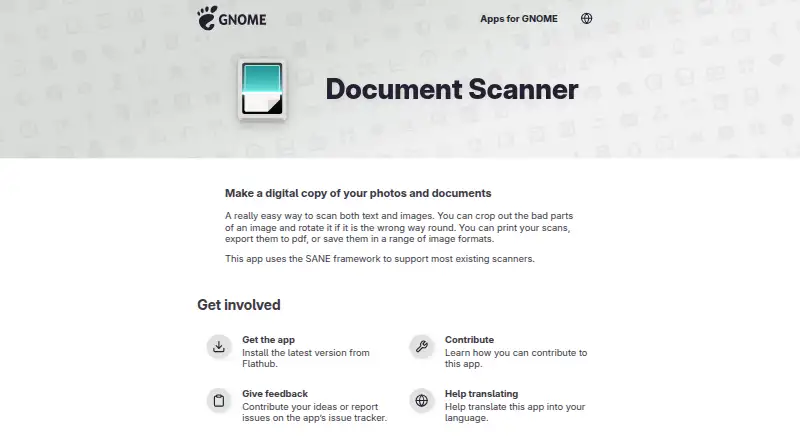
GNOME Document Scanner is a free, open-source Linux desktop application for digitizing documents and photos with compatible scanners. It works through the SANE framework and supports flatbed scanning, automatic document feeders, and two-sided scanning when the scanner provides that capability. It is aimed at Linux users who want a focused desktop tool for creating digital copies, assembling multi-page documents, and sending scans to common local outputs without a paid plan.
For multi-page work, the feature set covers the practical editing steps after capture. Users can crop and rotate pages, reorder or delete them, and export a document as a multi-page PDF. Scans can also be saved as JPEG or PNG images, printed, or emailed. ADF support makes it suitable for batches of pages, while duplex support can reduce manual page handling with compatible hardware. The main platform consideration is its Linux-only availability, and scanner compatibility depends on the SANE framework and the capabilities of the connected device.
GNOME Document Scanner is a good choice for Linux users who need free scanning software with ADF workflows, page organization, PDF export, and image output. Its narrow focus is also its main boundary: the listed workflow centers on capturing, editing, saving, printing, and emailing scans rather than adding OCR or cloud destinations. Choose it when local document digitization is the priority and the scanner fits the supported setup. Consider another tool when a broader platform range or capabilities beyond scanning and basic document handling are central to the workflow.
Your product? Our editors can test GNOME Document Scanner in depth and publish a review, labelled as paid · from $149/mo →
GNOME Document Scanner pricing
GNOME Document Scanner fact sheet
| Free plan | Yes |
|---|---|
| Paid from | Free |
| Supported platforms | linux |
| OCR included | Not verified |
| ADF support | Yes |
| Duplex scanning | Yes |
| Output formats | PDF, JPEG, PNG |
| Cloud destinations | Not verified |
| Deployment | Desktop |
| Platforms | Linux |
| Support | Docs |
| Built for | Solo, Small business (editorial estimate) |
| Pricing | Free plan |
| Website | apps.gnome.org |
| Facts checked | 20 Sep 2026 |
Alternatives to GNOME Document Scanner
- NAPS2A capable free scanner utility for searchable PDFs, batch workflows, and automation.9.4
- ScanSnap HomeA capable free companion for organizing scans across desktop and mobile.9.2
- PaperStream CaptureA capable Windows scanner workflow for batch capture, extraction, checking, and routing.8.9

See all GNOME Document Scanner alternatives →
Also Ranked In
GNOME Document Scanner is ranked in 2 of our directories.
Used GNOME Document Scanner? Be the first to review it
The editor score above is our own research. What this page doesn't have yet is a reader's view — what you used GNOME Document Scanner for, what worked and what didn't. No stars are seeded and no review is paid for; an editor reads every one before it appears.
Write a reviewTwo minutes · verified accounts only · read by an editor before it appears
Featured on iTechGuides

GNOME Document Scanner is listed in our Scanner Software directory. Add the badge to your site — it links back to this page.
<a href="https://www.itechguides.com/products/gnome-document-scanner/"><img src="https://www.itechguides.com/best/badge/gnome-document-scanner.svg" alt="Featured on iTechGuides" width="230" height="46"></a>
Reviewed by iTechGuides Editors · Editorial team · Updated Oct 2026
Advertiser disclosure: iTechGuides is reader-supported. Vendors can pay for top positions in our rankings and for a place on other products' pages, and we may earn a commission when you click some links. Bought places stand at the number bought; this page and our disclosure say so. Paying vendors may get a fuller, more detailed review from our editors, and that review can change their score. How we rank.
Last updated · How we research and update