GKrellM
GKrellM: Free, cross-platform monitoring with alarms, charts, remote clients, and plugins. Ranked #19 of 59 in Hardware Monitoring Software by our editors (6.9/10); pricing: Free plan; best for classic cross-platform desktop monitoring.
At a glance
- Editor score6.9 / 10
- PricingFree plan
- Best forClassic cross-platform desktop monitoring
- Free planYes
- Paid fromFree
- Remote monitoringYes
- Facts checked21 Sep 2026
Where it wins
- Monitors core system resources plus supported temperature, fan, and voltage sensors
- Adds alarms, historical charts, themes, plugins, and command triggers
- Supports remote monitoring through client mode and a gkrellmd server
Where it doesn't
- Sensor coverage depends on operating-system and hardware support
- Desktop deployment is less suited to centralized monitoring environments
- The interface and feature depth are more traditional than newer tools
Our verdict on GKrellM
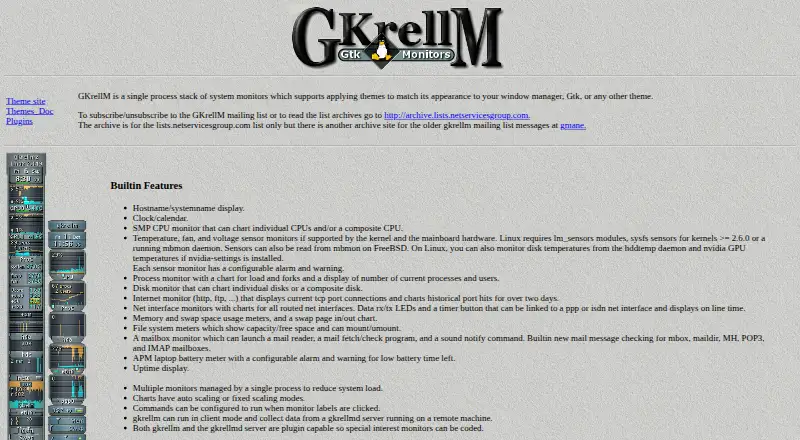
GKrellM is a free, open-source desktop monitoring application for users who want system and hardware information in one compact interface. It combines CPU, disk, process, network, memory, swap, filesystem, battery, and uptime monitoring, while temperature, fan, and voltage readings appear when supported by the operating system and hardware. Its cross-platform support covers Linux, FreeBSD, Mac OS X, NetBSD, OpenBSD, and Windows, making it a practical fit for solo users and small teams that prefer local desktop monitoring.
Its strongest advantage is the breadth of monitoring features available without a commercial plan structure. Configurable alarms and warnings can flag sensor or battery conditions, while historical charts provide automatic or fixed scaling for reviewing changes over time. Theme support helps match window-manager or GTK themes, and plugins extend GKrellM and gkrellmd. Users can also configure commands triggered by monitor-label clicks, adding a degree of desktop control beyond passive status display. The main technical constraint is that hardware sensor visibility depends on operating-system and hardware support, so the available readings can vary by machine.
GKrellM also supports remote monitoring through client mode and a gkrellmd server, giving its desktop-focused design a useful server-monitoring option. That said, it remains oriented toward a traditional desktop workflow rather than a broader centralized observability environment, and its interface and feature depth are correspondingly traditional. Support is centered on email, while the software itself is released under the GPL. Choose GKrellM for free, configurable, cross-platform desktop monitoring with optional remote clients; consider another category tool if you need a more modern interface or a wider centralized operations platform.
Your product? Our editors can test GKrellM in depth and publish a review, labelled as paid · from $149/mo →
GKrellM pricing
GKrellM fact sheet
| Free plan | Yes |
|---|---|
| Paid from | Free |
| Supported platforms | Linux, FreeBSD, Mac OS X, NetBSD, OpenBSD, Windows |
| Remote monitoring | Yes |
| Monitored device limit | Not verified |
| Sensor history | Not verified |
| Alert channels | Not verified |
| Custom sensor support | Yes |
| Deployment | Desktop |
| Platforms | Windows, macOS, Linux |
| Support | |
| Built for | Solo, Small business (editorial estimate) |
| Pricing | Free plan |
| Website | billw2.github.io |
| Facts checked | 21 Sep 2026 |
Alternatives to GKrellM
- GlassmkrFree monitoring for Linux hardware, with hosted simplicity or self-hosted control.9.3
- Supermicro SuperDoctor 5A free, focused monitor for Supermicro server health, alerts, logs, and remote power control.9.2
- HWiNFOA deep Windows diagnostics suite for users who need detailed sensors, reports, and alerts.9.1

See all GKrellM alternatives →
Used GKrellM? Be the first to review it
The editor score above is our own research. What this page doesn't have yet is a reader's view — what you used GKrellM for, what worked and what didn't. No stars are seeded and no review is paid for; an editor reads every one before it appears.
Write a reviewTwo minutes · verified accounts only · read by an editor before it appears
Featured on iTechGuides

GKrellM is listed in our Hardware Monitoring Software directory. Add the badge to your site — it links back to this page.
<a href="https://www.itechguides.com/products/gkrellm-hardware-monitoring-software/"><img src="https://www.itechguides.com/best/badge/gkrellm-hardware-monitoring-software.svg" alt="Featured on iTechGuides" width="230" height="46"></a>
Reviewed by iTechGuides Editors · Editorial team · Updated Oct 2026
Advertiser disclosure: iTechGuides is reader-supported. Vendors can pay for top positions in our rankings and for a place on other products' pages, and we may earn a commission when you click some links. Bought places stand at the number bought; this page and our disclosure say so. Paying vendors may get a fuller, more detailed review from our editors, and that review can change their score. How we rank.
Last updated · How we research and update