
Gemini CLI
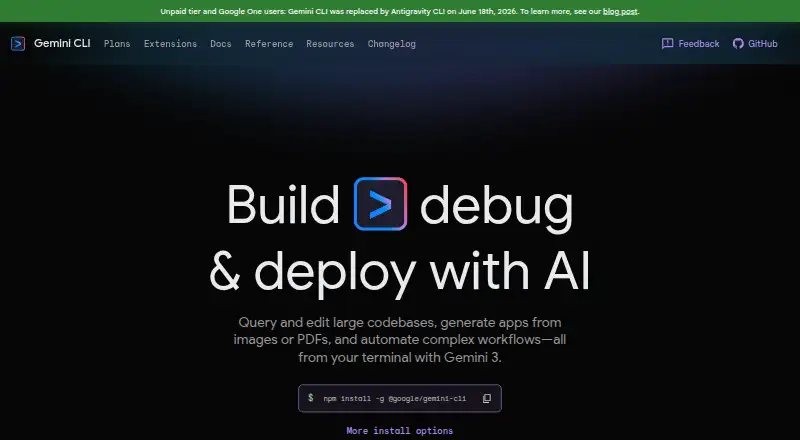
Gemini CLI: Free, open-source terminal coding assistance with agents, testing, and IDE connections. Ranked #4 of 103 in AI Coding Assistants by our editors (9.0/10); pricing: Free plan; best for free terminal-first coding assistance.
At a glance
- Editor score9.0 / 10
- PricingFree plan
- Best forFree terminal-first coding assistance
- Free planYes
- Coding agentYes
- Facts checked22 Sep 2026
Where it wins
- Free terminal access with natural-language coding and debugging
- Multi-file editing, shell commands, testing, agents, and subagents
- MCP, headless scripting, checkpoints, and IDE integrations
Where it doesn't
- Terminal-first workflows may not suit inline-completion needs
- Usage limits vary across Google access paths
- Enterprise controls are tied to Vertex AI access
Our verdict on Gemini CLI
Gemini CLI is an open-source, terminal-first AI coding agent for developers working across Windows, macOS, and Linux. It can generate and debug code, explore codebases, read and edit files, run shell commands and tests, automate multi-step tasks, and use project context from GEMINI.md files. Its strongest fit is for developers who want free coding assistance centered on the terminal, with optional connections to editors and external tools.
The feature set extends beyond chat assistance. Gemini CLI supports multi-file editing, agent mode, specialized subagents, MCP servers and extensions, non-interactive or headless scripting, and checkpointing for session recovery. It connects with GitHub Actions, VS Code-compatible editors, JetBrains through ACP, and Zed through ACP. These options make it suitable for repository exploration, repeatable development workflows, and tasks that move between terminal commands and editor-based diff views. Developers seeking a narrow inline-completion tool may find the terminal-and-agent model less aligned with their workflow.
Access is available through several Google paths. The Free plan provides Google Account authentication and free access for exploring Gemini CLI. Google AI Pro and Google AI Ultra add higher usage limits, with broader AI benefits in each subscription. The Google Developer Program adds Gemini Code Assist, higher Gemini CLI usage limits, credits, and corporate Workspace account support. AI Studio provides API-key authentication, pay-as-you-go access, higher rate limits, and paid-only models, while Vertex AI adds Google Cloud authentication, enterprise security and compliance, SLA, and regional data residency. Pick Gemini CLI for open-source, terminal-first development and automation; choose another option if your priority is a dedicated inline-completion experience or enterprise controls outside Google Cloud.
Your product? Our editors can test Gemini CLI in depth and publish a review, labelled as paid · from $149/mo →
Gemini CLI pricing
All 6 Gemini CLI plans and prices →
Gemini CLI fact sheet
| Free plan | Yes |
|---|---|
| Paid from | Not verified |
| Code completion | Not verified |
| Chat assistance | Yes |
| Coding agent | Yes |
| Supported IDEs | Antigravity, Visual Studio Code, JetBrains, Zed |
| Codebase indexing | Yes |
| Terminal access | Yes |
| Deployment | Self-hosted |
| Platforms | Windows, macOS, Linux |
| Support | Docs |
| Built for | Solo, Small business, Mid-market, Enterprise (editorial estimate) |
| Integrations | 5 integrations: MCP servers, GitHub Actions, VS Code-compatible editors, JetBrains via ACP, Zed via ACP |
| Pricing | Free plan (source) |
| Website | geminicli.com |
| Facts checked | 22 Sep 2026 |
Gemini CLI integrations
Gemini CLI lists 5 integrations on its own site.
- MCP servers
- GitHub Actions
- VS Code-compatible editors
- JetBrains via ACP
- Zed via ACP
Alternatives to Gemini CLI
- GitHub CopilotA broad coding assistant with a free entry point and agent workflows.9.3
- Claude CodeA strong fit for multi-step coding work across codebases, tools, and pull requests.9.2
- DevinA broad autonomous coding workspace with usage-based plan differences.9.1


See all Gemini CLI alternatives →
Gemini CLI vs the competition
- Gemini CLI vs GitHub Copilot
- Gemini CLI vs Claude Code
- Gemini CLI vs Devin
- Gemini CLI vs OpenAI Codex
- Gemini CLI vs JetBrains Junie
- Gemini CLI vs Aider

Compare Gemini CLI with any tool side by side →
Used Gemini CLI? Be the first to review it
The editor score above is our own research. What this page doesn't have yet is a reader's view — what you used Gemini CLI for, what worked and what didn't. No stars are seeded and no review is paid for; an editor reads every one before it appears.
Write a reviewTwo minutes · verified accounts only · read by an editor before it appears
Featured on iTechGuides

Gemini CLI is listed in our AI Coding Assistants directory. Add the badge to your site — it links back to this page.
<a href="https://www.itechguides.com/products/gemini-cli/"><img src="https://www.itechguides.com/best/badge/gemini-cli.svg" alt="Featured on iTechGuides" width="230" height="46"></a>
Reviewed by iTechGuides Editors · Editorial team · Updated Oct 2026
Advertiser disclosure: iTechGuides is reader-supported. Vendors can pay for top positions in our rankings and for a place on other products' pages, and we may earn a commission when you click some links. Bought places stand at the number bought; this page and our disclosure say so. Paying vendors may get a fuller, more detailed review from our editors, and that review can change their score. How we rank.
Last updated · How we research and update