
Gemini 2
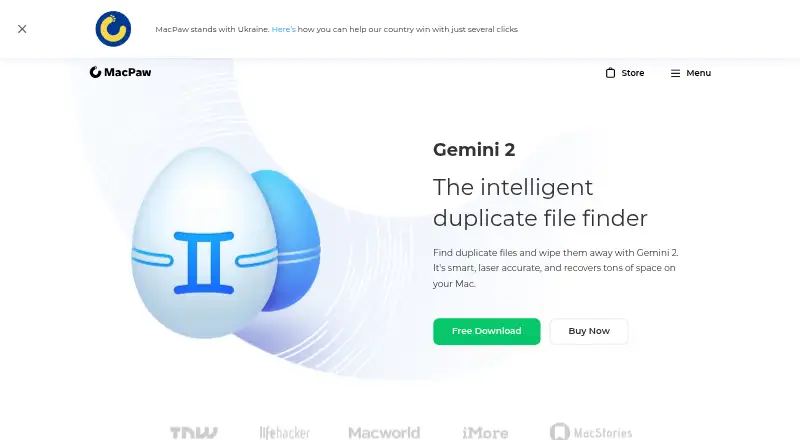
Gemini 2: A Mac-focused duplicate finder with smart selection and broad scan coverage. Ranked #5 of 37 in Duplicate File Finders by our editors (8.4/10); pricing: Paid; best for mac users wanting smart duplicate selection.
At a glance
- Editor score8.4 / 10
- PricingPaid
- Best forMac users wanting smart duplicate selection
- Platform coverageMacos
- Founded2008 · Kyiv, Ukraine
- Facts checked22 Sep 2026
Where it wins
- Finds identical and slightly different files
- Scans disks, libraries, removable media, and network volumes
- Smart Selection learns preferences and moves removals to Trash
Where it doesn't
- Available only for macOS
- Paid-only product with a listed starting price of 44.95
- One-time plans cover only one or two Macs
Our verdict on Gemini 2
Gemini 2 is a macOS duplicate-file finder from MacPaw for people who want to identify redundant files and recover storage space. It scans whole disks, selected folders, removable media, network volumes, Photos libraries, and iTunes libraries. The product detects identical files and similar files that differ slightly, then provides previews and manual review before removal. Mac users can compare file characteristics or let Smart Selection choose duplicates automatically.
Pricing is organized by device count and billing term. Annual plans are available for one, two, or five Macs and include a 30-day money-back guarantee. Monthly plans cover the same device counts and include a 14-day money-back guarantee. One-time plans are available for one or two Macs, with a 30-day money-back guarantee. The listed starting price is 44.95. Across the plans, the published features include duplicate and similar file scanning and Smart Selection, so the main choice is between billing term and the number of Macs covered.
Its standout strength is the combination of broad scan locations and assisted selection. Gemini 2 can inspect local storage, external and network volumes, Photos, and iTunes libraries, while its Ignore List supports folder and file exclusions. Smart Selection can learn user selection preferences for future scans, and removed files go to Trash by default for restoration. It is a strong fit for Mac users who want more than exact-match searching and prefer guided cleanup. Users who need Windows support, an unpaid plan, or a five-Mac one-time option should choose an alternative.
Your product? Our editors can test Gemini 2 in depth and publish a review, labelled as paid · from $149/mo →
Gemini 2 pricing
All 9 Gemini 2 plans and prices →
Gemini 2 fact sheet
| Free plan | Not verified |
|---|---|
| Paid from | Not verified |
| Platform coverage | Macos |
| Scan locations | Whole disk, selected folders, removable media, network volumes, Photos libraries, iTunes libraries |
| Match methods | File data length, creation date, modification date, extension, path, and similarity |
| File preview | Yes |
| Automatic selection | Yes |
| Recycle Bin / Trash | Yes |
| Folder exclusions | Yes |
| Deployment | Desktop |
| Platforms | macOS |
| Support | Docs · 24/7 |
| Built for | Solo, Small business (editorial estimate) |
| Integrations | 2 integrations: Photos, iTunes |
| Pricing | Paid (source) |
| Website | macpaw.com |
| Facts checked | 22 Sep 2026 |
Gemini 2 integrations
Gemini 2 lists 2 integrations on its own site.
- Photos
- iTunes
Alternatives to Gemini 2
- AllDupA fully free Windows duplicate finder with broad matching and cleanup controls.9.0
- CzkawkaA free, scriptable duplicate finder for technical users across Windows, macOS, Linux, and Android.8.8
- Wise Duplicate FinderA Windows duplicate finder with free manual cleanup and Pro date-based selection.8.7


See all Gemini 2 alternatives →
Gemini 2 vs the competition
- Gemini 2 vs AllDup
- Gemini 2 vs Czkawka
- Gemini 2 vs Wise Duplicate Finder
- Gemini 2 vs EaseUS DupFiles Cleaner
- Gemini 2 vs dupeGuru
- Gemini 2 vs Glary Duplicate Cleaner

Compare Gemini 2 with any tool side by side →
Used Gemini 2? Be the first to review it
The editor score above is our own research. What this page doesn't have yet is a reader's view — what you used Gemini 2 for, what worked and what didn't. No stars are seeded and no review is paid for; an editor reads every one before it appears.
Write a reviewTwo minutes · verified accounts only · read by an editor before it appears
Featured on iTechGuides

Gemini 2 is listed in our Duplicate File Finders directory. Add the badge to your site — it links back to this page.
<a href="https://www.itechguides.com/products/gemini-2/"><img src="https://www.itechguides.com/best/badge/gemini-2.svg" alt="Featured on iTechGuides" width="230" height="46"></a>
Reviewed by iTechGuides Editors · Editorial team · Updated Oct 2026
Advertiser disclosure: iTechGuides is reader-supported. Vendors can pay for top positions in our rankings and for a place on other products' pages, and we may earn a commission when you click some links. Bought places stand at the number bought; this page and our disclosure say so. Paying vendors may get a fuller, more detailed review from our editors, and that review can change their score. How we rank.
Last updated · How we research and update