
FTP Rush
FTP Rush: A free, automation-ready client with broad protocol and platform coverage. Ranked #10 of 36 in FTP Clients by our editors (8.0/10); pricing: Free plan; best for free multi-platform FTP with automation.
At a glance
- Editor score8.0 / 10
- PricingFree plan
- Best forFree multi-platform FTP with automation
- Free planYes
- Paid fromFree
- Protocol coverageMulti-protocol
- Facts checked20 Sep 2026
Where it wins
- Supports FTP, FTPS, SFTP, WebDAV, and cloud-storage connections
- Offers server-to-server transfers, synchronization, and scheduled tasks
- Runs on Windows, macOS, Linux, iOS, and Android
Where it doesn't
- The documented default is two simultaneous transfers
- The portable version is available for Windows only
- Its automation features may exceed the needs of simple transfers
Our verdict on FTP Rush
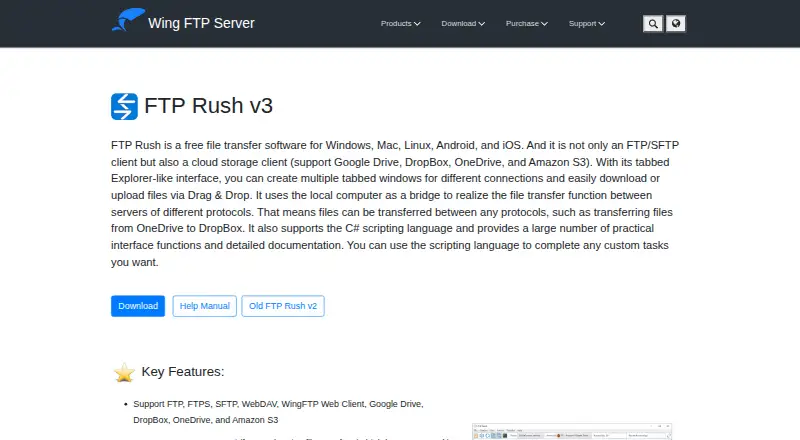
FTP Rush is a freeware file-transfer client from Wing FTP Software for users who need more than basic file uploads and downloads. It supports Windows, macOS, Linux, Android, and iOS, with connections through FTP, FTPS, SFTP, WebDAV, and cloud-storage services. The combination of cross-platform access, multiple protocols, and file-management tools makes it suited to individuals and teams moving files between local systems, servers, and supported cloud services.
Automation is a central strength. FTP Rush supports server-to-server transfers between supported protocols, custom scheduled tasks, FTP folder synchronization, C# scripting, interactive terminal commands, and command-line execution. File filters and directory comparison add control for repeat operations, while tabbed connections, drag-and-drop transfers, HTTP and SOCKS5 proxy support, and a portable Windows version cover common desktop workflows. Integrations include Google Drive, Dropbox, OneDrive, Amazon S3, WebDAV, and WingFTP Web Client.
The product is a strong fit for users who want a free client with protocol breadth, mobile coverage, synchronization, and automation in one application. The documented default of two simultaneous transfers is worth considering for workflows that depend on concurrent activity. Its scripting, terminal, and scheduling capabilities may also be more than a user needs for occasional manual transfers. Choose FTP Rush when cross-platform availability and advanced transfer workflows matter; choose a simpler client when the requirement is limited to straightforward file browsing and drag-and-drop transfers.
Questions about FTP Rush
What does FTP Rush run on? Windows, macOS, Linux, iOS and Android. It runs as a desktop app and as a mobile app.
What does FTP Rush integrate with? 6 integrations, including Google Drive, Dropbox, OneDrive, Amazon S3 and WebDAV.
Who is FTP Rush built for? Solo users, small businesses and mid-market companies (our editorial estimate).
Your product? Our editors can test FTP Rush in depth and publish a review, labelled as paid · from $149/mo →
FTP Rush pricing
FTP Rush fact sheet
| Free plan | Yes |
|---|---|
| Paid from | Free |
| Protocol coverage | Multi-protocol |
| Supported platforms | Cross-platform |
| File synchronization | Yes |
| Scheduled transfers | Yes |
| Transfer automation | Yes |
| Concurrent transfers | Not verified |
| Portable version | Yes |
| Deployment | Desktop, Mobile |
| Platforms | Windows, macOS, Linux, iOS, Android |
| Support | Email, Community, Docs |
| Built for | Solo, Small business, Mid-market (editorial estimate) |
| Integrations | 6 integrations: Google Drive, Dropbox, OneDrive, Amazon S3, WebDAV, WingFTP Web Client |
| Pricing | Free plan |
| Website | wftpserver.com |
| Facts checked | 20 Sep 2026 |
FTP Rush integrations
FTP Rush lists 6 integrations on its own site.
- Google Drive
- Dropbox
- OneDrive
- Amazon S3
- WebDAV
- WingFTP Web Client
Alternatives to FTP Rush
- WinSCPA capable free Windows client for multi-protocol transfers, scripting, and SSH workflows.9.3
- FileZilla ClientA capable free FTP client for straightforward desktop file transfers.9.2
- CyberduckA broad, free FTP client for desktop transfers, synchronization, and automation.9.1



See all FTP Rush alternatives →
Used FTP Rush? Be the first to review it
The editor score above is our own research. What this page doesn't have yet is a reader's view — what you used FTP Rush for, what worked and what didn't. No stars are seeded and no review is paid for; an editor reads every one before it appears.
Write a reviewTwo minutes · verified accounts only · read by an editor before it appears
Featured on iTechGuides

FTP Rush is listed in our FTP Clients directory. Add the badge to your site — it links back to this page.
<a href="https://www.itechguides.com/products/ftp-rush/"><img src="https://www.itechguides.com/best/badge/ftp-rush.svg" alt="Featured on iTechGuides" width="230" height="46"></a>
Reviewed by iTechGuides Editors · Editorial team · Updated Nov 2026
Advertiser disclosure: iTechGuides is reader-supported. Vendors can pay for top positions in our rankings and for a place on other products' pages, and we may earn a commission when you click some links. Bought places stand at the number bought; this page and our disclosure say so. Paying vendors may get a fuller, more detailed review from our editors, and that review can change their score. How we rank.
Last updated · How we research and update