FreeFileViewer
FreeFileViewer: A broad, free Windows viewer for documents, media, images, text, and code. Ranked #21 of 31 in File Viewer Software by our editors (6.7/10); pricing: Free plan; best for windows users wanting a free general viewer.
At a glance
- Editor score6.7 / 10
- PricingFree plan
- Best forWindows users wanting a free general viewer
- Free planYes
- Paid fromFree
- Listed formats217 formats
- Facts checked22 Sep 2026
Where it wins
- Opens 217 listed formats across documents, media, images, and code
- Previews Word, Excel, PDF, text, markup, and source files
- Includes audio and video playback plus a music player
Where it doesn't
- Windows-only desktop application
- Archive support is not part of its stated capabilities
- The latest listed major release is from 2014
Our verdict on FreeFileViewer
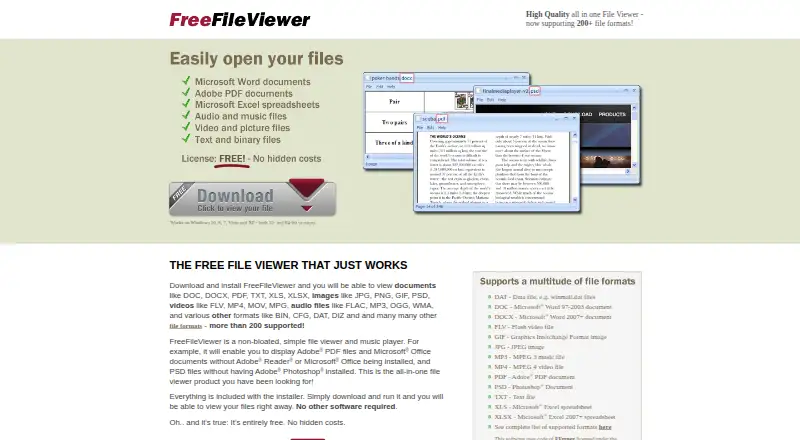
FreeFileViewer is a Windows desktop application for opening and viewing a broad range of files without requiring separate applications such as Microsoft Office, Adobe Reader, or Photoshop. Its stated coverage spans Microsoft Word and Excel documents, PDFs, images, audio, video, text, markup, source-related formats, binary files, and other specialized file types. It is aimed at Windows users who want one free general-purpose viewer rather than a tool focused on a single file category.
The product’s main strength is breadth at no cost. The published plan is simply FreeFileViewer, and it includes viewing more than 200 formats, with category specifications listing 217 formats. The feature set covers office previews, PDF display, images such as JPG, PNG, GIF, PSD, and RAW, plus audio and video playback. It can also print supported files and show hexdumps for other file types, extending its usefulness beyond ordinary document previews. A built-in music player adds a dedicated media function within the desktop application.
The trade-off is platform and scope. FreeFileViewer is Windows-only and is distributed as an installable desktop program, so it does not fit users seeking browser access, mobile support, or a cross-platform viewer. Its stated capabilities do not include archive handling, making it less suitable for workflows centered on compressed-file browsing. The official release history lists a latest major release from 2014, a consideration for buyers who prioritize a more recently updated desktop tool. Choose FreeFileViewer for broad, free Windows-based file viewing; choose an alternative if archive support, another platform, or newer release activity is central to the decision.
Your product? Our editors can test FreeFileViewer in depth and publish a review, labelled as paid · from $149/mo →
FreeFileViewer pricing
All 1 FreeFileViewer plans and prices →
FreeFileViewer fact sheet
| Free plan | Yes |
|---|---|
| Paid from | Free |
| Listed formats | 217 formats |
| Primary access | Desktop |
| Maximum file size | Not verified |
| Archive preview | Not verified |
| Office file preview | Yes |
| Code file preview | Yes |
| In-file search | Not verified |
| Deployment | Desktop |
| Platforms | Windows |
| Pricing | Free plan (source) |
| Website | freefileviewer.com |
| Facts checked | 22 Sep 2026 |
Alternatives to FreeFileViewer
- OpenText Brava!A cross-platform viewer for controlled document review, redaction, comparison, and publishing.9.3
- XnView MPA free image viewer with broad format support and paid commercial licensing.9.1
- OkularA capable open-source viewer for PDFs, forms, annotations, signatures, and more.8.9


See all FreeFileViewer alternatives →
Used FreeFileViewer? Be the first to review it
The editor score above is our own research. What this page doesn't have yet is a reader's view — what you used FreeFileViewer for, what worked and what didn't. No stars are seeded and no review is paid for; an editor reads every one before it appears.
Write a reviewTwo minutes · verified accounts only · read by an editor before it appears
Featured on iTechGuides

FreeFileViewer is listed in our File Viewer Software directory. Add the badge to your site — it links back to this page.
<a href="https://www.itechguides.com/products/freefileviewer/"><img src="https://www.itechguides.com/best/badge/freefileviewer.svg" alt="Featured on iTechGuides" width="230" height="46"></a>
Reviewed by iTechGuides Editors · Editorial team · Updated Oct 2026
Advertiser disclosure: iTechGuides is reader-supported. Vendors can pay for top positions in our rankings and for a place on other products' pages, and we may earn a commission when you click some links. Bought places stand at the number bought; this page and our disclosure say so. Paying vendors may get a fuller, more detailed review from our editors, and that review can change their score. How we rank.
Last updated · How we research and update