
Fraps
Fraps: A focused $37 Windows recorder with loop capture, screenshots, and frame-rate benchmarking. Ranked #26 of 30 in Game Recording Software by our editors (6.3/10); pricing: Paid; best for legacy Windows capture and benchmarking.
At a glance
- Editor score6.3 / 10
- PricingPaid
- Best forLegacy Windows capture and benchmarking
- Free planNo
- Paid from$37 one-time
- Instant replayYes
- Facts checked20 Sep 2026
Where it wins
- Loop recording saves previously buffered gameplay footage.
- Capture resolutions reach up to 7680x4800 and 100 fps.
- Screenshots, game audio, and benchmarking are built in.
Where it doesn't
- Published compatibility covers Windows XP through Windows 7.
- The latest listed release is version 3.5.99 from February 2013.
- The listed purchase is a $37 one-time cost with no free plan.
Our verdict on Fraps
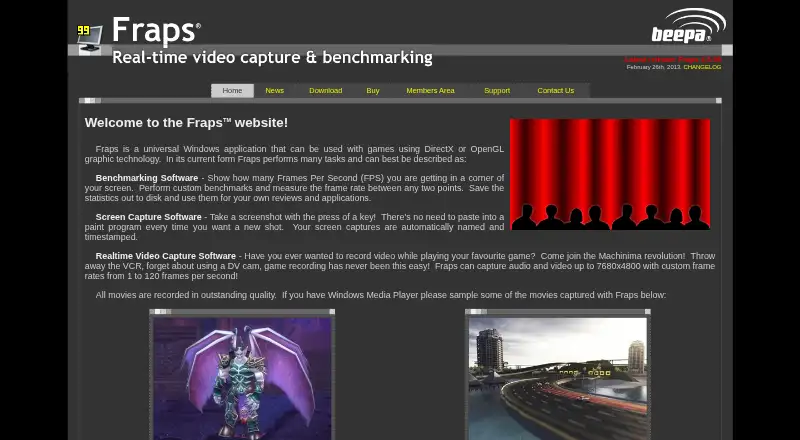
Fraps is a Windows application for recording gameplay from DirectX and OpenGL games, capturing screenshots, and measuring frame rates. It is aimed at players who want a focused capture utility for older Windows systems, especially when benchmarking matters alongside video recording. The software supports full-size and half-size capture, game-audio recording, screenshots, and an on-screen frame-rate counter.
The registered version costs $37 as a one-time purchase. Its listed additions include unlimited recording duration, full-size recording, movies without a watermark, and free updates. Capture settings extend to resolutions up to 7680x4800, with configurable recording rates up to 100 fps in the FAQ. Loop recording is a notable feature: a configurable buffer can preserve footage that was recorded before the user saves it. Screenshot output includes BMP, JPG, PNG, and TGA formats, giving the product utility beyond video clips.
Fraps is a narrow, legacy-oriented choice rather than a broad modern capture suite. The vendor lists compatibility with Windows XP, Windows 2003, Windows Vista, and Windows 7, while the latest listed release is version 3.5.99 from February 2013. That makes its fit clearest for users working within those Windows environments who value direct gameplay capture and benchmarking. Users seeking broader platform coverage or a more current release direction should consider an alternative. Choose Fraps for its straightforward feature set, loop recording, high configured capture resolution, and one-time pricing; avoid it when newer operating-system coverage is central.
Your product? Our editors can test Fraps in depth and publish a review, labelled as paid · from $99/mo →
Fraps pricing
All 1 Fraps plans and prices →
Fraps fact sheet
| Free plan | No |
|---|---|
| Paid from | $37 one-time |
| Instant replay | Yes |
| Capture resolution | 8k |
| Recording modes | Multi-mode |
| Watermark-free video | Yes |
| GPU encoding | Not verified |
| Webcam overlay | Not verified |
| Supported platforms | Windows XP, Windows 2003, Windows Vista, Windows 7 |
| Deployment | Desktop |
| Platforms | Windows |
| Support | Tickets, Docs |
| Built for | Solo, Small business (editorial estimate) |
| Pricing | Paid (source) |
| Website | fraps.com |
| Facts checked | 20 Sep 2026 |
Alternatives to Fraps
- OBS StudioA flexible free recorder and streaming tool for creators who want control.9.3
- SteelSeries MomentsA free Windows clip editor with automatic highlights, multi-track audio, and direct sharing.9.1
- OutplayedA versatile Windows recorder for automatic highlights, full sessions, and clip sharing.9.0

Also Ranked In
Fraps is ranked in 2 of our directories.
Used Fraps? Be the first to review it
The editor score above is our own research. What this page doesn't have yet is a reader's view — what you used Fraps for, what worked and what didn't. No stars are seeded and no review is paid for; an editor reads every one before it appears.
Write a reviewTwo minutes · verified accounts only · read by an editor before it appears
Featured on iTechGuides

Fraps is listed in our Game Recording Software directory. Add the badge to your site — it links back to this page.
<a href="https://www.itechguides.com/products/fraps/"><img src="https://www.itechguides.com/best/badge/fraps.svg" alt="Featured on iTechGuides" width="230" height="46"></a>
Guides on game recording software
- Best Game Recording Software in 2024: OBS, ShadowPlay, Game Bar, Steam Recording, and MoreAug 2026
- Best Free and Paid Game Recording Software for Windows 11 and 10Aug 2026
- Steam has a new game recording tool, and it works on Steam Deck: How to use itAug 2026
Reviewed by iTechGuides Editors · Editorial team · Updated Oct 2026
Advertiser disclosure: iTechGuides is reader-supported. Vendors can pay for top positions in our rankings and for a place on other products' pages, and we may earn a commission when you click some links. Bought places stand at the number bought; this page and our disclosure say so. Paying vendors may get a fuller, more detailed review from our editors, and that review can change their score. How we rank.
Last updated · How we research and update