SteelSeries Moments
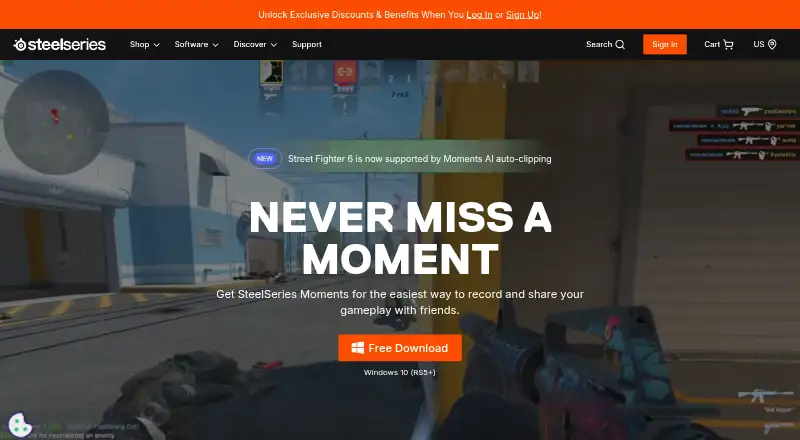
SteelSeries Moments: A free Windows clip editor with automatic highlights, multi-track audio, and direct sharing. Ranked #2 of 30 in Game Recording Software by our editors (9.1/10); pricing: Free plan; best for free clipping, editing, and social sharing.
At a glance
- Editor score9.1 / 10
- PricingFree plan
- Best forFree clipping, editing, and social sharing
- Free planYes
- Paid fromFree
- Instant replayYes
- Founded2001
- Facts checked20 Sep 2026
Where it wins
- Free manual and automatic clipping with customizable hotkeys
- Multi-track editing, montages, instant replay, and desktop capture
- Direct sharing to YouTube, Discord, Reddit, and X
Where it doesn't
- Available only on Windows 10 or later
- Automatic highlights work only with supported games
- Built primarily for individual gamers rather than broader team workflows
Our verdict on SteelSeries Moments
SteelSeries Moments is free game-recording software integrated into SteelSeries GG. It is designed primarily for individual Windows gamers who want to capture gameplay or desktop footage, save highlights, edit clips, and share them online. Customizable hotkeys support manual clipping, while automatic highlight clipping is available for supported games. Moments can also be used without SteelSeries hardware, making its core capture workflow accessible to Windows users beyond the vendor’s device ecosystem.
Its strongest area is the depth of its clipping and editing workflow. The software supports game capture, desktop or screen capture, instant replay, hardware video encoding, and a clip gallery with filtering. Non-destructive trimming and editing preserve the original recordings, while multi-track audio editing and montage creation support more involved highlight production. This gives Moments more range than a simple screen recorder, particularly for users who want to turn several gameplay clips into a single montage without moving immediately to separate editing software.
Sharing and platform fit are also central to the product. Direct integrations include YouTube, Discord, Reddit, Twitter (X), Facebook, and Gfycat, with the product description specifically highlighting sharing through YouTube, Discord, Reddit, and X. The main constraint is platform scope: Moments supports Windows 10 or later and does not provide a cross-platform workflow. Automatic highlights also depend on game support, so users seeking automatic capture across any title may prefer a tool with broader game coverage. Pick Moments for free Windows-based clipping, editing, and social sharing; look elsewhere if macOS or another operating system is required.
Your product? Our editors can test SteelSeries Moments in depth and publish a review, labelled as paid · from $149/mo →
SteelSeries Moments pricing
SteelSeries Moments fact sheet
| Free plan | Yes |
|---|---|
| Paid from | Free |
| Instant replay | Yes |
| Capture resolution | Not verified |
| Recording modes | Multi-mode |
| Watermark-free video | Not verified |
| GPU encoding | Yes |
| Webcam overlay | Not verified |
| Supported platforms | Windows 10+ |
| Deployment | Cloud, Desktop |
| Platforms | Windows |
| Support | Docs |
| Built for | Solo, Small business (editorial estimate) |
| Integrations | 6 integrations: YouTube, Discord, Reddit, Twitter (X), Facebook, Gfycat |
| Pricing | Free plan |
| Website | steelseries.com |
| Facts checked | 20 Sep 2026 |
SteelSeries Moments integrations
SteelSeries Moments lists 6 integrations on its own site.
- YouTube
- Discord
- Twitter (X)
- Gfycat
Alternatives to SteelSeries Moments
- OBS StudioA flexible free recorder and streaming tool for creators who want control.9.3
- OutplayedA versatile Windows recorder for automatic highlights, full sessions, and clip sharing.9.0
- NVIDIA ShadowPlayA free Windows recorder with high-resolution capture for NVIDIA GPU users.8.9


See all SteelSeries Moments alternatives →
SteelSeries Moments vs the competition
- SteelSeries Moments vs OBS Studio
- SteelSeries Moments vs Outplayed
- SteelSeries Moments vs NVIDIA ShadowPlay
- SteelSeries Moments vs Bandicam
- SteelSeries Moments vs Medal
- SteelSeries Moments vs Streamlabs Highlighter


Compare SteelSeries Moments with any tool side by side →
Used SteelSeries Moments? Be the first to review it
The editor score above is our own research. What this page doesn't have yet is a reader's view — what you used SteelSeries Moments for, what worked and what didn't. No stars are seeded and no review is paid for; an editor reads every one before it appears.
Write a reviewTwo minutes · verified accounts only · read by an editor before it appears
Featured on iTechGuides

SteelSeries Moments is listed in our Game Recording Software directory. Add the badge to your site — it links back to this page.
<a href="https://www.itechguides.com/products/steelseries-moments/"><img src="https://www.itechguides.com/best/badge/steelseries-moments.svg" alt="Featured on iTechGuides" width="230" height="46"></a>
Reviewed by iTechGuides Editors · Editorial team · Updated Oct 2026
Advertiser disclosure: iTechGuides is reader-supported. Vendors can pay for top positions in our rankings and for a place on other products' pages, and we may earn a commission when you click some links. Bought places stand at the number bought; this page and our disclosure say so. Paying vendors may get a fuller, more detailed review from our editors, and that review can change their score. How we rank.
Last updated · How we research and update