FQB Transfer
FQB Transfer: A Mac-focused dual-pane client with broad protocol support and file synchronization. Ranked #23 of 36 in FTP Clients by our editors (6.8/10); pricing: Free plan · 14-day trial; best for mac users wanting a dual-pane multi-protocol client.
At a glance
- Editor score6.8 / 10
- PricingFree plan · 14-day trial
- Best forMac users wanting a dual-pane multi-protocol client
- Free planYes
- Protocol coverageMulti-protocol
- Facts checked23 Sep 2026
Where it wins
- Connects to FTP, FTPS, SFTP, SCP, Amazon S3, and WebDAV
- Dual-pane browsing, tabbed sessions, and queued transfers
- Edits remote files and uploads on save; synchronizes folders
Where it doesn't
- Available only for macOS
- Paid options are limited to monthly Premium Access and Lifetime access
- No cloud deployment; it is a desktop client
Our verdict on FQB Transfer
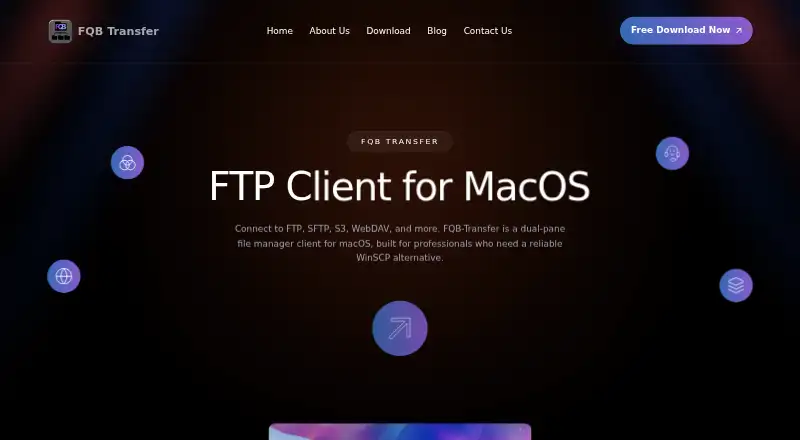
FQB Transfer is a macOS desktop file-transfer client for developers, system administrators, agencies, and teams that need to move files among local folders and remote services. Its dual-pane manager puts local and remote browsing side by side, while support for FTP, FTPS, SFTP, SCP, Amazon S3, and WebDAV makes it suitable for people who work across different connection types. The feature set also covers tabs for multiple server connections, saved sessions, queued transfers, remote editing, folder synchronization, and a built-in terminal.
The main draw is the combination of protocol breadth and file-management tools in one Mac-oriented client. Transfers can be dragged between the local and remote panels, and a queue shows progress. Remote file editing uploads changes when saved, while local-to-remote folder synchronization supports keeping directories aligned. Saved sessions can be imported and exported, and tabs make it possible to keep multiple server connections open. This is a focused desktop workflow rather than a cross-platform or hosted service: the listed platform is macOS, so users needing Windows or Linux should look elsewhere.
FQB Transfer has a free plan and a 14-day trial for subscriptions. Its named paid options are Lifetime access and Premium Access (Monthly); the published plan information identifies those options but does not provide feature differences between them. The product is positioned for solo users through mid-market teams, with email support. Choose it if a Mac-based workflow needs multiple protocols, dual-pane file handling, synchronization, and remote editing. It is a weaker fit for buyers who require broader platform coverage or need to compare paid tiers by a detailed feature breakdown.
Your product? Our editors can test FQB Transfer in depth and publish a review, labelled as paid · from $149/mo →
FQB Transfer pricing
All 2 FQB Transfer plans and prices →
FQB Transfer fact sheet
| Free plan | Yes |
|---|---|
| Paid from | Not verified |
| Protocol coverage | Multi-protocol |
| Supported platforms | Macos |
| File synchronization | Yes |
| Scheduled transfers | Not verified |
| Transfer automation | Yes |
| Concurrent transfers | Not verified |
| Portable version | Not verified |
| Free trial | 14 days |
| Deployment | Desktop |
| Platforms | macOS |
| Support | |
| Built for | Solo, Small business, Mid-market (editorial estimate) |
| Pricing | Free plan · 14-day trial (source) |
| Website | fqbtransfer.com |
| Facts checked | 23 Sep 2026 |
Alternatives to FQB Transfer
- WinSCPA capable free Windows client for multi-protocol transfers, scripting, and SSH workflows.9.3
- FileZilla ClientA capable free FTP client for straightforward desktop file transfers.9.2
- CyberduckA broad, free FTP client for desktop transfers, synchronization, and automation.9.1



See all FQB Transfer alternatives →
Used FQB Transfer? Be the first to review it
The editor score above is our own research. What this page doesn't have yet is a reader's view — what you used FQB Transfer for, what worked and what didn't. No stars are seeded and no review is paid for; an editor reads every one before it appears.
Write a reviewTwo minutes · verified accounts only · read by an editor before it appears
Featured on iTechGuides

FQB Transfer is listed in our FTP Clients directory. Add the badge to your site — it links back to this page.
<a href="https://www.itechguides.com/products/fqb-transfer/"><img src="https://www.itechguides.com/best/badge/fqb-transfer.svg" alt="Featured on iTechGuides" width="230" height="46"></a>
Reviewed by iTechGuides Editors · Editorial team · Updated Oct 2026
Advertiser disclosure: iTechGuides is reader-supported. Vendors can pay for top positions in our rankings and for a place on other products' pages, and we may earn a commission when you click some links. Bought places stand at the number bought; this page and our disclosure say so. Paying vendors may get a fuller, more detailed review from our editors, and that review can change their score. How we rank.
Last updated · How we research and update