FileZilla Server
FileZilla Server: A free, open-source FTP/FTPS server with practical administration controls. Ranked #20 of 33 in FTP Server Software by our editors (7.1/10); pricing: Free plan; best for free basic FTP server hosting.
At a glance
- Editor score7.1 / 10
- PricingFree plan
- Best forFree basic FTP server hosting
- Free planYes
- Paid fromFree
- Protocols supportedFtp_ftps
- Facts checked22 Sep 2026
Where it wins
- Free and open source with FTP over TLS support
- User, group, permission, and virtual path administration
- Passive mode, service control, and screen or file logging
Where it doesn't
- Supports FTP and FTPS, but not SFTP
- No web administration interface
- No administration API or listed integrations
Our verdict on FileZilla Server
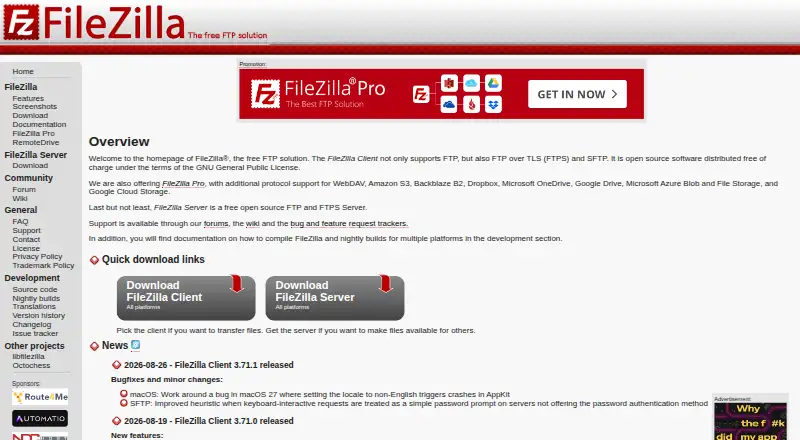
FileZilla Server is a free, open-source, self-hosted file-transfer server for organizations and individuals that need FTP or FTP over TLS access. It runs as a Windows service and has documentation for Debian, making it suited to administrators who want to operate the server on their own infrastructure. The product includes user and group accounts, permissions, virtual-to-native path mount points, passive-mode configuration, and logging controls. Its single free plan keeps the offering focused on core FTP server hosting rather than a broader managed file-transfer platform.
Administration is handled through an interface that can configure local or remote servers, while command-line service control and configuration reloads support operational workflows. Passive-mode settings are useful for environments where connection behavior needs to be configured explicitly, and screen or file logging provides an audit trail for server activity. The Windows service operation is a practical fit for Windows-based deployments; Debian documentation extends the supported deployment scope without changing the self-hosted operating model. There is no web administration interface, so teams looking for browser-based management should consider another product.
Protocol selection is the main boundary. FileZilla Server supports FTP and FTP over TLS, while SFTP is available only in the separate FileZilla Pro Enterprise Server product. That makes this edition a clear choice for basic FTP or FTPS hosting where local or remote administration, mapped paths, and logging are sufficient. It is less suitable for organizations that require SFTP in the same product, web-based administration, API-driven automation, or integrations. Choose FileZilla Server for a straightforward, self-managed FTP/FTPS deployment; choose an alternative when broader protocol or platform capabilities are central requirements.
Your product? Our editors can test FileZilla Server in depth and publish a review, labelled as paid · from $149/mo →
FileZilla Server pricing
All 1 FileZilla Server plans and prices →
FileZilla Server fact sheet
| Free plan | Yes |
|---|---|
| Paid from | Free |
| Protocols supported | Ftp_ftps |
| User account limit | Not verified |
| Connection limit | Not verified |
| Virtual folders | Yes |
| Web administration | No |
| Automation API | Not verified |
| Audit logging | Yes |
| Deployment | Self-hosted |
| Platforms | Windows, Linux |
| Support | Community, Docs |
| Built for | Solo, Small business, Mid-market (editorial estimate) |
| Pricing | Free plan (source) |
| Website | filezilla-project.org |
| Facts checked | 22 Sep 2026 |
Alternatives to FileZilla Server
- SFTPGoA flexible open-source transfer server for teams needing multiple protocols and strong controls.9.4
- CompleteFTPA broad managed file transfer server for automated, resilient enterprise file exchange.9.2
- CrushFTPA broad, feature-rich self-hosted server with a low one-time entry price.9.0



See all FileZilla Server alternatives →
Used FileZilla Server? Be the first to review it
The editor score above is our own research. What this page doesn't have yet is a reader's view — what you used FileZilla Server for, what worked and what didn't. No stars are seeded and no review is paid for; an editor reads every one before it appears.
Write a reviewTwo minutes · verified accounts only · read by an editor before it appears
Featured on iTechGuides

FileZilla Server is listed in our FTP Server Software directory. Add the badge to your site — it links back to this page.
<a href="https://www.itechguides.com/products/filezilla-server/"><img src="https://www.itechguides.com/best/badge/filezilla-server.svg" alt="Featured on iTechGuides" width="230" height="46"></a>
Reviewed by iTechGuides Editors · Editorial team · Updated Oct 2026
Advertiser disclosure: iTechGuides is reader-supported. Vendors can pay for top positions in our rankings and for a place on other products' pages, and we may earn a commission when you click some links. Bought places stand at the number bought; this page and our disclosure say so. Paying vendors may get a fuller, more detailed review from our editors, and that review can change their score. How we rank.
Last updated · How we research and update