
CrushFTP
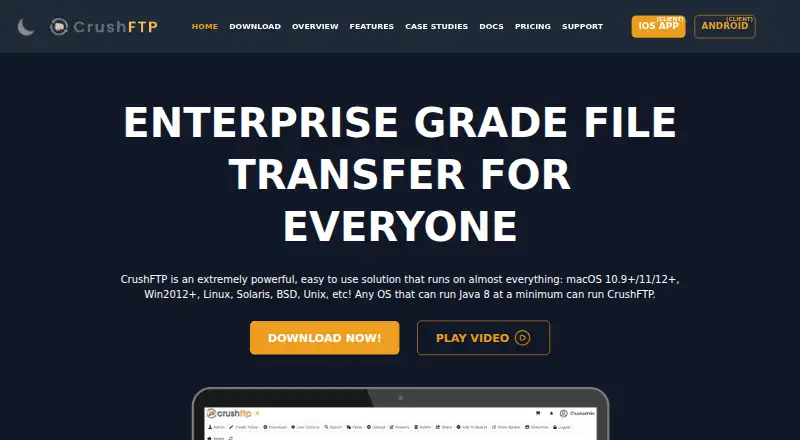
CrushFTP: A broad, feature-rich self-hosted server with a low one-time entry price. Ranked #3 of 33 in FTP Server Software by our editors (9.0/10); pricing: 30-day trial; best for feature-rich self-hosted file transfer.
At a glance
- Editor score9.0 / 10
- Pricing30-day trial
- Best forFeature-rich self-hosted file transfer
- Free planNo
- Paid from$70 one-time
- Protocols supportedFtp_ftps_sftp
- Founded1998
- Facts checked20 Sep 2026
Where it wins
- Supports FTP, FTPS, SFTP, SCP, HTTPS, WebDAV, and related workflows
- Combines virtual filesystems, automation, monitoring, reports, and replication
- Runs on Windows, macOS, Linux, and other Java-capable systems
Where it doesn't
- No free plan; access starts with a paid one-time license
- Small Business and Professional plans provide email support only
- Self-hosted operation requires responsibility for the server environment
Our verdict on CrushFTP
CrushFTP is a self-hosted file transfer server for individuals, small businesses, and enterprises that need control over transfer services and administration. It supports FTP, FTPS, SFTP, SCP, HTTPS, WebDAV, and related workflows, with a browser-based interface for managing users, virtual file systems, server settings, jobs, reports, and logs. The published category specifications show support for 50 concurrent connections, virtual folders, web administration, an automation API, and audit logging. It runs on Windows, macOS, Linux, self-hosted environments, and other Java-capable systems.
Its main strength is breadth. Administrators can combine mapped folders, user groups, inheritance, delegated administration, expiring file-sharing links, dashboards, real-time monitoring, reports, logs, scheduled jobs, event automation, synchronization, and replication. The ecosystem includes Amazon S3, Azure, Backblaze B2, Box, Citrix, Dropbox, Google Drive, Google Cloud Storage, OneDrive, SharePoint, LDAP, RADIUS, SAML, and OAuth. An administrative API and command-line automation also support operational workflows beyond the browser interface. This makes CrushFTP a fit for organizations that need more than a basic FTP endpoint, particularly when protocol variety and filesystem control matter.
According to the vendor’s published plans, Small Business costs $70 one-time and Professional costs $100 one-time; both list email support only. Professional, site license costs $2,000 one-time, while Enterprise 1 costs $1,000 one-time and adds installation support plus phone support for Sev 1 server-down issues. Enterprise 2 costs $2,500 one-time and adds 24x7 emergency phone support and screen-sharing support, with larger install options at $8,000 and $20,000 one-time. A 30-day trial is available, but there is no free plan. Choose CrushFTP for a broad, self-hosted deployment with automation and integrations; choose an alternative if a free tier or primarily hosted operation is the priority.
Your product? Our editors can test CrushFTP in depth and publish a review, labelled as paid · from $149/mo →
CrushFTP pricing
All 7 CrushFTP plans and prices →
CrushFTP fact sheet
| Free plan | No |
|---|---|
| Paid from | $70 one-time |
| Protocols supported | Ftp_ftps_sftp |
| User account limit | Not verified |
| Connection limit | 50 |
| Virtual folders | Yes |
| Web administration | Yes |
| Automation API | Yes |
| Audit logging | Yes |
| Free trial | 30 days |
| Deployment | Self-hosted |
| Platforms | Windows, macOS, Linux |
| Compliance & security | SSO/SAML, 2FA |
| Support | Email, Docs · 24/7 |
| Built for | Solo, Small business, Mid-market, Enterprise (editorial estimate) |
| Integrations | 14 integrations: Amazon S3, Azure, Backblaze B2, Box, Citrix, Dropbox … |
| Pricing | 30-day trial (source) |
| Website | crushftp.com |
| Facts checked | 20 Sep 2026 |
CrushFTP integrations
CrushFTP lists 14 integrations on its own site.
- Amazon S3
- Azure
- Backblaze B2
- Box
- Citrix
- Dropbox
- Google Drive
- Google Cloud Storage
- OneDrive
- SharePoint
- LDAP
- RADIUS
- SAML
- OAuth
Alternatives to CrushFTP
- SFTPGoA flexible open-source transfer server for teams needing multiple protocols and strong controls.9.4
- CompleteFTPA broad managed file transfer server for automated, resilient enterprise file exchange.9.2
- Titan SFTP ServerA security-focused transfer server with permissions, audit logs, automation, and HA options.8.9


See all CrushFTP alternatives →
CrushFTP vs the competition
- CrushFTP vs SFTPGo
- CrushFTP vs CompleteFTP
- CrushFTP vs Titan SFTP Server
- CrushFTP vs Wing FTP Server
- CrushFTP vs Syncplify Server!
- CrushFTP vs Cerberus FTP Server



Compare CrushFTP with any tool side by side →
Also Ranked In
CrushFTP is ranked in 5 of our directories.
Used CrushFTP? Be the first to review it
The editor score above is our own research. What this page doesn't have yet is a reader's view — what you used CrushFTP for, what worked and what didn't. No stars are seeded and no review is paid for; an editor reads every one before it appears.
Write a reviewTwo minutes · verified accounts only · read by an editor before it appears
Featured on iTechGuides

CrushFTP is listed in our FTP Server Software directory. Add the badge to your site — it links back to this page.
<a href="https://www.itechguides.com/products/crushftp/"><img src="https://www.itechguides.com/best/badge/crushftp.svg" alt="Featured on iTechGuides" width="230" height="46"></a>
Reviewed by iTechGuides Editors · Editorial team · Updated Oct 2026
Advertiser disclosure: iTechGuides is reader-supported. Vendors can pay for top positions in our rankings and for a place on other products' pages, and we may earn a commission when you click some links. Bought places stand at the number bought; this page and our disclosure say so. Paying vendors may get a fuller, more detailed review from our editors, and that review can change their score. How we rank.
Last updated · How we research and update