
File Viewer for Android
File Viewer for Android: A broad, free Android viewer with archives, documents, code, metadata, and APK support. Ranked #23 of 31 in File Viewer Software by our editors (6.4/10); pricing: Free plan; best for android users needing a complete file viewer.
At a glance
- Editor score6.4 / 10
- PricingFree plan
- Best forAndroid users needing a complete file viewer
- Free planYes
- Founded2003 · Minneapolis, Minnesota, United States
- Facts checked22 Sep 2026
Where it wins
- Opens over 200 file types across documents, media, archives, and code
- Includes archive extraction, PDF conversion, metadata, checksums, and EXIF
- Combines file management with APK handling and hidden-file browsing
Where it doesn't
- Available only on Android devices
- The free version includes advertising
- The optional Pro upgrade is purchased in-app
Our verdict on File Viewer for Android
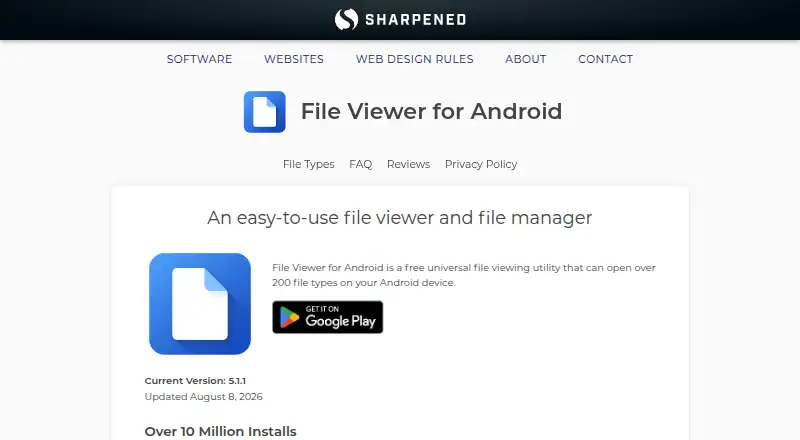
File Viewer for Android combines a file viewer and file manager for Android devices. It is designed for people who need to inspect a wide range of files from a mobile device rather than rely on separate apps for documents, archives, images, media, code, and installation packages. The app opens over 200 file types, including PDFs, Office documents, eBooks, email files, audio, video, camera RAW files, and source code. Its built-in file explorer also supports browsing and managing files, including hidden files.
Its strongest point is breadth within a mobile-focused tool. Users can extract ZIP, 7-Zip, RAR, Gzip, Bzip2, TAR, and TGZ archives; convert supported documents to PDF; view source code with syntax highlighting; and inspect metadata, MD5 checksums, and EXIF data. The app can also view and install APK files. That combination makes it useful for file inspection, basic organization, archive handling, and document review on Android, particularly when a single utility needs to cover both everyday files and more technical formats.
File Viewer for Android is free to use with advertising, while an optional Pro upgrade is available through an in-app purchase. The product is therefore a practical choice for Android users who value broad format coverage and file-management features in one app. It is less suitable for people who need a desktop or cross-platform file viewer, since its platform coverage is limited to Android. Users whose priorities are archive extraction, Office and eBook viewing, source-code inspection, RAW-file support, metadata, and APK handling will find its feature mix aligned with those needs; users outside the Android ecosystem should choose another tool.
Your product? Our editors can test File Viewer for Android in depth and publish a review, labelled as paid · from $149/mo →
File Viewer for Android pricing
File Viewer for Android fact sheet
| Free plan | Yes |
|---|---|
| Paid from | Not verified |
| Listed formats | Not verified |
| Primary access | Mobile |
| Maximum file size | Not verified |
| Archive preview | Yes |
| Office file preview | Yes |
| Code file preview | Yes |
| In-file search | Not verified |
| Deployment | Mobile |
| Platforms | Android |
| Support | Email, Docs |
| Built for | Solo, Small business (editorial estimate) |
| Pricing | Free plan |
| Website | sharpened.com |
| Facts checked | 22 Sep 2026 |
Alternatives to File Viewer for Android
- OpenText Brava!A cross-platform viewer for controlled document review, redaction, comparison, and publishing.9.3
- XnView MPA free image viewer with broad format support and paid commercial licensing.9.1
- OkularA capable open-source viewer for PDFs, forms, annotations, signatures, and more.8.9


See all File Viewer for Android alternatives →
Used File Viewer for Android? Be the first to review it
The editor score above is our own research. What this page doesn't have yet is a reader's view — what you used File Viewer for Android for, what worked and what didn't. No stars are seeded and no review is paid for; an editor reads every one before it appears.
Write a reviewTwo minutes · verified accounts only · read by an editor before it appears
Featured on iTechGuides

File Viewer for Android is listed in our File Viewer Software directory. Add the badge to your site — it links back to this page.
<a href="https://www.itechguides.com/products/file-viewer-for-android/"><img src="https://www.itechguides.com/best/badge/file-viewer-for-android.svg" alt="Featured on iTechGuides" width="230" height="46"></a>
Reviewed by iTechGuides Editors · Editorial team · Updated Oct 2026
Advertiser disclosure: iTechGuides is reader-supported. Vendors can pay for top positions in our rankings and for a place on other products' pages, and we may earn a commission when you click some links. Bought places stand at the number bought; this page and our disclosure say so. Paying vendors may get a fuller, more detailed review from our editors, and that review can change their score. How we rank.
Last updated · How we research and update