
File Magic
File Magic: A broad Windows file viewer for opening hard-to-handle media and documents. Ranked #28 of 31 in File Viewer Software by our editors (6.0/10); pricing: Paid; best for windows users needing basic broad media viewing.
At a glance
- Editor score6.0 / 10
- PricingPaid
- Best forWindows users needing basic broad media viewing
- Free planNo
- Paid from$39.97/device/yr
- Listed formats180 formats
- Facts checked22 Sep 2026
Where it wins
- Opens over 180 formats across documents, media, and archives
- Provides binary-format access for unsupported file types
- Views and edits photos, and plays videos, DVDs, and audio
Where it doesn't
- Windows-only desktop software
- Annual subscription costs $39.97 per device
- One license covers one computer and auto-renews
Our verdict on File Magic
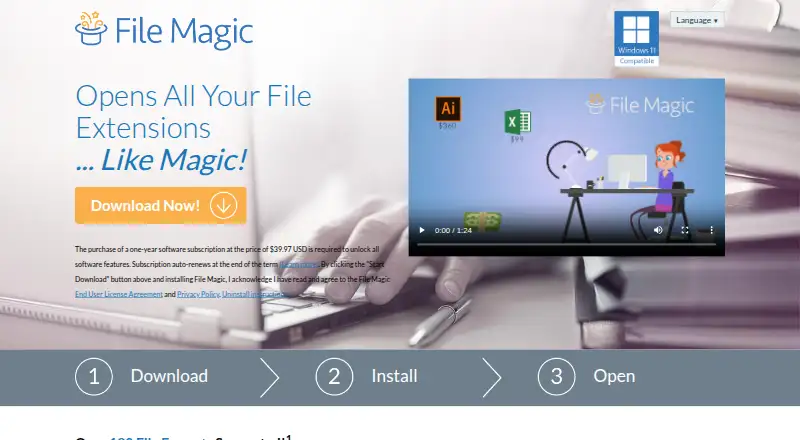
File Magic is a Windows desktop utility for opening, viewing, editing, and sharing a broad range of file types. It is aimed at users who need one PC program for documents, presentations, spreadsheets, photos, videos, DVDs, music, audio, archives, and other related binary file formats. Its main appeal is breadth: the published feature list covers more than 180 formats, including office files and media that may not open in a user's usual applications.
The single Annual subscription costs $39.97 per device per year and covers one computer. The subscription auto-renews, so buyers should account for recurring annual billing rather than a one-time purchase. There is no free plan. For Windows users who regularly encounter varied files on one computer, the pricing is straightforward, but the per-device license is less suitable for households or teams that need coverage across multiple machines.
File Magic's standout feature is its broad file access, including binary-format viewing for unsupported file types. It can preview documents, presentations, and spreadsheets, view and edit photos, view videos including DVDs, play music and audio files, and open archives. The product is a focused desktop utility rather than a cross-platform or specialized editing environment. Choose it if broad Windows file viewing is the priority; look elsewhere if you need another operating system, a free tier, or deeper verified editing capabilities beyond the listed photo editing and file access features.
Your product? Our editors can test File Magic in depth and publish a review, labelled as paid · from $149/mo →
File Magic pricing
All 1 File Magic plans and prices →
File Magic fact sheet
| Free plan | No |
|---|---|
| Paid from | $39.97/device/yr |
| Listed formats | 180 formats |
| Primary access | Desktop |
| Maximum file size | Not verified |
| Archive preview | Not verified |
| Office file preview | Yes |
| Code file preview | Not verified |
| In-file search | Not verified |
| Money-back guarantee | 90 days |
| Deployment | Desktop |
| Platforms | Windows |
| Support | Email, Phone |
| Built for | Solo, Small business (editorial estimate) |
| Pricing | Paid (source) |
| Website | filemagic.com |
| Facts checked | 22 Sep 2026 |
Alternatives to File Magic
- OpenText Brava!A cross-platform viewer for controlled document review, redaction, comparison, and publishing.9.3
- XnView MPA free image viewer with broad format support and paid commercial licensing.9.1
- OkularA capable open-source viewer for PDFs, forms, annotations, signatures, and more.8.9


See all File Magic alternatives →
Used File Magic? Be the first to review it
The editor score above is our own research. What this page doesn't have yet is a reader's view — what you used File Magic for, what worked and what didn't. No stars are seeded and no review is paid for; an editor reads every one before it appears.
Write a reviewTwo minutes · verified accounts only · read by an editor before it appears
Featured on iTechGuides

File Magic is listed in our File Viewer Software directory. Add the badge to your site — it links back to this page.
<a href="https://www.itechguides.com/products/file-magic/"><img src="https://www.itechguides.com/best/badge/file-magic.svg" alt="Featured on iTechGuides" width="230" height="46"></a>
Reviewed by iTechGuides Editors · Editorial team · Updated Oct 2026
Advertiser disclosure: iTechGuides is reader-supported. Vendors can pay for top positions in our rankings and for a place on other products' pages, and we may earn a commission when you click some links. Bought places stand at the number bought; this page and our disclosure say so. Paying vendors may get a fuller, more detailed review from our editors, and that review can change their score. How we rank.
Last updated · How we research and update