
Fetch
Fetch: A focused Mac FTP client with synchronization and practical transfer tools. Ranked #19 of 36 in FTP Clients by our editors (7.2/10); pricing: From $29 · 15-day trial; best for mac users wanting straightforward FTP transfers.
At a glance
- Editor score7.2 / 10
- PricingFrom $29 · 15-day trial
- Best forMac users wanting straightforward FTP transfers
- Free planNo
- Paid from$4/user one-time
- Protocol coverageFtp-ftps-sftp
- Founded2000
- Facts checked20 Sep 2026
Where it wins
- Supports FTP, SFTP, and FTPS transfers
- Mirror synchronizes folders between Mac and servers
- Resumes stalled or failed transfers automatically
Where it doesn't
- macOS only
- No transfer automation
- No free plan; the trial is limited to 15 days
Our verdict on Fetch
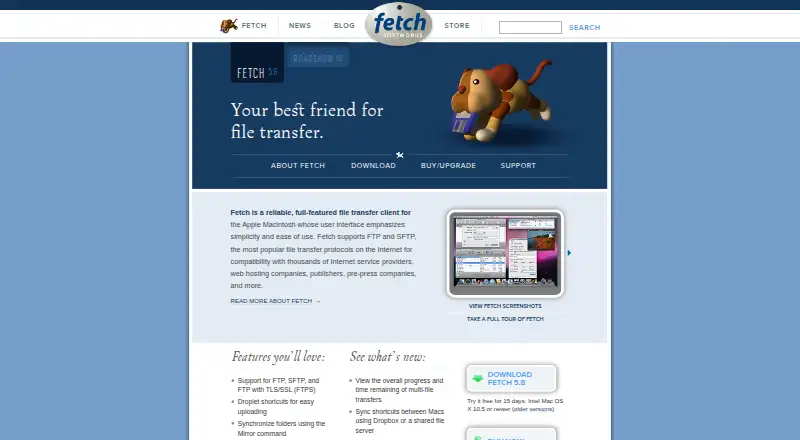
Fetch is a desktop file-transfer client for Mac computers, designed for users who upload, download, copy, edit, and manage files on FTP, SFTP, and FTPS servers. It fits website maintainers, hosting-provider customers, publishing organizations, and teams exchanging files with specialized servers. Its focus is practical file movement rather than broad workflow automation, with drag-and-drop transfers and support for common secure and standard transfer protocols.
The feature set covers several recurring transfer tasks. The Mirror command provides folder synchronization, while automatic resume helps continue stalled or failed transfers. Droplet shortcuts are intended for quicker uploads, and Quick Look and WebView previews let users inspect remote files. Remote editing includes automatic saving, and support for proxy servers and SOCKS gateways can suit networks that require intermediary connections. Mac OS X Keychain password storage adds a native credential-storage option, alongside integrations with Dropbox and shared file servers.
Fetch uses paid licenses rather than a free plan. The Single User License costs $29 as a one-time purchase, with multi-user pricing of $24 per user for 10–99 users, $18 for 100–999 users, and $12 for 1,000 or more users. Upgrade pricing ranges from $10 for a single user to $4 per user for 1,000 or more users, for licenses purchased on or before January 28, 2009. A 15-day trial provides a limited evaluation period. Fetch is a strong fit for Mac users who want focused FTP transfers, synchronization, previews, and editing. Teams needing transfer automation or a non-macOS client should choose an alternative.
Fetch pricing
All 8 Fetch plans and prices →
Fetch fact sheet
| Free plan | No |
|---|---|
| Paid from | $4/user one-time |
| Protocol coverage | Ftp-ftps-sftp |
| Supported platforms | Macos |
| File synchronization | Yes |
| Scheduled transfers | Not verified |
| Transfer automation | No |
| Concurrent transfers | Not verified |
| Portable version | Not verified |
| Free trial | 15 days |
| Deployment | Desktop |
| Platforms | macOS |
| Support | Email, Community, Docs |
| Built for | Solo, Small business, Mid-market, Enterprise (editorial estimate) |
| Integrations | 3 integrations: Dropbox, shared file server, Mac OS X Keychain |
| Pricing | From $29 · 15-day trial (source) |
| Website | fetchsoftworks.com |
| Facts checked | 20 Sep 2026 |
Fetch integrations
Fetch lists 3 integrations on its own site.
- Dropbox
- shared file server
- Mac OS X Keychain
Alternatives to Fetch
- WinSCPA capable free Windows client for multi-protocol transfers, scripting, and SSH workflows.9.3
- FileZilla ClientA capable free FTP client for straightforward desktop file transfers.9.2
- CyberduckA broad, free FTP client for desktop transfers, synchronization, and automation.9.1



Also listed in
Used Fetch? Be the first to review it
The editor score above is our own research. What this page doesn't have yet is a reader's view — what you used Fetch for, what worked and what didn't. No stars are seeded and no review is paid for; an editor reads every one before it appears.
Write a reviewTwo minutes · verified accounts only · read by an editor before it appears
Featured on iTechGuides

Fetch is listed in our FTP Clients directory. Add the badge to your site — it links back to this page.
<a href="https://www.itechguides.com/products/fetch/"><img src="https://www.itechguides.com/best/badge/fetch.svg" alt="Featured on iTechGuides" width="230" height="46"></a>
Guides on FTP clients
- The 6 Best Free FTP Clients for Windows, Mac, and Linux in 2026Aug 2026
- 10 Best FTP Clients for Android in 2026Aug 2026
- Java FTP Client: A Comprehensive Guide to Using Apache Commons NetAug 2026
Reviewed by iTechGuides Editors · Editorial team · Updated Oct 2026
Advertiser disclosure: iTechGuides is reader-supported. Vendors can pay for top positions in our rankings and for a place on other products' pages, and we may earn a commission when you click some links. How we rank.
Last updated · How we research and update