ExamDiff Pro
ExamDiff Pro: A capable Windows diff tool with reports, synchronization, and a one-time license. Ranked #13 of 28 in Diff and Merge Tools by our editors (8.0/10); pricing: 30-day trial; best for windows users needing reports and synchronization.
At a glance
- Editor score8.0 / 10
- Pricing30-day trial
- Best forWindows users needing reports and synchronization
- Free planNo
- Paid from$37.99/seat one-time
- Three-way mergeYes
- Facts checked20 Sep 2026
Where it wins
- Compares text, binary, directory, and supported document files
- Master Edition adds three-way merge and directory synchronization
- Creates HTML, Unix, and printable diff reports
Where it doesn't
- Windows-only desktop software
- Three-way merge requires the Master Edition
- Git integration is not included
Our verdict on ExamDiff Pro
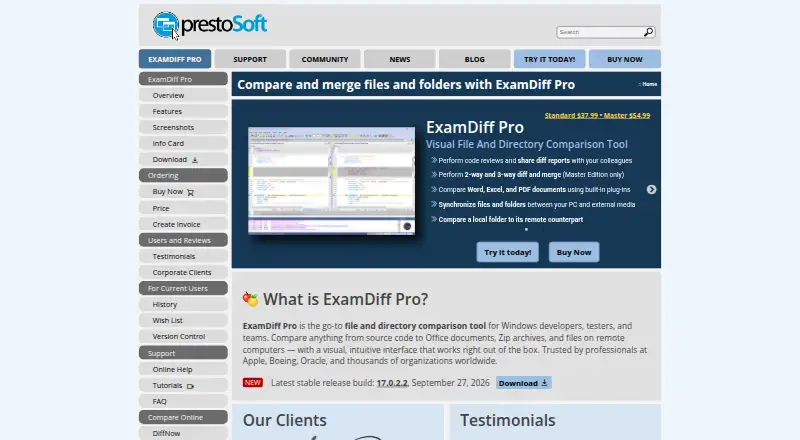
ExamDiff Pro is a Windows desktop utility for developers, testers, writers, and teams that need to compare, edit, merge, and synchronize files or folders. It handles text, binary, directory, and supported document comparisons, with two-pane and three-pane views, customizable syntax highlighting, regular-expression and filename filtering, and file editing within comparison panes. Windows Explorer integration, plug-in support, and FTP and SSH/SFTP connections extend its usefulness around everyday file-management workflows.
Pricing is structured around two paid, one-time editions. The Standard Edition costs $37.99 per seat and includes file and folder comparison, syntax highlighting, regular-expression support, and two-pane and three-pane views. The Master Edition costs $54.99 per seat and includes everything in Standard, plus three-way diff and merge, two-way merge, table comparison, file list comparison, and directory synchronization. A 30-day evaluation period gives prospective buyers time to assess the workflow before purchasing. The Master Edition is the more suitable choice for teams that need synchronization or more involved merge work, while Standard fits straightforward file and folder comparison.
Its strongest distinction is breadth within a desktop comparison workflow: ExamDiff Pro combines comparison, editing, snapshots, synchronization, filtering, plug-ins, and report generation in one Windows application. Reports are available in HTML, Unix, and printable formats, which suits review and documentation tasks. The trade-off is platform and ecosystem scope. It is Windows-only, and teams that depend on Git integration should choose a tool with that workflow built in. Pick ExamDiff Pro for Windows-based comparison, reporting, and synchronization; choose an alternative when cross-platform access or Git-centered collaboration is essential.
Your product? Our editors can test ExamDiff Pro in depth and publish a review, labelled as paid · from $149/mo →
ExamDiff Pro pricing
All 2 ExamDiff Pro plans and prices →
ExamDiff Pro fact sheet
| Free plan | No |
|---|---|
| Paid from | $37.99/seat one-time |
| Three-way merge | Yes |
| Folder comparison | Yes |
| Git integration | Not verified |
| Syntax highlighting | Yes |
| Platform support | Desktop |
| Merge scope | Three_way |
| Free trial | 30 days |
| Money-back guarantee | 30 days |
| Deployment | Desktop |
| Platforms | Windows |
| Support | Email, Community, Docs |
| Built for | Solo, Small business, Mid-market, Enterprise (editorial estimate) |
| Integrations | 3 integrations: Windows Explorer, FTP, SSH/SFTP |
| Pricing | 30-day trial (source) |
| Website | prestosoft.com |
| Facts checked | 20 Sep 2026 |
ExamDiff Pro integrations
ExamDiff Pro lists 3 integrations on its own site.
- Windows Explorer
- FTP
- SSH/SFTP
Alternatives to ExamDiff Pro
- Beyond CompareA broad desktop diff suite with three-way merging, synchronization, and version-control integrations.9.4
- DiffractA capable free-first diff tool with cross-platform support and Pro merging features.9.3
- P4MergeA free desktop diff and merge tool with three-way merging and broad platform support.9.1



See all ExamDiff Pro alternatives →
Also Ranked In
ExamDiff Pro is ranked in 2 of our directories.
Used ExamDiff Pro? Be the first to review it
The editor score above is our own research. What this page doesn't have yet is a reader's view — what you used ExamDiff Pro for, what worked and what didn't. No stars are seeded and no review is paid for; an editor reads every one before it appears.
Write a reviewTwo minutes · verified accounts only · read by an editor before it appears
Featured on iTechGuides

ExamDiff Pro is listed in our Diff and Merge Tools directory. Add the badge to your site — it links back to this page.
<a href="https://www.itechguides.com/products/examdiff-pro/"><img src="https://www.itechguides.com/best/badge/examdiff-pro.svg" alt="Featured on iTechGuides" width="230" height="46"></a>
Reviewed by iTechGuides Editors · Editorial team · Updated Oct 2026
Advertiser disclosure: iTechGuides is reader-supported. Vendors can pay for top positions in our rankings and for a place on other products' pages, and we may earn a commission when you click some links. Bought places stand at the number bought; this page and our disclosure say so. Paying vendors may get a fuller, more detailed review from our editors, and that review can change their score. How we rank.
Last updated · How we research and update