
Diffract
Diffract: A capable free-first diff tool with cross-platform support and Pro merging features. Ranked #2 of 28 in Diff and Merge Tools by our editors (9.3/10); pricing: Free plan · 7-day trial; best for free-first desktop diff and merge workflows.
At a glance
- Editor score9.3 / 10
- PricingFree plan · 7-day trial
- Best forFree-first desktop diff and merge workflows
- Free planYes
- Paid from$34/seat one-time
- Three-way mergeYes
- Facts checked20 Sep 2026
Where it wins
- Free plan includes unlimited file and directory diffs
- Supports Windows, macOS, and Linux
- Pro adds three-way merge, Git, and document comparison
Where it doesn't
- Three-way merge is available only in Pro
- The product is focused on desktop workflows
- Git is the listed integration
Our verdict on Diffract
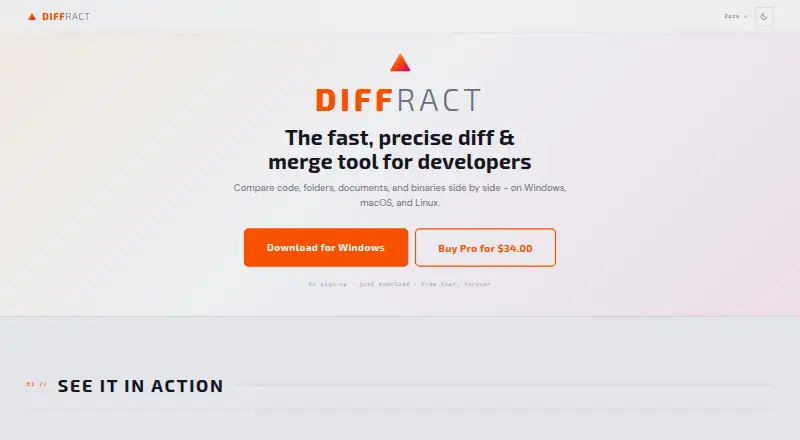
Diffract is a desktop diff and merge application for developers working with source code, folders, documents, and binary files. It runs on Windows, macOS, and Linux, and supports both graphical and command-line workflows. The Free plan includes unlimited file and directory diffs, syntax highlighting for 30+ languages, three diff algorithms, and hex and binary comparison. That makes it a practical fit for users who need broad comparison coverage without an upfront license cost.
Pricing is divided between Free and Pro. Free costs $0 USD forever and includes the desktop app, CLI access, unlimited file and directory diffs, syntax highlighting, standard, Myers, and patience algorithms, and binary comparison. Pro costs $34 USD per seat and adds three-way merge, PDF, Excel, and Word comparison, semantic code comparison, Git integration, and a Git history browser. The Pro license is one-time and includes v1.x updates, while the free tier includes a 7-day Pro trial. Prices are displayed in regional currency at checkout.
Diffract’s main strength is its range within a local desktop tool. Users can compare folders recursively, view side-by-side code with syntax highlighting, browse Git history, and configure Diffract as a Git difftool or mergetool. Comparisons run locally, so files stay on the computer. The free tier suits file, directory, code, and binary comparisons, while Pro is the relevant choice for three-way merges, document formats, semantic comparison, and Git workflows. Users seeking a desktop-focused tool with broader merge and document capabilities should consider Diffract; those needing integrations beyond Git or a non-desktop workflow should look elsewhere.
Your product? Our editors can test Diffract in depth and publish a review, labelled as paid · from $149/mo →
Diffract pricing
All 2 Diffract plans and prices →
Diffract fact sheet
| Free plan | Yes |
|---|---|
| Paid from | $34/seat one-time |
| Three-way merge | Yes |
| Folder comparison | Yes |
| Git integration | Yes |
| Syntax highlighting | Yes |
| Platform support | Desktop |
| Merge scope | Three_way |
| Free trial | 7 days |
| Money-back guarantee | 30 days |
| Deployment | Desktop |
| Platforms | Windows, macOS, Linux |
| Support | Email, Docs |
| Built for | Solo, Small business, Mid-market (editorial estimate) |
| Integrations | 1 integrations: Git |
| Pricing | Free plan · 7-day trial (source) |
| Website | getdiffract.com |
| Facts checked | 20 Sep 2026 |
Diffract integrations
Diffract lists 1 integrations on its own site.
- Git
Alternatives to Diffract
- Beyond CompareA broad desktop diff suite with three-way merging, synchronization, and version-control integrations.9.4
- P4MergeA free desktop diff and merge tool with three-way merging and broad platform support.9.1
- WinMergeA free, open-source Windows diff and merge tool with strong comparison depth.9.0


See all Diffract alternatives →
Diffract vs the competition
- Diffract vs Beyond Compare
- Diffract vs P4Merge
- Diffract vs WinMerge
- Diffract vs SourceGear DiffMerge
- Diffract vs DeltaWalker
- Diffract vs UltraCompare

Compare Diffract with any tool side by side →
Also Ranked In
Diffract is ranked in 2 of our directories.
Used Diffract? Be the first to review it
The editor score above is our own research. What this page doesn't have yet is a reader's view — what you used Diffract for, what worked and what didn't. No stars are seeded and no review is paid for; an editor reads every one before it appears.
Write a reviewTwo minutes · verified accounts only · read by an editor before it appears
Featured on iTechGuides

Diffract is listed in our Diff and Merge Tools directory. Add the badge to your site — it links back to this page.
<a href="https://www.itechguides.com/products/diffract/"><img src="https://www.itechguides.com/best/badge/diffract.svg" alt="Featured on iTechGuides" width="230" height="46"></a>
Reviewed by iTechGuides Editors · Editorial team · Updated Oct 2026
Advertiser disclosure: iTechGuides is reader-supported. Vendors can pay for top positions in our rankings and for a place on other products' pages, and we may earn a commission when you click some links. Bought places stand at the number bought; this page and our disclosure say so. Paying vendors may get a fuller, more detailed review from our editors, and that review can change their score. How we rank.
Last updated · How we research and update