Equalizer APO
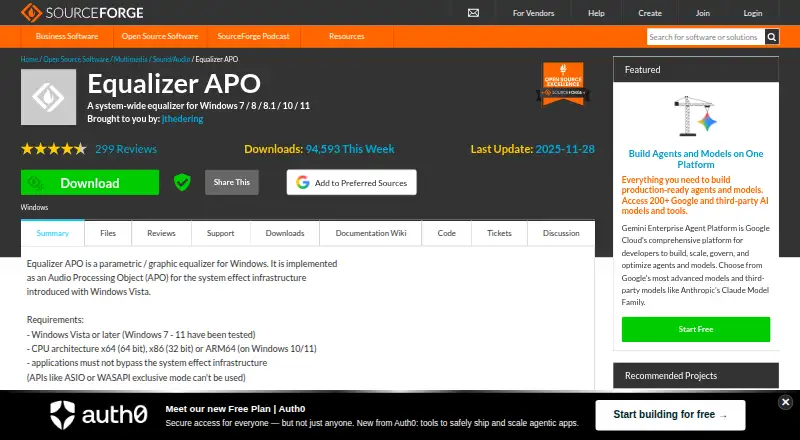
Equalizer APO: A free, open-source Windows EQ for detailed system-wide audio control. Ranked #14 of 30 in Audio Enhancement Software by our editors (8.0/10); pricing: Free plan; best for windows equalization specialists.
At a glance
- Editor score8.0 / 10
- PricingFree plan
- Best forWindows equalization specialists
- Free planYes
- Paid fromFree
- Facts checked20 Sep 2026
Where it wins
- Parametric and graphic EQ with configurable frequency bands
- Virtually unlimited filters, multichannel processing, and convolution
- VST support with low-latency system-wide processing
Where it doesn't
- Windows-only software
- Text-based configuration requires technical comfort
- Processing depends on compatible Windows audio-effects paths
Our verdict on Equalizer APO
Equalizer APO is free, open-source audio enhancement software for Windows desktop users who want detailed control over system audio. It works as an Audio Processing Object in the Windows audio-effects infrastructure and supports x86, x64, and ARM64 systems when applications use the relevant Windows audio-effects path. Its scope is focused on equalization and signal processing rather than a broader audio production environment, making it a fit for users who need device-level control across compatible system audio.
The configuration model is suited to users who want precise control over how audio is processed. Equalizer APO supports parametric equalization, GraphicEQ processing with configurable frequency bands, virtually unlimited filters, and device-specific configurations. It can apply processing at pre-mix, post-mix, and capture stages, while channel copying and mixing support more advanced routing requirements. Convolution using impulse-response files adds another processing option. Room EQ Wizard, Voicemeeter, and VST plugins are listed integrations, and VST plugin support extends the available processing choices.
Equalizer APO's main advantage is breadth within Windows system audio: multichannel processing, configurable filters, convolution, channel operations, and low-latency processing are included in one open-source project. Its main trade-off is the configuration approach, which uses text-based files rather than a broadly described visual workflow. It also does not offer AI features and is limited to Windows. Choose it if configurable, low-latency equalization and signal processing are more important than a simplified interface or cross-platform support. Users seeking audio enhancement outside Windows, or software centered on an easier setup experience, should consider a different tool.
Your product? Our editors can test Equalizer APO in depth and publish a review, labelled as paid · from $149/mo →
Equalizer APO pricing
Equalizer APO fact sheet
| Free plan | Yes |
|---|---|
| Paid from | Free |
| Noise reduction | Not verified |
| Equalizer | Yes |
| Virtual surround | Not verified |
| Audio routing | Not verified |
| App-specific profiles | Yes |
| Supported platforms | Windows |
| Equalizer bands | Not verified |
| Deployment | Desktop |
| Platforms | Windows |
| Integrations | 3 integrations: Room EQ Wizard, Voicemeeter, VST plugins |
| Pricing | Free plan |
| Website | sourceforge.net |
| Facts checked | 20 Sep 2026 |
Equalizer APO integrations
Equalizer APO lists 3 integrations on its own site.
- Room EQ Wizard
- Voicemeeter
- VST plugins
Alternatives to Equalizer APO
- SteelSeries SonarA capable free Windows audio suite for gamers and streamers who want detailed control.9.4
- VoicemeeterA deep Windows audio router with free tiers for mixing, effects, and network audio.9.2
- Elgato Wave LinkA free mixer for creators who need flexible routing, multiple mixes, and plugin effects.9.1


See all Equalizer APO alternatives →
Also Ranked In
Equalizer APO is ranked in 2 of our directories.
Used Equalizer APO? Be the first to review it
The editor score above is our own research. What this page doesn't have yet is a reader's view — what you used Equalizer APO for, what worked and what didn't. No stars are seeded and no review is paid for; an editor reads every one before it appears.
Write a reviewTwo minutes · verified accounts only · read by an editor before it appears
Featured on iTechGuides

Equalizer APO is listed in our Audio Enhancement Software directory. Add the badge to your site — it links back to this page.
<a href="https://www.itechguides.com/products/equalizer-apo/"><img src="https://www.itechguides.com/best/badge/equalizer-apo.svg" alt="Featured on iTechGuides" width="230" height="46"></a>
Reviewed by iTechGuides Editors · Editorial team · Updated Oct 2026
Advertiser disclosure: iTechGuides is reader-supported. Vendors can pay for top positions in our rankings and for a place on other products' pages, and we may earn a commission when you click some links. Bought places stand at the number bought; this page and our disclosure say so. Paying vendors may get a fuller, more detailed review from our editors, and that review can change their score. How we rank.
Last updated · How we research and update