Enroot
Enroot: A focused, daemonless Linux container utility for multi-user GPU workloads. Ranked #23 of 31 in Container Engines by our editors (7.0/10); pricing: Free plan; best for unprivileged GPU workloads on Linux.
At a glance
- Editor score7.0 / 10
- PricingFree plan
- Best forUnprivileged GPU workloads on Linux
- Free planYes
- Paid fromFree
- Rootless modeYes
- Facts checked22 Sep 2026
Where it wins
- Runs without a daemon or setuid binary for unprivileged execution
- Imports Docker, Docker daemon, and Podman images
- Built-in GPU support through libnvidia-container
Where it doesn't
- Linux-only, with no Windows container support
- Uses SquashFS rather than a direct OCI/Docker image format
- Does not provide Kubernetes CRI support
Our verdict on Enroot
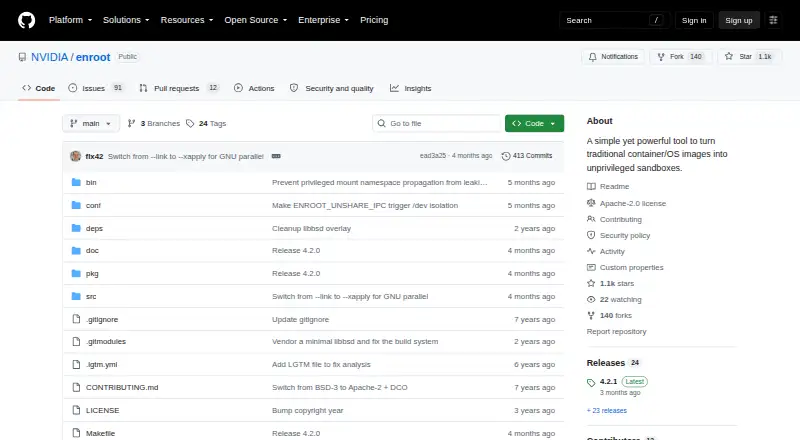
Enroot is an open-source command-line utility from NVIDIA for converting container and operating-system images into unprivileged sandboxes. It is aimed at high-performance and virtualized environments, particularly multi-user Linux systems where users need container execution without a daemon or setuid binary. Enroot can create and start containers, expose environment variables and mounts, apply namespace options, support writable filesystems, and remap root inside containers. Its focus is controlled, user-level execution rather than broad platform coverage.
The image workflow is a central strength. Enroot imports images from Docker registries, Docker daemons, and local Podman repositories, then converts imported images into Enroot’s SquashFS format. It can create container root filesystems from those images and export modified containers as Enroot container images. Docker and Podman compatibility helps it fit into existing image sources, while libnvidia-container provides the documented path to GPU support. This makes Enroot a strong match for Linux environments that need portable images and GPU-aware execution without adding a daemon-based layer.
Enroot is free and open source, with a Linux-only scope. Its native SquashFS image format is a more focused choice than direct OCI or Docker image-format support, so teams seeking a broadly standardized container runtime may prefer another option. It also does not provide Kubernetes CRI support, which limits its fit for Kubernetes-centered operations. Choose Enroot for unprivileged, multi-user Linux workloads, especially those requiring NVIDIA GPU integration; choose an alternative when Windows support, Kubernetes CRI compatibility, or a wider container-platform surface is essential.
Your product? Our editors can test Enroot in depth and publish a review, labelled as paid · from $149/mo →
Enroot pricing
Enroot fact sheet
| Free plan | Yes |
|---|---|
| Paid from | Free |
| Rootless mode | Yes |
| Image building | Yes |
| Kubernetes CRI | Not verified |
| Windows containers | Not verified |
| Image format | Docker |
| Runtime interface | Other |
| Supported host OS | Linux |
| Deployment | Self-hosted |
| Platforms | Linux |
| Support | Docs |
| Built for | Mid-market, Enterprise (editorial estimate) |
| Integrations | 5 integrations: Docker, Docker Hub, NVIDIA GPU Cloud, Podman, libnvidia-container |
| Pricing | Free plan |
| Website | github.com |
| Facts checked | 22 Sep 2026 |
Enroot integrations
Enroot lists 5 integrations on its own site.
- Docker
- Docker Hub
- NVIDIA GPU Cloud
- Podman
- libnvidia-container
Alternatives to Enroot
- Docker EngineA broad container engine for building, running, and managing applications across major platforms.9.4
- PodmanA free, Docker-compatible container engine with rootless execution and Kubernetes YAML support.9.2
- containerdA focused open-source runtime for Kubernetes and production infrastructure.9.0


Used Enroot? Be the first to review it
The editor score above is our own research. What this page doesn't have yet is a reader's view — what you used Enroot for, what worked and what didn't. No stars are seeded and no review is paid for; an editor reads every one before it appears.
Write a reviewTwo minutes · verified accounts only · read by an editor before it appears
Featured on iTechGuides

Enroot is listed in our Container Engines directory. Add the badge to your site — it links back to this page.
<a href="https://www.itechguides.com/products/enroot/"><img src="https://www.itechguides.com/best/badge/enroot.svg" alt="Featured on iTechGuides" width="230" height="46"></a>
Reviewed by iTechGuides Editors · Editorial team · Updated Oct 2026
Advertiser disclosure: iTechGuides is reader-supported. Vendors can pay for top positions in our rankings and for a place on other products' pages, and we may earn a commission when you click some links. Bought places stand at the number bought; this page and our disclosure say so. Paying vendors may get a fuller, more detailed review from our editors, and that review can change their score. How we rank.
Last updated · How we research and update