EmuSync
EmuSync: A free, open-source sync tool with backups, history, and automation options. Ranked #10 of 26 in Game Save Managers by our editors (8.4/10); pricing: Free plan; best for cross-device sync with automation hooks.
At a glance
- Editor score8.4 / 10
- PricingFree plan
- Best forCross-device sync with automation hooks
- Free planYes
- Paid fromFree
- Automatic backupYes
- Facts checked20 Sep 2026
Where it wins
- Automatic detection and manual synchronization across connected devices
- Cloud, shared-folder, and local backup options
- Local API plus Steam Deck Decky plugin for automation
Where it doesn't
- Emulated game-save detection is unsupported
- Backup restoration is manual
- Windows and Linux coverage may not fit other platforms
Our verdict on EmuSync
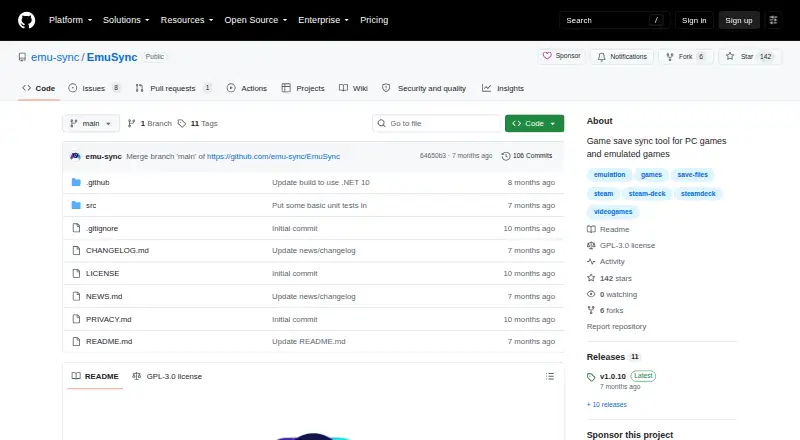
EmuSync is a free, open-source desktop tool for synchronizing game-save files across Windows and Linux devices, including Steam Deck through a Decky plugin. It is aimed at gamers who move between multiple devices, use non-Steam games, or need a consistent save location across systems. The tool maps configured save locations on each connected device to a shared synchronization point. Storage options include Google Drive, Dropbox, OneDrive, and local or shared folders. Automatic and manual synchronization are both available, with automatic detection supported through periodic and manual scans.
The product’s strongest fit is cross-device save management with practical safeguards. When new files are downloaded, EmuSync can create automatic local backups, while local sync history logs provide a record of synchronization activity. Available local backups can be restored manually. Device-specific save locations are configurable, which helps accommodate different file paths across connected Windows and Linux systems. The published feature set also includes both cloud synchronization and shared-folder synchronization, giving users a choice between supported storage providers and local infrastructure.
EmuSync also stands out for automation access. Its local HTTP API is designed for automation and third-party tools, and the Steam Deck Decky plugin extends the product to that device environment. However, the scope is narrower than a universal game-save manager: emulated game-save detection is unsupported, and the documented platform coverage centers on Windows and Linux. Users who want automatic detection for emulated saves or broader platform coverage should consider an alternative. EmuSync is a strong choice for users who want an open-source, no-cost way to synchronize saves across Windows, Linux, and Steam Deck, especially when local backups and automation hooks matter.
Your product? Our editors can test EmuSync in depth and publish a review, labelled as paid · from $149/mo →
EmuSync pricing
EmuSync fact sheet
| Free plan | Yes |
|---|---|
| Paid from | Free |
| Automatic backup | Yes |
| Cloud synchronization | Yes |
| Scheduled backups | Not verified |
| Version history | Yes |
| Game detection | Both |
| Supported platforms | Multi-platform |
| Restore options | Manual |
| Deployment | Desktop |
| Platforms | Windows, Linux |
| Support | Docs |
| Built for | Solo, Small business (editorial estimate) |
| Integrations | 4 integrations: Google Drive, Dropbox, OneDrive, local/shared folder |
| Pricing | Free plan |
| Website | github.com |
| Facts checked | 20 Sep 2026 |
EmuSync integrations
EmuSync lists 4 integrations on its own site.
- Google Drive
- Dropbox
- OneDrive
- local/shared folder
Alternatives to EmuSync
- LudusaviA free, open-source save manager with GUI, CLI, retention, and cloud-sync options.9.4
- Game Save GenieA free, open-source save manager with broad game detection and versioned cloud backups.9.3
- GSBSA capable open-source choice for self-hosted sync, versioning, and recovery.9.2
See all EmuSync alternatives →
Used EmuSync? Be the first to review it
The editor score above is our own research. What this page doesn't have yet is a reader's view — what you used EmuSync for, what worked and what didn't. No stars are seeded and no review is paid for; an editor reads every one before it appears.
Write a reviewTwo minutes · verified accounts only · read by an editor before it appears
Featured on iTechGuides

EmuSync is listed in our Game Save Managers directory. Add the badge to your site — it links back to this page.
<a href="https://www.itechguides.com/products/emusync/"><img src="https://www.itechguides.com/best/badge/emusync.svg" alt="Featured on iTechGuides" width="230" height="46"></a>
Reviewed by iTechGuides Editors · Editorial team · Updated Oct 2026
Advertiser disclosure: iTechGuides is reader-supported. Vendors can pay for top positions in our rankings and for a place on other products' pages, and we may earn a commission when you click some links. Bought places stand at the number bought; this page and our disclosure say so. Paying vendors may get a fuller, more detailed review from our editors, and that review can change their score. How we rank.
Last updated · How we research and update