electerm
electerm: A broad, free connection manager for individuals across desktop and mobile. Ranked #8 of 29 in Remote Connection Manager Software by our editors (8.0/10); pricing: Free plan; best for individuals wanting broad free desktop connectivity.
At a glance
- Editor score8.0 / 10
- PricingFree plan
- Best forIndividuals wanting broad free desktop connectivity
- Free planYes
- Paid fromFree
- Supported protocolsSSH, Telnet, VNC, RDP, SPICE, Serial, FTP, HTTP/HTTPS
- Facts checked21 Sep 2026
Where it wins
- Supports SSH, SFTP, FTP, Telnet, RDP, VNC, SPICE, and serial
- Combines terminal access, remote files, tunneling, and file transfer
- Runs across Windows, macOS, Linux, web, iOS, and Android
Where it doesn't
- Team-sharing workflows are not central to its individual-focused positioning
- Credential-vault requirements may call for a more team-oriented tool
- Its broad feature set may exceed the needs of simple SSH users
Our verdict on electerm
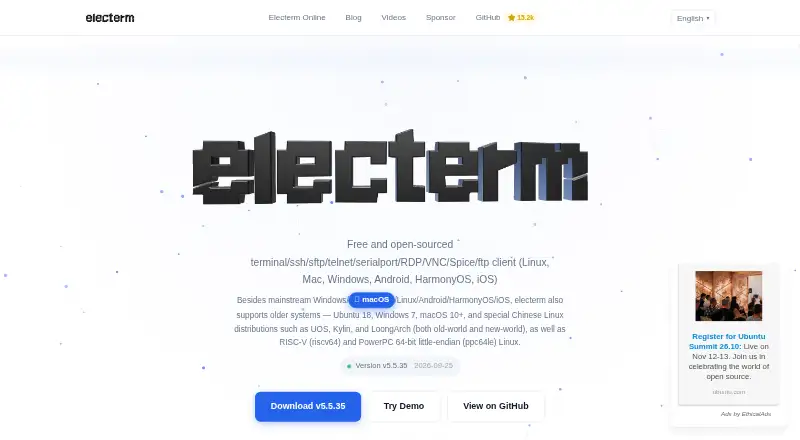
electerm is a free, open-source remote connection client for individuals who need more than a basic SSH terminal. It supports SSH, SFTP, FTP, Telnet, serial, RDP, VNC, and SPICE connections, with access across Windows, macOS, Linux, web, iOS, and Android. Alongside terminal access, it provides remote file management, remote-file editing, bookmarks, file transfers, and deep links for opening remote connections. Its broad protocol coverage makes it suitable for people managing varied systems from one application.
The strongest case for electerm is its depth beyond connection setup. SSH tunneling and connection hopping support more involved access paths, while public-key, password, SSH-agent, certificate, OTP, and NetBird authentication cover several connection models. Zmodem and Trzsz add transfer options, and quick commands, triggers, mirrored input, and automation-oriented workflows help organize recurring terminal tasks. AI assistant integration, an MCP widget, OpenAI-compatible APIs, and the Anthropic Messages API extend the tool toward AI-assisted terminal work.
Synchronization and portability are also central to the product. Bookmarks and data can synchronize through GitHub Gist, Gitee Gist, WebDAV, custom servers, or electerm cloud, giving individuals several storage paths. Teams that need a shared operating model should instead prioritize a product built around team sharing and credential-vault workflows. electerm is the better fit for individual users who want free, open-source access across many protocols and platforms, especially when terminal, file management, tunneling, synchronization, and AI features belong in the same client.
Your product? Our editors can test electerm in depth and publish a review, labelled as paid · from $149/mo →
electerm pricing
electerm fact sheet
| Free plan | Yes |
|---|---|
| Paid from | Free |
| Supported protocols | SSH, Telnet, VNC, RDP, SPICE, Serial, FTP, HTTP/HTTPS |
| Desktop platforms | Windows, macOS, Linux |
| Stored connections | Not verified |
| Team connection sharing | Not verified |
| Credential vault | Not verified |
| Session recording | Not verified |
| Mobile apps | Yes |
| Deployment | Cloud, Desktop, Mobile |
| Platforms | Web, Windows, macOS, Linux, iOS, Android |
| Support | Community, Docs |
| Built for | Solo, Small business (editorial estimate) |
| Integrations | 7 integrations: GitHub Gist, Gitee Gist, WebDAV, Custom servers, electerm cloud, OpenAI-compatible APIs … |
| Pricing | Free plan |
| Website | electerm.github.io |
| Facts checked | 21 Sep 2026 |
electerm integrations
electerm lists 7 integrations on its own site.
- GitHub Gist
- Gitee Gist
- WebDAV
- Custom servers
- electerm cloud
- OpenAI-compatible APIs
- Anthropic Messages API
Alternatives to electerm
- Devolutions Remote Desktop ManagerA broad connection manager for governed IT access across desktop and mobile platforms.9.4
- RustConnA broad, free desktop connection manager for technical teams that need protocol and credential flexibility.9.0
- BURSU Connection ManagerA capable free manager for mixed protocols, embedded sessions, and mobile access.8.8


See all electerm alternatives →
electerm vs the competition
- electerm vs Devolutions Remote Desktop Manager
- electerm vs RustConn
- electerm vs BURSU Connection Manager
- electerm vs Apache Guacamole
- electerm vs Nexterm
- electerm vs Conduit



Compare electerm with any tool side by side →
Used electerm? Be the first to review it
The editor score above is our own research. What this page doesn't have yet is a reader's view — what you used electerm for, what worked and what didn't. No stars are seeded and no review is paid for; an editor reads every one before it appears.
Write a reviewTwo minutes · verified accounts only · read by an editor before it appears
Featured on iTechGuides

electerm is listed in our Remote Connection Manager Software directory. Add the badge to your site — it links back to this page.
<a href="https://www.itechguides.com/products/electerm-remote-connection-manager/"><img src="https://www.itechguides.com/best/badge/electerm-remote-connection-manager.svg" alt="Featured on iTechGuides" width="230" height="46"></a>
Reviewed by iTechGuides Editors · Editorial team · Updated Oct 2026
Advertiser disclosure: iTechGuides is reader-supported. Vendors can pay for top positions in our rankings and for a place on other products' pages, and we may earn a commission when you click some links. Bought places stand at the number bought; this page and our disclosure say so. Paying vendors may get a fuller, more detailed review from our editors, and that review can change their score. How we rank.
Last updated · How we research and update