
Easy File Renamer
Easy File Renamer: A rule-driven renamer for media libraries, folders, and connected cloud files. Ranked #17 of 31 in File Renaming Software by our editors (6.7/10); pricing: Paid; best for cloud-connected photo and media renaming.
At a glance
- Editor score6.7 / 10
- PricingPaid
- Best forCloud-connected photo and media renaming
- Free planNo
- Paid from$29.99/yr
- Regex renamingYes
- Founded2004
- Facts checked22 Sep 2026
Where it wins
- Stacks reusable rules with regular-expression support and previews
- Uses photo, video, and music metadata for structured renaming
- Connects to Google Drive, Dropbox, OneDrive, and Amazon S3
Where it doesn't
- No free plan; paid licensing is required
- Cloud renaming depends on a browser companion
- Small Business pricing has no listed lifetime option
Our verdict on Easy File Renamer
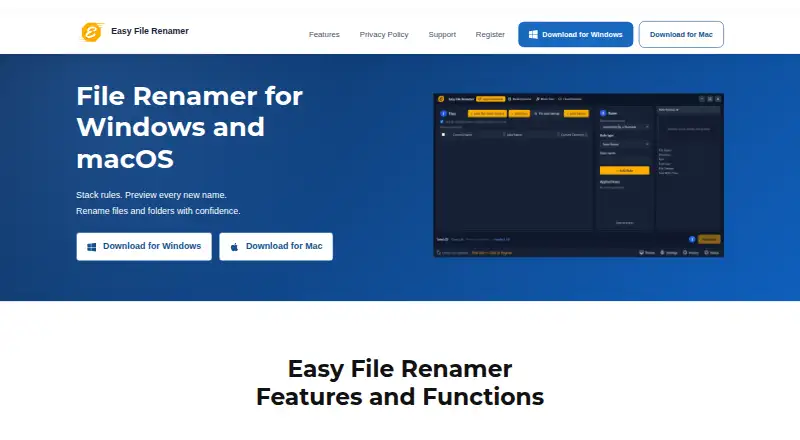
Easy File Renamer is desktop software for batch-renaming files and folders on Windows and macOS, with a browser companion for cloud-file renaming. It is aimed at people managing photo, video, music, and folder collections who need repeatable naming rules rather than one-off edits. The product can preview proposed names before applying changes, stack multiple rules, use regular expressions in replace and remove rules, and save rule stacks as reusable macros. Its media workflows use dates, camera details, dimensions, sequences, and music tags such as artist, title, album, year, genre, and track.
Pricing is license-based rather than subscription-free. Single Solution costs $29.99 per license per year, $39.99 per license for 2 years, or $79.99 one-time for a lifetime license. Family Pack costs $39.99 per 3 licenses per year, $49.99 per 3 licenses for 2 years, or $89.99 one-time for 3 lifetime licenses. Small Business costs $79.99 per 10 licenses per year or $99.99 per 10 licenses for 2 years. A limited trial allows change previews, while registration is required to apply them. The plan structure suits individuals, households, and small teams, but there is no free plan.
Its strongest fit is a cloud-connected media workflow: the browser companion supports Google Drive, Dropbox, OneDrive, and Amazon S3, while the desktop apps cover Windows and macOS. That combination gives users a path from local folders to cloud storage without changing the core rule-based approach. Choose Easy File Renamer if metadata-aware renaming, reusable macros, folder support, and regular expressions matter. Choose an alternative if you need a free product, broader platform coverage beyond the listed environments, or a cloud-only workflow without a desktop component.
Your product? Our editors can test Easy File Renamer in depth and publish a review, labelled as paid · from $149/mo →
Easy File Renamer pricing
All 9 Easy File Renamer plans and prices →
Easy File Renamer fact sheet
| Free plan | No |
|---|---|
| Paid from | $29.99/yr |
| Platform coverage | Multi_platform |
| Regex renaming | Yes |
| Metadata-based renaming | Yes |
| Rename preview | Yes |
| Folder renaming | Yes |
| Undo changes | Not verified |
| Money-back guarantee | 60 days |
| Deployment | Cloud, Desktop |
| Platforms | Web, Windows, macOS |
| Support | Email, Docs |
| Built for | Solo, Small business, Mid-market (editorial estimate) |
| Integrations | 4 integrations: Google Drive, Dropbox, OneDrive, Amazon S3 See all → |
| Pricing | Paid (source) |
| Website | easyfilerenamer.com |
| Facts checked | 22 Sep 2026 |
Easy File Renamer integrations
Easy File Renamer lists 4 integrations on its own site.
- Google Drive
- Dropbox
- OneDrive
- Amazon S3
See all Easy File Renamer integrations →
Alternatives to Easy File Renamer
- KRenameA capable free Linux renamer for expressions, metadata, folders, and undo.9.0
- Bulk Rename UtilityA feature-rich Windows renamer for precise batch operations, scripting, and metadata rules.8.9
- Name ManglerA focused Mac renamer with advanced rules, previews, reversal, and Dropbox or Box support.8.4



See all Easy File Renamer alternatives →
Used Easy File Renamer? Be the first to review it
The editor score above is our own research. What this page doesn't have yet is a reader's view — what you used Easy File Renamer for, what worked and what didn't. No stars are seeded and no review is paid for; an editor reads every one before it appears.
Write a reviewTwo minutes · verified accounts only · read by an editor before it appears
Featured on iTechGuides

Easy File Renamer is listed in our File Renaming Software directory. Add the badge to your site — it links back to this page.
<a href="https://www.itechguides.com/products/easy-file-renamer/"><img src="https://www.itechguides.com/best/badge/easy-file-renamer.svg" alt="Featured on iTechGuides" width="230" height="46"></a>
Reviewed by iTechGuides Editors · Editorial team · Updated Oct 2026
Advertiser disclosure: iTechGuides is reader-supported. Vendors can pay for top positions in our rankings and for a place on other products' pages, and we may earn a commission when you click some links. Bought places stand at the number bought; this page and our disclosure say so. Paying vendors may get a fuller, more detailed review from our editors, and that review can change their score. How we rank.
Last updated · How we research and update