Easy Duplicate Finder
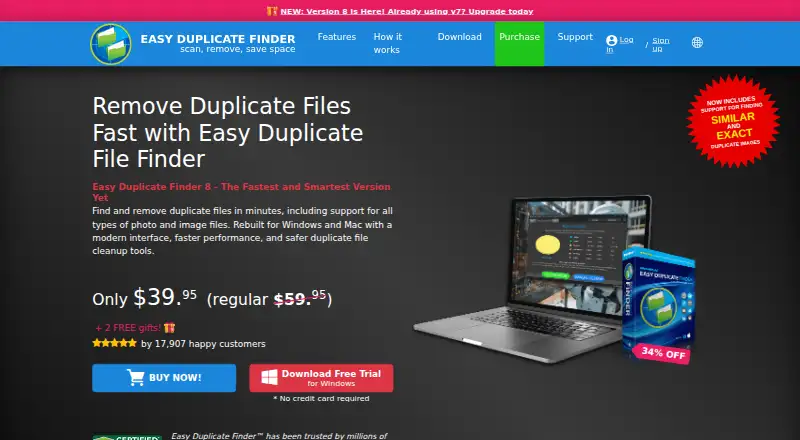
Easy Duplicate Finder: A feature-rich duplicate finder for local files, media, email, contacts, and cloud drives. Ranked #9 of 37 in Duplicate File Finders by our editors (7.6/10); pricing: Paid; best for mac and Windows users with cloud media.
At a glance
- Editor score7.6 / 10
- PricingPaid
- Best forMac and Windows users with cloud media
- Free planNo
- Paid from$39.95/device one-time
- Platform coverageCross-platform
- Facts checked25 Sep 2026
Where it wins
- Scans photos, music, videos, emails, contacts, and documents
- Connects with Google Drive, OneDrive, and Dropbox
- Previews, automated selection, Recycle Bin moves, and undo actions
Where it doesn't
- Starts at $59.95 with no permanent $0 plan
- Unlimited updates apply for only 1 year
- Permanent deletion requires careful review before confirmation
Our verdict on Easy Duplicate Finder
Easy Duplicate Finder is a duplicate-file management application for Windows and macOS. It is designed for people who need to identify and remove repeated files across local folders, external storage, and supported cloud services. Its scope extends beyond standard document scans: specialized modes cover photos, music, videos, emails, and contacts, while integrations include Google Drive, OneDrive, Dropbox, iTunes, iPhoto, and Photos. The product suits users managing mixed media libraries across computers and cloud accounts, particularly those who want file previews before deciding what to remove.
Pricing is structured as a one-time purchase. The 1 Computer plan costs $59.95 and includes unlimited updates for 1 year. The 3 Computers plan costs $119.95, the 5 Computers plan costs $159.95, and the 10 Computers plan costs $269.95; each includes unlimited updates for 1 year. The published plans make the product a paid choice from the start, with the entry price positioned toward users who expect to use its broader scan coverage rather than only occasional basic duplicate checks. The multi-computer options are more suitable for households or users managing several Windows and macOS devices.
Its strongest functional advantage is control over the cleanup process. Easy Duplicate Finder compares file content to identify true duplicates beyond filename, type, size, or extension, and it supports similar and exact image matching plus cloud metadata comparison. A folder comparison mode checks copies against a selected master folder. After scanning, the assistant can select copies based on newest, oldest, or original versions. Users can preview files, move duplicates to the Recycle Bin, delete them permanently, and undo actions performed by the application. Real-time duplicate finding can also help avoid downloading duplicates. Choose it for broad media and cloud coverage; choose an alternative if you want a permanently free plan or only need a lower-cost basic scanner.
Your product? Our editors can test Easy Duplicate Finder in depth and publish a review, labelled as paid · from $149/mo →
Easy Duplicate Finder pricing
All 4 Easy Duplicate Finder plans and prices →
Easy Duplicate Finder fact sheet
| Free plan | No |
|---|---|
| Paid from | $39.95/device one-time |
| Platform coverage | Cross-platform |
| Scan locations | Selected local folders and drives; mapped network drives; connected external media; Google Drive, OneDrive, and Dropbox; supported email and media libraries |
| Match methods | SHA256 hash comparison; music audio fingerprinting; file-name/date/tag comparisons in applicable scan modes |
| File preview | Yes |
| Automatic selection | Yes |
| Recycle Bin / Trash | Yes |
| Folder exclusions | Yes |
| Deployment | Desktop, Cloud |
| Platforms | Windows, macOS |
| Support | Tickets, Email |
| Built for | Solo, Small business (editorial estimate) |
| Integrations | 8 integrations: Google Drive, OneDrive, Dropbox, iTunes, iPhoto, Apple Photos … |
| Pricing | Paid (source) |
| Website | easyduplicatefinder.com |
| Facts checked | 25 Sep 2026 |
Easy Duplicate Finder integrations
Easy Duplicate Finder lists 8 integrations on its own site.
- Google Drive
- OneDrive
- Dropbox
- iTunes
- iPhoto
- Apple Photos
- Microsoft Outlook
- Mac Mail
Alternatives to Easy Duplicate Finder
- AllDupA fully free Windows duplicate finder with broad matching and cleanup controls.9.0
- CzkawkaA free, scriptable duplicate finder for technical users across Windows, macOS, Linux, and Android.8.8
- Wise Duplicate FinderA Windows duplicate finder with free manual cleanup and Pro date-based selection.8.7


See all Easy Duplicate Finder alternatives →
Used Easy Duplicate Finder? Be the first to review it
The editor score above is our own research. What this page doesn't have yet is a reader's view — what you used Easy Duplicate Finder for, what worked and what didn't. No stars are seeded and no review is paid for; an editor reads every one before it appears.
Write a reviewTwo minutes · verified accounts only · read by an editor before it appears
Featured on iTechGuides

Easy Duplicate Finder is listed in our Duplicate File Finders directory. Add the badge to your site — it links back to this page.
<a href="https://www.itechguides.com/products/easy-duplicate-finder/"><img src="https://www.itechguides.com/best/badge/easy-duplicate-finder.svg" alt="Featured on iTechGuides" width="230" height="46"></a>
Reviewed by iTechGuides Editors · Editorial team · Updated Oct 2026
Advertiser disclosure: iTechGuides is reader-supported. Vendors can pay for top positions in our rankings and for a place on other products' pages, and we may earn a commission when you click some links. Bought places stand at the number bought; this page and our disclosure say so. Paying vendors may get a fuller, more detailed review from our editors, and that review can change their score. How we rank.
Last updated · How we research and update