
Dr.Fone Phone Transfer
Dr.Fone Phone Transfer: A flexible desktop transfer tool with a free option and low-cost lifetime access. Ranked #5 of 44 in Phone Transfer Software by our editors (9.0/10); pricing: Paid; best for freemium transfers with inexpensive lifetime access.
At a glance
- Editor score9.0 / 10
- PricingPaid
- Best forFreemium transfers with inexpensive lifetime access
- Free planNo
- Paid from$29.95/yr
- Mobile OS supportBoth
- Facts checked23 Sep 2026
Where it wins
- Transfers data across iOS and Android in four directions
- Supports contacts, messages, photos, videos, music, and calendars
- Perpetual plan supports 1–5 devices with 2 PCs
Where it doesn't
- Some transfer functions are limited on the free offering
- Desktop software is limited to Windows and macOS
- Its listed integrations are iTunes and iCloud
Our verdict on Dr.Fone Phone Transfer
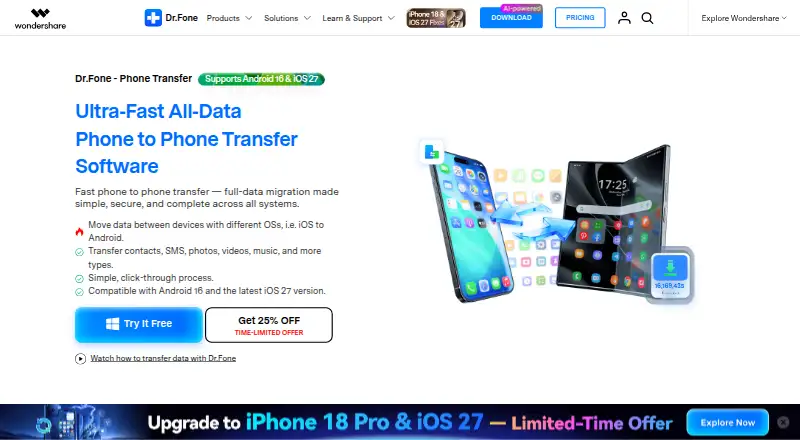
Dr.Fone Phone Transfer is desktop software for moving selected or complete phone data between iOS and Android devices. It supports iOS-to-iOS, iOS-to-Android, Android-to-Android, and Android-to-iOS transfers, with supported content including contacts, messages, photos, videos, music, calendars, call history, and app data. It is suited to people replacing a phone, moving between mobile platforms, or keeping phone data organized through a computer. The software supports Windows and macOS, and the broader toolset includes phone management plus computer backup and restore features.
The published plans show a freemium model with a free offering whose availability is not time-limited, although some transfer functions are limited. The Monthly Plan costs $24.95 per month for 1-month access. The Annual Plan costs $29.95 per year for 1-year access. The Perpetual Plan costs $39.95 as a one-time payment for perpetual access. All three paid plans support 1–5 mobile devices with 2 PCs, include the four transfer directions, and provide technical support plus software updates. The perpetual tier provides free version updates rather than free software updates.
Beyond phone-to-phone migration, Dr.Fone can selectively transfer supported data types, move phone data to a computer, transfer Android apps, and back up or restore phone data through a computer. Its platform scope is broad across iOS and Android, but the desktop requirement and the limited free transfer functions matter for buyers seeking a fully free workflow. Its listed integrations are iTunes and iCloud, making it a practical fit for common Apple backup environments. Choose it for cross-platform transfers, computer-based phone management, or inexpensive perpetual access; choose an alternative if your priority is broader ecosystem integration or unrestricted free transfers.
Your product? Our editors can test Dr.Fone Phone Transfer in depth and publish a review, labelled as paid · from $149/mo →
Dr.Fone Phone Transfer pricing
All 3 Dr.Fone Phone Transfer plans and prices →
Dr.Fone Phone Transfer fact sheet
| Free plan | No |
|---|---|
| Paid from | $29.95/yr |
| Mobile OS support | Both |
| Phone-to-phone transfer | Yes |
| Phone-to-computer transfer | Not verified |
| App transfer | Yes |
| Computer backup | Yes |
| Devices per license | 5 devices |
| Money-back guarantee | 7 days |
| Deployment | Desktop |
| Platforms | Windows, macOS |
| Support | Live chat, Email · 24/7 |
| Built for | Solo, Small business (editorial estimate) |
| Pricing | Paid (source) |
| Website | drfone.wondershare.com |
| Facts checked | 23 Sep 2026 |
Alternatives to Dr.Fone Phone Transfer
- Samsung Smart SwitchA free transfer and backup utility for moving data into Samsung Galaxy devices.9.4
- vivo EasyShareA free migration tool for moving phone data across Android, iOS, Windows, and macOS.9.3
- Wondershare MobileTransA paid transfer suite for phones, computers, backups, apps, and messaging data.9.2


See all Dr.Fone Phone Transfer alternatives →
Dr.Fone Phone Transfer vs the competition
- Dr.Fone Phone Transfer vs Samsung Smart Switch
- Dr.Fone Phone Transfer vs vivo EasyShare
- Dr.Fone Phone Transfer vs Wondershare MobileTrans
- Dr.Fone Phone Transfer vs EaseUS MobiMover
- Dr.Fone Phone Transfer vs Android Switch
- Dr.Fone Phone Transfer vs Move to iOS



Compare Dr.Fone Phone Transfer with any tool side by side →
Used Dr.Fone Phone Transfer? Be the first to review it
The editor score above is our own research. What this page doesn't have yet is a reader's view — what you used Dr.Fone Phone Transfer for, what worked and what didn't. No stars are seeded and no review is paid for; an editor reads every one before it appears.
Write a reviewTwo minutes · verified accounts only · read by an editor before it appears
Featured on iTechGuides

Dr.Fone Phone Transfer is listed in our Phone Transfer Software directory. Add the badge to your site — it links back to this page.
<a href="https://www.itechguides.com/products/dr-fone-phone-transfer/"><img src="https://www.itechguides.com/best/badge/dr-fone-phone-transfer.svg" alt="Featured on iTechGuides" width="230" height="46"></a>
Reviewed by iTechGuides Editors · Editorial team · Updated Oct 2026
Advertiser disclosure: iTechGuides is reader-supported. Vendors can pay for top positions in our rankings and for a place on other products' pages, and we may earn a commission when you click some links. Bought places stand at the number bought; this page and our disclosure say so. Paying vendors may get a fuller, more detailed review from our editors, and that review can change their score. How we rank.
Last updated · How we research and update