vivo EasyShare
vivo EasyShare: A free migration tool for moving phone data across Android, iOS, Windows, and macOS. Ranked #2 of 44 in Phone Transfer Software by our editors (9.3/10); pricing: Free plan; best for free phone and computer migration across platforms.
At a glance
- Editor score9.3 / 10
- PricingFree plan
- Best forFree phone and computer migration across platforms
- Free planYes
- Paid fromFree
- Mobile OS supportBoth
- Facts checked23 Sep 2026
Where it wins
- Transfers contacts, messages, photos, apps, settings, and more
- Supports phone-to-phone and phone-to-computer backup and restore
- Connects through USB, Wi-Fi, or QR code without mobile-data usage
Where it doesn't
- Computer backup and restore is described through a Windows computer
- Availability and features may vary by region or software version
- No verified integrations are listed
Our verdict on vivo EasyShare
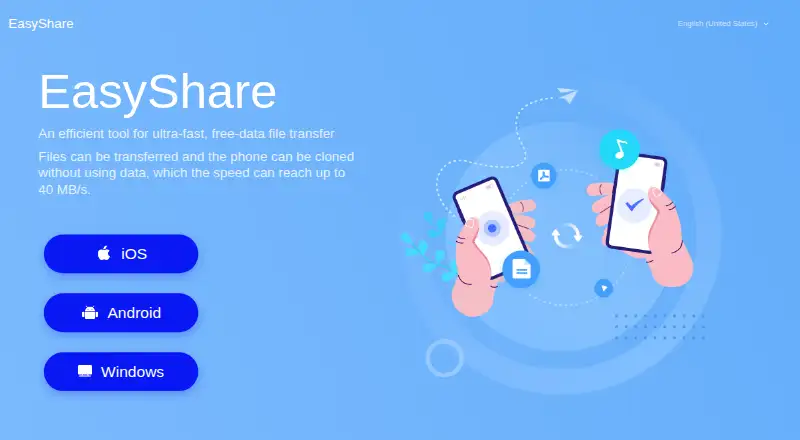
vivo EasyShare is a free phone transfer and backup tool from vivo Mobile Communication Co., Ltd. It is designed for people moving data between an old and new smartphone, sending files between phones, or backing up a phone to a computer. Supported transfer types include contacts, messages, photos, videos, applications, settings, call records, notes, and files. The official website links to iOS, Android, and Windows versions, while the Google Play listing describes macOS support as well.
The published product details show a broad set of migration options without a paid-tier structure. EasyShare supports phone cloning between smartphones, wireless file transfer, and multi-type transfers without mobile-data usage. For computer workflows, it offers backup and restore through USB or Wi-Fi, with QR-code connection available for pairing devices. Transfer history and storage-location viewing add practical visibility during file movement. This combination suits users who want one free tool for phone-to-phone migration and computer backup rather than a narrow file-sharing utility.
Its main trade-off is platform detail around computer backup: the description specifically presents that workflow through a Windows computer, even though macOS is also listed among supported platforms. Availability and features may vary by country or software version, so the experience can depend on the relevant regional release. EasyShare is a strong fit for straightforward migration across Android and iOS devices, especially when phone cloning, app transfer, and computer backup matter. Buyers seeking verified third-party integrations or a broader ecosystem beyond the listed mobile and desktop platforms should consider an alternative.
Your product? Our editors can test vivo EasyShare in depth and publish a review, labelled as paid · from $149/mo →
vivo EasyShare pricing
vivo EasyShare fact sheet
| Free plan | Yes |
|---|---|
| Paid from | Free |
| Mobile OS support | Both |
| Phone-to-phone transfer | Yes |
| Phone-to-computer transfer | Yes |
| App transfer | Yes |
| Computer backup | Yes |
| Devices per license | Not verified |
| Deployment | Desktop, Mobile |
| Platforms | iOS, Android, Windows |
| Support | Email, Live chat, Phone |
| Built for | Solo (editorial estimate) |
| Pricing | Free plan |
| Website | easyshare.vivo.com |
| Facts checked | 23 Sep 2026 |
Alternatives to vivo EasyShare
- Samsung Smart SwitchA free transfer and backup utility for moving data into Samsung Galaxy devices.9.4
- Wondershare MobileTransA paid transfer suite for phones, computers, backups, apps, and messaging data.9.2
- EaseUS MobiMoverA flexible phone-transfer suite with useful backups, cloud support, and paid limits removed.9.1



See all vivo EasyShare alternatives →
vivo EasyShare vs the competition
- vivo EasyShare vs Samsung Smart Switch
- vivo EasyShare vs Wondershare MobileTrans
- vivo EasyShare vs EaseUS MobiMover
- vivo EasyShare vs Dr.Fone Phone Transfer
- vivo EasyShare vs Android Switch
- vivo EasyShare vs Move to iOS



Compare vivo EasyShare with any tool side by side →
Used vivo EasyShare? Be the first to review it
The editor score above is our own research. What this page doesn't have yet is a reader's view — what you used vivo EasyShare for, what worked and what didn't. No stars are seeded and no review is paid for; an editor reads every one before it appears.
Write a reviewTwo minutes · verified accounts only · read by an editor before it appears
Featured on iTechGuides

vivo EasyShare is listed in our Phone Transfer Software directory. Add the badge to your site — it links back to this page.
<a href="https://www.itechguides.com/products/vivo-easyshare/"><img src="https://www.itechguides.com/best/badge/vivo-easyshare.svg" alt="Featured on iTechGuides" width="230" height="46"></a>
Reviewed by iTechGuides Editors · Editorial team · Updated Oct 2026
Advertiser disclosure: iTechGuides is reader-supported. Vendors can pay for top positions in our rankings and for a place on other products' pages, and we may earn a commission when you click some links. Bought places stand at the number bought; this page and our disclosure say so. Paying vendors may get a fuller, more detailed review from our editors, and that review can change their score. How we rank.
Last updated · How we research and update