
Desqueeze
Desqueeze: A feature-rich iOS resizer for batch media processing, formats and output controls. Ranked #14 of 28 in Photo Resizing Software by our editors (6.3/10); pricing: Free plan; best for iPhone users resizing photos and videos.
At a glance
- Editor score6.3 / 10
- PricingFree plan
- Best foriPhone users resizing photos and videos
- Free planYes
- Batch resizingYes
- Facts checked20 Sep 2026
Where it wins
- Batch-resizes photos and videos by pixels, percentages or aspect ratios
- Supports templates, compression, DPI, HDR and color-profile controls
- Preserves or converts Live Photos and supports anamorphic de-squeezing
Where it doesn't
- Available on iOS rather than desktop platforms
- Advanced output features require a paid PRO option
- Best suited to Apple-device workflows and media libraries
Our verdict on Desqueeze
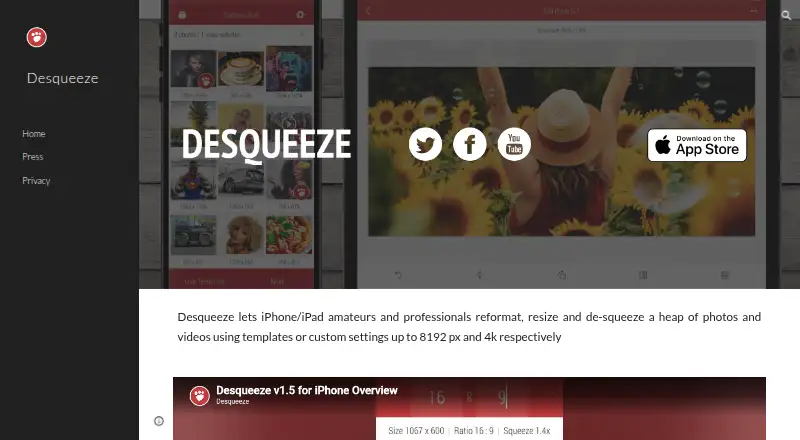
Desqueeze is a mobile photo and video resizing app for iPhone and iPad users. It supports individual items and complete albums, letting users preview, save and share processed media. The app covers batch resizing, pixel, percentage, aspect-ratio and preset sizing, with support for PNG, JPEG, HEIC and TIFF photo export. It is aimed at people who need more control than a basic image resize command, particularly when processing multiple photos or videos on an Apple device.
The free Basic version includes batch resizing, multiple sizing methods and the listed photo formats. Paid options are available as PRO Monthly, PRO Annual and Lifetime Access to PRO Version. These tiers add all PRO features, unlimited batch processing and higher-resolution photo and video output; the lifetime option provides permanent PRO access. The feature set also includes custom templates, compression quality controls and DPI settings, giving users several ways to prepare media for different output requirements.
Desqueeze stands out for combining resizing with media-specific tools. HDR and color-profile processing address image handling, while anamorphic de-squeezing supports a more specialized workflow. Live Photo preservation or conversion adds flexibility for Apple media libraries. The main boundary is platform: the product is positioned for iPhone and iPad, with the App Store listing also supporting Apple Vision, rather than a desktop or cross-platform workflow. Choose Desqueeze if you need batch photo and video resizing on iOS with format, quality and Live Photo controls. Choose another option if you need a desktop application or a workflow centered outside Apple's ecosystem.
Desqueeze pricing
All 4 Desqueeze plans and prices →
Desqueeze fact sheet
| Free plan | Yes |
|---|---|
| Paid from | Not verified |
| Batch resizing | Yes |
| Output formats | PNG, JPEG, HEIC, TIFF |
| Resize methods | Dimensions |
| Quality controls | Yes |
| Maximum batch size | Not verified |
| Supported platforms | Mobile |
| Deployment | Mobile |
| Platforms | iOS |
| Support | |
| Built for | Solo, Small business (editorial estimate) |
| Pricing | Free plan (source) |
| Website | desqueeze.com |
| Facts checked | 20 Sep 2026 |
Alternatives to Desqueeze
- XnResizeA capable offline batch resizer with broad format support and detailed quality controls.9.0
- PhotoResize ProA capable desktop batch processor for creative teams handling large image collections.8.3
- ConverseenA capable free desktop tool for batch resizing, conversion, compression, and renaming.8.2


See all Desqueeze alternatives →
Used Desqueeze? Be the first to review it
The editor score above is our own research. What this page doesn't have yet is a reader's view — what you used Desqueeze for, what worked and what didn't. No stars are seeded and no review is paid for; an editor reads every one before it appears.
Write a reviewTwo minutes · verified accounts only · read by an editor before it appears
Featured on iTechGuides

Desqueeze is listed in our Photo Resizing Software directory. Add the badge to your site — it links back to this page.
<a href="https://www.itechguides.com/products/desqueeze/"><img src="https://www.itechguides.com/best/badge/desqueeze.svg" alt="Featured on iTechGuides" width="230" height="46"></a>
Reviewed by iTechGuides Editors · Editorial team · Updated Sep 2026
Advertiser disclosure: iTechGuides is reader-supported. We may earn a commission when you click some links. How we rank.
Last updated · How we research and update