PhotoResize Pro
PhotoResize Pro: A capable desktop batch processor for creative teams handling large image collections. Ranked #3 of 28 in Photo Resizing Software by our editors (9.1/10); pricing: Free plan; best for creative users wanting powerful batch workflows.
At a glance
- Editor score9.1 / 10
- PricingFree plan
- Best forCreative users wanting powerful batch workflows
- Free planYes
- Batch resizingYes
- Facts checked20 Sep 2026
Where it wins
- Processes hundreds or thousands of images and folders in batches
- Supports broad format conversion, optimization, and metadata controls
- Runs locally on Windows and macOS with reusable workflow presets
Where it doesn't
- The Free plan resizes only one photo at a time
- Batch resizing requires a Premium access plan
- Apple pricing varies by region and Windows pricing differs by storefront
Our verdict on PhotoResize Pro
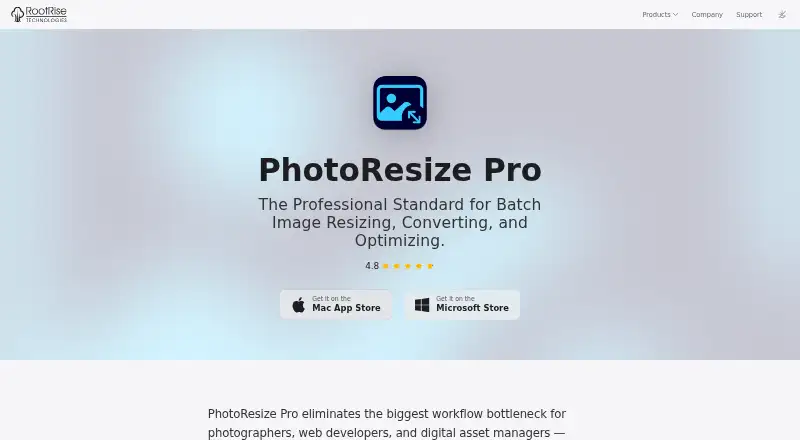
PhotoResize Pro is a desktop application for photographers, web developers, and digital asset managers working with large image collections. It combines resizing, format conversion, JPEG and PNG optimization, metadata controls, filename renaming, rotation, flipping, presets, and output previews. The application runs on Windows and macOS, with core processing available offline and without uploading images to cloud services. Its strongest fit is for creative users who need repeatable workflows across folders rather than occasional single-image edits.
The Free plan handles one photo at a time, while Premium Monthly Access, Premium Yearly Access, and Premium Lifetime Access remove the free-version restrictions and add batch resizing. The published category pricing lists a starting price of 0.99, while Apple’s US listing shows regional in-app-purchase prices. For recurring production work, the key difference is access to batch processing; users comparing plans should also consider whether monthly, yearly, or lifetime access matches their workflow. Windows and macOS support gives it a practical desktop footprint, but it is not positioned as a browser-first tool.
Its feature depth is strongest in batch image handling. Users can resize with fit, crop, stretch, pad, and fill modes; enter dimensions in pixels, percentages, inches, centimeters, millimeters, or points; and convert among JPEG, HEIC, WebP, PNG, TIFF, JP2, PSD, GIF, PDF, EXR, and BMP. Quality controls, EXIF/IPTC/GPS/TIFF metadata options, token-based renaming, reusable presets with backup, Quick Look output previews, and batch rotation or flipping support more controlled production pipelines. Choose PhotoResize Pro for local, format-flexible batch work; choose an alternative if one-at-a-time resizing is sufficient or if a web-based workflow is essential.
Your product? Our editors can test PhotoResize Pro in depth and publish a review, labelled as paid · from $149/mo →
PhotoResize Pro pricing
All 4 PhotoResize Pro plans and prices →
PhotoResize Pro fact sheet
| Free plan | Yes |
|---|---|
| Paid from | Not verified |
| Batch resizing | Yes |
| Output formats | JPEG, HEIC, WebP, PNG, JP2, TIFF, PDF, PSD, GIF, TGA, EXR, BMP |
| Resize methods | Dimensions |
| Quality controls | Yes |
| Maximum batch size | Not verified |
| Supported platforms | Web_desktop |
| Deployment | Desktop |
| Platforms | Windows, macOS |
| Support | |
| Built for | Solo, Small business, Mid-market (editorial estimate) |
| Pricing | Free plan (source) |
| Website | rootrisetech.com |
| Facts checked | 20 Sep 2026 |
Alternatives to PhotoResize Pro
- XnResizeA capable offline batch resizer with broad format support and detailed quality controls.9.4
- ConverseenA capable free desktop tool for batch resizing, conversion, compression, and renaming.9.2
- PixelModA flexible batch resizer with local desktop processing and a useful free tier.9.0


See all PhotoResize Pro alternatives →
PhotoResize Pro vs the competition
- PhotoResize Pro vs XnResize
- PhotoResize Pro vs Converseen
- PhotoResize Pro vs PixelMod
- PhotoResize Pro vs BulkPic
- PhotoResize Pro vs BatchPhoto
- PhotoResize Pro vs FastStone Photo Resizer



Compare PhotoResize Pro with any tool side by side →
Used PhotoResize Pro? Be the first to review it
The editor score above is our own research. What this page doesn't have yet is a reader's view — what you used PhotoResize Pro for, what worked and what didn't. No stars are seeded and no review is paid for; an editor reads every one before it appears.
Write a reviewTwo minutes · verified accounts only · read by an editor before it appears
Featured on iTechGuides

PhotoResize Pro is listed in our Photo Resizing Software directory. Add the badge to your site — it links back to this page.
<a href="https://www.itechguides.com/products/photoresize-pro/"><img src="https://www.itechguides.com/best/badge/photoresize-pro.svg" alt="Featured on iTechGuides" width="230" height="46"></a>
Reviewed by iTechGuides Editors · Editorial team · Updated Oct 2026
Advertiser disclosure: iTechGuides is reader-supported. Vendors can pay for top positions in our rankings and for a place on other products' pages, and we may earn a commission when you click some links. Bought places stand at the number bought; this page and our disclosure say so. Paying vendors may get a fuller, more detailed review from our editors, and that review can change their score. How we rank.
Last updated · How we research and update