
Delta
Delta: A broad Apple-only emulator with saves, controller support, sync, cheats, and DS multiplayer. Ranked #12 of 53 in Multi-System Emulators by our editors (7.4/10); pricing: Free plan; best for iPhone and Mac users focused on Nintendo systems.
At a glance
- Editor score7.4 / 10
- PricingFree plan
- Best foriPhone and Mac users focused on Nintendo systems
- Free planYes
- Supported systems7
- Facts checked20 Sep 2026
Where it wins
- Supports NES, SNES, N64, Game Boy, GBA, DS, and Genesis/Mega Drive beta
- Syncs games, saves, cheats, skins, and mappings through Google Drive or Dropbox
- Supports external controllers, save states, cheats, and compatible DS online multiplayer
Where it doesn't
- Available on iOS and macOS, with no Android support
- Arcade systems are not supported
- Genesis/Mega Drive emulation is still in beta
Our verdict on Delta
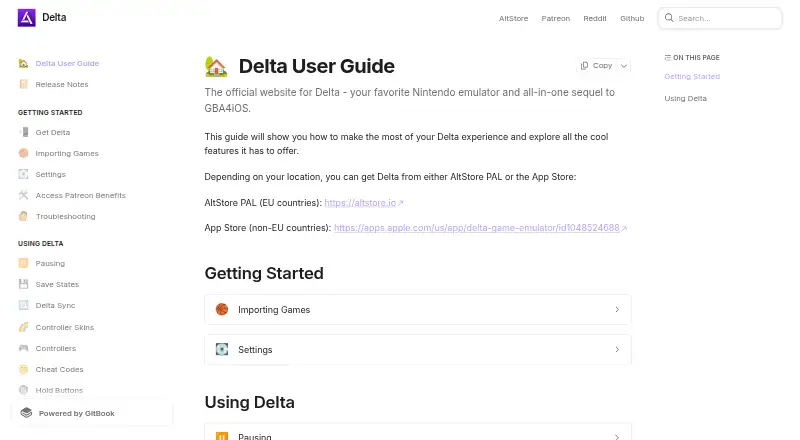
Delta is an open-source, freemium emulator for iPhone, iPad, iPod touch, Apple silicon Mac, and Apple Vision devices. It is aimed at players who want to run imported ROM files from classic Nintendo systems, with Sega Genesis/Mega Drive support available in beta. The core system list includes NES, SNES, Nintendo 64, Game Boy, Game Boy Color, Game Boy Advance, and Nintendo DS. It does not require BIOS files, and it includes save states, auto-save, cheats, controller skins, and per-system button mapping.
Its strongest fit is for users already invested in Apple devices and cloud storage. Delta supports Bluetooth, wired, MFi, PlayStation, Xbox, and Nintendo controllers, while Google Drive and Dropbox can synchronize games, saves, save states, cheats, skins, and controller mappings. N64 users also get OpenGL ES rendering, custom resolutions, and custom texture packs. Compatible Nintendo DS games can access online multiplayer through community Nintendo WFC servers, adding a platform-specific feature beyond local emulation.
Delta has a free plan, while Early Adopter, Community Member, and Friend Zone are listed as patron-benefit in-app purchases rather than conventional software plans. That keeps the basic product accessible, but the paid options are better understood as support tiers than feature-defined subscriptions. Choose Delta if you want multi-system Nintendo emulation on iOS or macOS with broad controller and synchronization support. Look elsewhere if Android, arcade systems, or a conventional paid software plan is essential.
Your product? Our editors can test Delta in depth and publish a review, labelled as paid · from $149/mo →
Delta pricing
All 3 Delta plans and prices →
Delta fact sheet
| Free plan | Yes |
|---|---|
| Paid from | Not verified |
| Supported systems | 7 |
| Android support | No |
| Arcade support | No |
| Netplay | Yes |
| BIOS required | No |
| Shader/upscaling | Not verified |
| License | Open-source |
| Deployment | Mobile, Desktop |
| Platforms | iOS, macOS |
| Support | Email, Docs |
| Built for | Solo, Small business (editorial estimate) |
| Integrations | 4 integrations: Google Drive, Dropbox, Nintendo WFC community servers, Patreon |
| Pricing | Free plan (source) |
| Website | deltaemulator.com |
| Facts checked | 20 Sep 2026 |
Delta integrations
Delta lists 4 integrations on its own site.
- Google Drive
- Dropbox
- Nintendo WFC community servers
- Patreon
Alternatives to Delta
- RetroArchA broad, free emulator hub with one interface for collections, cores, controls, and play.9.4
- FoxolFoxol combines multi-system emulation, cloud saves, and multiplayer across web, desktop, and mobile.9.1
- aresA broad, free desktop emulator with preservation-focused tools and system-specific BIOS requirements.8.8


Also Ranked In
Delta is ranked in 5 of our directories.
Used Delta? Be the first to review it
The editor score above is our own research. What this page doesn't have yet is a reader's view — what you used Delta for, what worked and what didn't. No stars are seeded and no review is paid for; an editor reads every one before it appears.
Write a reviewTwo minutes · verified accounts only · read by an editor before it appears
Featured on iTechGuides

Delta is listed in our Multi-System Emulators directory. Add the badge to your site — it links back to this page.
<a href="https://www.itechguides.com/products/delta/"><img src="https://www.itechguides.com/best/badge/delta.svg" alt="Featured on iTechGuides" width="230" height="46"></a>
Reviewed by iTechGuides Editors · Editorial team · Updated Oct 2026
Advertiser disclosure: iTechGuides is reader-supported. Vendors can pay for top positions in our rankings and for a place on other products' pages, and we may earn a commission when you click some links. Bought places stand at the number bought; this page and our disclosure say so. Paying vendors may get a fuller, more detailed review from our editors, and that review can change their score. How we rank.
Last updated · How we research and update