
ares
ares: A broad, free desktop emulator with preservation-focused tools and system-specific BIOS requirements. Ranked #3 of 53 in Multi-System Emulators by our editors (8.8/10); pricing: Free plan; best for desktop users wanting broad standalone emulation.
At a glance
- Editor score8.8 / 10
- PricingFree plan
- Best forDesktop users wanting broad standalone emulation
- Free planYes
- Paid fromFree
- Supported systems34
- Founded2020
- Facts checked20 Sep 2026
Where it wins
- Supports emulation across 34 console, handheld, computer, and arcade systems
- Includes save states, rewind, run-ahead, shaders, and color correction
- Offers input mapping, debugging, CHD support, and a compatibility database
Where it doesn't
- Desktop-only availability excludes Android devices
- BIOS files are required for some emulated systems
- No verified netplay support is documented
Our verdict on ares
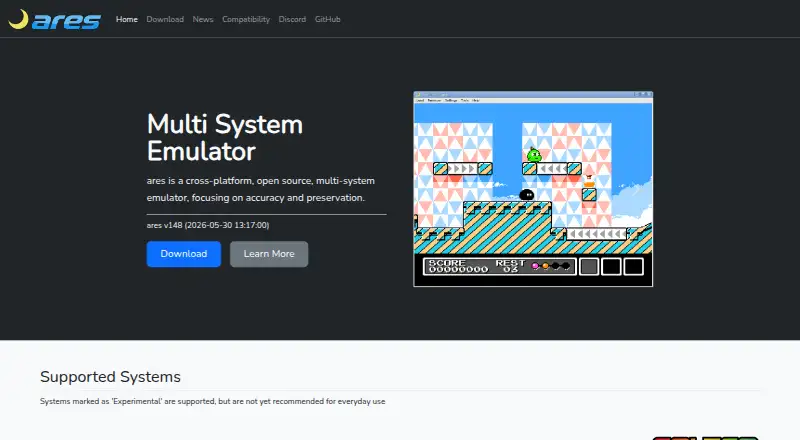
ares is a free, open-source emulator for classic consoles, handhelds, computers, and arcade hardware. It supports 34 systems, including NES, SNES, Nintendo 64, Game Boy, Game Boy Advance, Sega Genesis, Mega CD, Neo Geo, and PlayStation. The desktop application is available for Windows, macOS, and Linux, with official builds or source-based installation also available for FreeBSD. Its focus on accuracy and preservation makes it a fit for desktop users who want one standalone application covering a broad range of older platforms.
The feature set extends beyond basic game launching. Save states, rewind, fast-forward, and run-ahead input-latency reduction cover common playback needs, while pixel shaders, shader-based display filters, and color correction support different presentation goals. Virtual game-pad input multi-mapping adds control flexibility. For more technical users, a debugger with trace logging provides deeper inspection, and CHD support accommodates compressed CD-ROM images. The built-in compatibility database gives users a dedicated reference point when assessing system support.
ares is free and open source, with no paid plans. Setup still depends on the requirements of the system being emulated: BIOS files are required for some platforms, including an MSX1 BIOS and several CD-based systems. That makes system-specific preparation part of the experience rather than an optional extra. The main platform boundary is its desktop focus, with no Android support, and netplay is not verified. Choose ares if broad standalone desktop emulation, preservation-oriented features, and technical controls matter most. Users seeking Android support or verified online multiplayer should choose another emulator.
Your product? Our editors can test ares in depth and publish a review, labelled as paid · from $149/mo →
ares pricing
ares fact sheet
| Free plan | Yes |
|---|---|
| Paid from | Free |
| Supported systems | 34 |
| Android support | No |
| Arcade support | Yes |
| Netplay | Not verified |
| BIOS required | Yes |
| Shader/upscaling | Yes |
| License | Open-source |
| Deployment | Desktop |
| Platforms | Windows, macOS, Linux |
| Support | Community |
| Built for | Solo, Small business (editorial estimate) |
| Pricing | Free plan |
| Website | ares-emu.net |
| Facts checked | 20 Sep 2026 |
Alternatives to ares
- RetroArchA broad, free emulator hub with one interface for collections, cores, controls, and play.9.4
- FoxolFoxol combines multi-system emulation, cloud saves, and multiplayer across web, desktop, and mobile.9.1
- ProvenanceA broad Apple-focused emulator with synced libraries, metadata, cheats, and multiplayer.8.7


ares vs the competition


Compare ares with any tool side by side →
Also Ranked In
ares is ranked in 10 of our directories; the 6 strongest besides Multi-System Emulators.
Used ares? Be the first to review it
The editor score above is our own research. What this page doesn't have yet is a reader's view — what you used ares for, what worked and what didn't. No stars are seeded and no review is paid for; an editor reads every one before it appears.
Write a reviewTwo minutes · verified accounts only · read by an editor before it appears
Featured on iTechGuides

ares is listed in our Multi-System Emulators directory. Add the badge to your site — it links back to this page.
<a href="https://www.itechguides.com/products/ares/"><img src="https://www.itechguides.com/best/badge/ares.svg" alt="Featured on iTechGuides" width="230" height="46"></a>
Reviewed by iTechGuides Editors · Editorial team · Updated Oct 2026
Advertiser disclosure: iTechGuides is reader-supported. Vendors can pay for top positions in our rankings and for a place on other products' pages, and we may earn a commission when you click some links. Bought places stand at the number bought; this page and our disclosure say so. Paying vendors may get a fuller, more detailed review from our editors, and that review can change their score. How we rank.
Last updated · How we research and update