
DBDock
DBDock: A capable open-source database operations toolkit, but not a documentation-focused product. Ranked #25 of 27 in Database Documentation Tools by our editors (6.6/10); pricing: Free plan; best for teams needing database operations, not documentation.
At a glance
- Editor score6.6 / 10
- PricingFree plan
- Best forTeams needing database operations, not documentation
- Free planYes
- Paid fromFree
- Facts checked20 Sep 2026
Where it wins
- Open-source with web, desktop, Linux, API, and hybrid deployment options
- Backups, restores, environment copies, migrations, retention, and scheduling
- AES-256-GCM encryption, compression, cloud storage, and Slack or email alerts
Where it doesn't
- Its core capabilities focus on database operations rather than documentation
- MongoDB migration support is limited to PostgreSQL-to-MongoDB directions
- Cloud features add a separate managed layer alongside the self-hosted CLI
Our verdict on DBDock
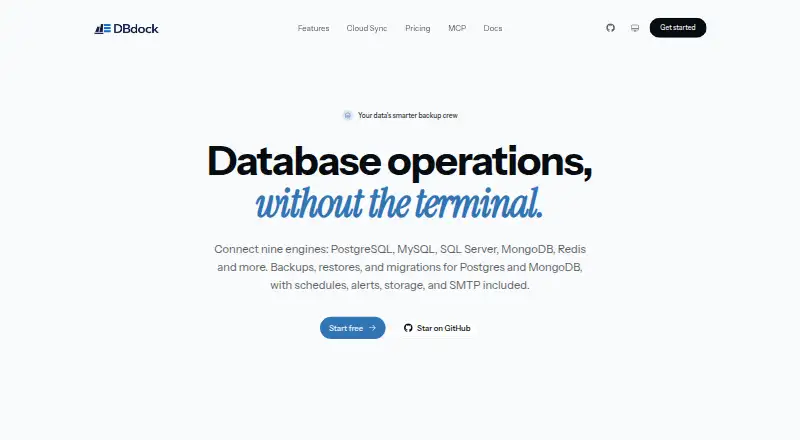
DBDock is an open-source command-line toolkit for developers and technical teams managing database operations. It creates and restores backups, copies databases between environments, and supports migration between MongoDB and PostgreSQL. The deployment coverage is broad: DBDock runs through web, Windows, macOS, Linux, and API interfaces, with a hybrid model that combines self-hosted operation with optional cloud synchronization for non-secret project metadata. Teams evaluating database documentation tools should view it primarily as an operational utility rather than a system for maintaining product or schema documentation.
Its strongest area is the breadth of database protection and movement features. DBDock supports PostgreSQL, MySQL/MariaDB, SQL Server, and Redis for database operations, while MongoDB is included for migration workflows. Backup schedules can use cron, retention can be based on count or age, and stored data can use AES-256-GCM encryption and compression. Storage targets include local disk, AWS S3, Cloudflare R2, and Cloudinary. Email and Slack alerts provide operational notifications, while the TypeScript SDK gives technical teams an additional integration path.
DBDock also covers practical deployment and monitoring needs through DBDock Cloud, which provides managed storage, scheduled jobs, teams, and dashboard monitoring. The self-hosted CLI remains the central fit for teams that want control over their database workflows and infrastructure. It is a sensible choice for backup, restore, migration, and environment-copy tasks across varied platforms. Teams primarily seeking searchable documentation, collaborative writing, or a dedicated database knowledge base should choose a more documentation-centered product instead.
Your product? Our editors can test DBDock in depth and publish a review, labelled as paid · from $149/mo →
DBDock pricing
DBDock fact sheet
| Free plan | Yes |
|---|---|
| Paid from | Free |
| Database coverage | Not verified |
| Data lineage | Not verified |
| Data dictionary | Not verified |
| Schema history | Not verified |
| Deployment | Hybrid |
| Single sign-on | Not verified |
| Deployment | Cloud, Self-hosted |
| Platforms | Web, Windows, macOS, Linux |
| Support | Community, Docs, Email |
| Built for | Solo, Small business, Mid-market (editorial estimate) |
| Integrations | 5 integrations: AWS S3, Cloudflare R2, Cloudinary, Slack, Email |
| Pricing | Free plan |
| Website | dbdock.xyz |
| Facts checked | 20 Sep 2026 |
DBDock integrations
DBDock lists 5 integrations on its own site.
- AWS S3
- Cloudflare R2
- Cloudinary
- Slack
Alternatives to DBDock
- DataedoA broad, governed data catalog with strong lineage and quality coverage at a high annual price.9.4
- AzimuttA broad toolkit for exploring, analyzing, designing, and documenting large mixed-model schemas.9.2
- SchemaCrawlerA free, open-source choice for automated relational database documentation and analysis.9.0


Also Ranked In
DBDock is ranked in 2 of our directories.
Used DBDock? Be the first to review it
The editor score above is our own research. What this page doesn't have yet is a reader's view — what you used DBDock for, what worked and what didn't. No stars are seeded and no review is paid for; an editor reads every one before it appears.
Write a reviewTwo minutes · verified accounts only · read by an editor before it appears
Featured on iTechGuides

DBDock is listed in our Database Documentation Tools directory. Add the badge to your site — it links back to this page.
<a href="https://www.itechguides.com/products/dbdock/"><img src="https://www.itechguides.com/best/badge/dbdock.svg" alt="Featured on iTechGuides" width="230" height="46"></a>
Reviewed by iTechGuides Editors · Editorial team · Updated Oct 2026
Advertiser disclosure: iTechGuides is reader-supported. Vendors can pay for top positions in our rankings and for a place on other products' pages, and we may earn a commission when you click some links. Bought places stand at the number bought; this page and our disclosure say so. Paying vendors may get a fuller, more detailed review from our editors, and that review can change their score. How we rank.
Last updated · How we research and update