
Dante Via
Dante Via: A focused Windows and macOS router for Dante-based computer audio workflows. Ranked #22 of 30 in Audio Enhancement Software by our editors (6.8/10); pricing: 30-day trial; best for dante network audio users.
At a glance
- Editor score6.8 / 10
- Pricing30-day trial
- Best forDante network audio users
- Free planNo
- Founded2006 · Surry Hills, New South Wales, Australia
- Facts checked20 Sep 2026
Where it wins
- Drag-and-drop routing between applications, devices, and networks
- Supports up to 48×48 total channels
- Works with Dante Controller, Zoom, Teams, and major DAWs
Where it doesn't
- No verified EQ, noise reduction, or enhancement effects
- Paid software with no free plan
- Routing capacity varies by application, up to 16 bidirectional channels
Our verdict on Dante Via
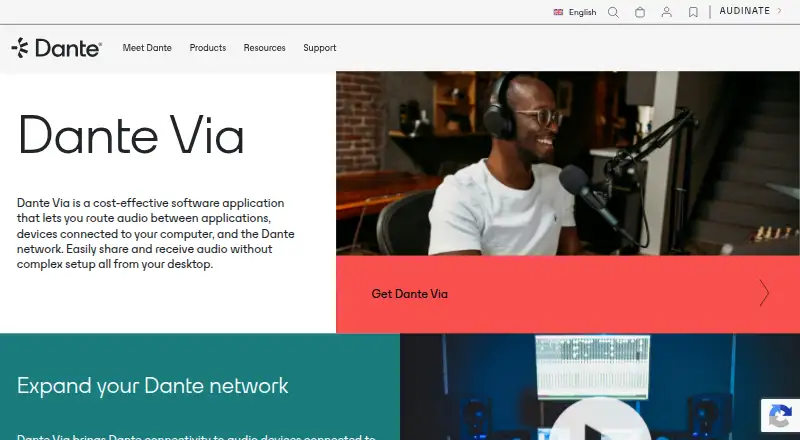
Dante Via is desktop audio-routing software for Windows and macOS. It connects applications, locally connected audio devices, and Dante networks, making it suited to audio professionals, AV operators, educators, broadcasters, and corporate facilities that need networked computer audio without dedicated Dante hardware. It discovers audio sources and destinations, supports Core Audio, ASIO, and WDM workflows, and can create Dante networks using only computers running Dante Via.
Its main strength is routing depth within a focused scope. Drag-and-drop connection management simplifies moving audio to and from individual applications, while local headphones or speakers can monitor Dante channels. The software supports up to 16 bidirectional channels per application and up to 48×48 total channels. Compatibility with Dante Controller, Zoom, Microsoft Teams, Cubase, Pro Tools, and GarageBand also supports mixed conferencing, recording, production, and network-audio setups.
Dante Via is a paid product with a 30-day trial and no free plan. It is a strong fit for users who specifically need Dante connectivity, computer-only Dante networks, or flexible application routing across Windows and macOS. It is less suitable for buyers seeking audio enhancement as the primary function: the published capabilities do not include verified EQ, noise reduction, or other enhancement effects. Choose it for routing and monitoring; choose another tool if processing and sound-shaping features matter more than Dante integration.
Your product? Our editors can test Dante Via in depth and publish a review, labelled as paid · from $149/mo →
Dante Via pricing
Dante Via fact sheet
| Free plan | No |
|---|---|
| Paid from | Not verified |
| Noise reduction | Not verified |
| Equalizer | Not verified |
| Virtual surround | Not verified |
| Audio routing | Yes |
| App-specific profiles | Not verified |
| Supported platforms | Windows, macOS |
| Equalizer bands | Not verified |
| Free trial | 30 days |
| Deployment | Desktop |
| Platforms | Windows, macOS |
| Support | Docs, Tickets |
| Built for | Small business, Mid-market, Enterprise (editorial estimate) |
| Integrations | 6 integrations: Dante Controller, Zoom, Microsoft Teams, Cubase, Pro Tools, GarageBand |
| Pricing | 30-day trial (source) |
| Website | getdante.com |
| Facts checked | 20 Sep 2026 |
Dante Via integrations
Dante Via lists 6 integrations on its own site.
- Dante Controller
- Zoom
- Microsoft Teams
- Cubase
- Pro Tools
- GarageBand
Alternatives to Dante Via
- SteelSeries SonarA capable free Windows audio suite for gamers and streamers who want detailed control.9.4
- VoicemeeterA deep Windows audio router with free tiers for mixing, effects, and network audio.9.2
- Elgato Wave LinkA free mixer for creators who need flexible routing, multiple mixes, and plugin effects.9.1


See all Dante Via alternatives →
Used Dante Via? Be the first to review it
The editor score above is our own research. What this page doesn't have yet is a reader's view — what you used Dante Via for, what worked and what didn't. No stars are seeded and no review is paid for; an editor reads every one before it appears.
Write a reviewTwo minutes · verified accounts only · read by an editor before it appears
Featured on iTechGuides

Dante Via is listed in our Audio Enhancement Software directory. Add the badge to your site — it links back to this page.
<a href="https://www.itechguides.com/products/dante-via/"><img src="https://www.itechguides.com/best/badge/dante-via.svg" alt="Featured on iTechGuides" width="230" height="46"></a>
Reviewed by iTechGuides Editors · Editorial team · Updated Oct 2026
Advertiser disclosure: iTechGuides is reader-supported. Vendors can pay for top positions in our rankings and for a place on other products' pages, and we may earn a commission when you click some links. Bought places stand at the number bought; this page and our disclosure say so. Paying vendors may get a fuller, more detailed review from our editors, and that review can change their score. How we rank.
Last updated · How we research and update