CuteFTP
CuteFTP: A Windows-only FTP client with broad protocols, automation, synchronization, and high concurrency. Ranked #12 of 36 in FTP Clients by our editors (8.0/10); pricing: Paid; best for windows users needing high transfer concurrency.
At a glance
- Editor score8.0 / 10
- PricingPaid
- Best forWindows users needing high transfer concurrency
- Free planNo
- Protocol coverageMulti-protocol
- Facts checked20 Sep 2026
Where it wins
- Supports FTP, FTPS, HTTPS, and SFTP connections.
- Runs up to 100 simultaneous transfers.
- Adds scripting, monitoring, scheduling, and synchronization tools.
Where it doesn't
- Windows-only coverage limits platform flexibility.
- There is no free plan.
- Advanced automation may be more than basic transfers require.
Our verdict on CuteFTP
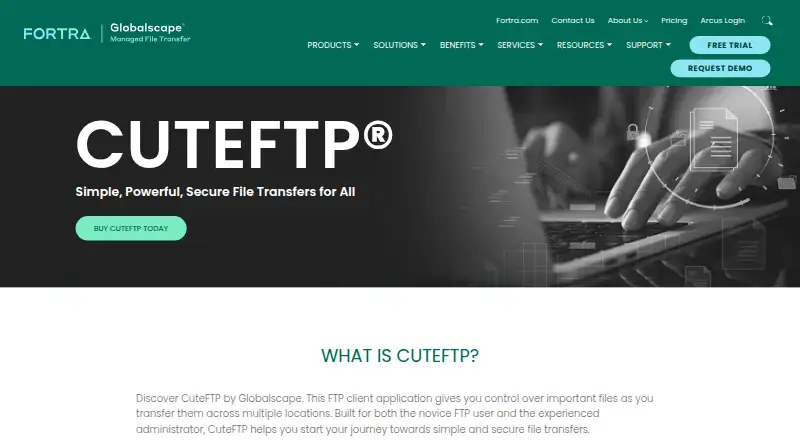
CuteFTP is a Windows desktop FTP client for connecting to remote sites, transferring files, and maintaining websites. It is aimed at both novice users and experienced administrators, with a step-by-step connection wizard, site management, and an integrated color-coded HTML editor. Its protocol coverage includes FTP, FTPS, HTTPS, and SFTP, making it suitable for teams that work across different transfer environments but want a desktop application focused on Windows.
The product’s strongest distinction is the breadth of its transfer automation. CuteFTP supports scheduled transfer queues, local-folder monitoring for automatic uploads, and folder synchronization with mirror and full-synchronization modes. Its Transfer Engine also supports scripting through COM-enabled languages. Combined with up to 100 simultaneous transfers, these features make it a practical fit for recurring workflows, high-concurrency transfers, and administrators managing repeated site connections rather than occasional file movement.
The published plans show CuteFTP 9 and CuteFTP 9 with 1 year Maintenance & Support, with a verified starting price of 59.99 and no free plan. The second option includes one year of maintenance and support. Security-related capabilities include OpenPGP encryption and one-time-password authentication, while the lifecycle page lists CuteFTP v9.4 for Windows as released on 2026-04-06, with EOL dates not yet determined. Choose CuteFTP if you need Windows-based protocol coverage, automation, synchronization, and substantial transfer concurrency. Choose another client if you need macOS or Linux coverage, a free plan, or a simpler tool without administration-oriented features.
CuteFTP pricing
All 2 CuteFTP plans and prices →
CuteFTP fact sheet
| Free plan | No |
|---|---|
| Paid from | Not verified |
| Protocol coverage | Multi-protocol |
| Supported platforms | Windows |
| File synchronization | Yes |
| Scheduled transfers | Yes |
| Transfer automation | Yes |
| Concurrent transfers | 100 transfers |
| Portable version | Not verified |
| Deployment | Desktop |
| Platforms | Windows |
| Support | Phone, Docs |
| Built for | Solo, Small business (editorial estimate) |
| Pricing | Paid (source) |
| Website | globalscape.com |
| Facts checked | 20 Sep 2026 |
Alternatives to CuteFTP
- WinSCPA capable free Windows client for multi-protocol transfers, scripting, and SSH workflows.9.3
- FileZilla ClientA capable free FTP client for straightforward desktop file transfers.9.2
- CyberduckA broad, free FTP client for desktop transfers, synchronization, and automation.9.1



See all CuteFTP alternatives →
Also listed in
Used CuteFTP? Be the first to review it
The editor score above is our own research. What this page doesn't have yet is a reader's view — what you used CuteFTP for, what worked and what didn't. No stars are seeded and no review is paid for; an editor reads every one before it appears.
Write a reviewTwo minutes · verified accounts only · read by an editor before it appears
Featured on iTechGuides

CuteFTP is listed in our FTP Clients directory. Add the badge to your site — it links back to this page.
<a href="https://www.itechguides.com/products/cuteftp/"><img src="https://www.itechguides.com/best/badge/cuteftp.svg" alt="Featured on iTechGuides" width="230" height="46"></a>
Guides on FTP clients
- The 6 Best Free FTP Clients for Windows, Mac, and Linux in 2026Aug 2026
- 10 Best FTP Clients for Android in 2026Aug 2026
- Java FTP Client: A Comprehensive Guide to Using Apache Commons NetAug 2026
Reviewed by iTechGuides Editors · Editorial team · Updated Oct 2026
Advertiser disclosure: iTechGuides is reader-supported. Vendors can pay for top positions in our rankings and for a place on other products' pages, and we may earn a commission when you click some links. How we rank.
Last updated · How we research and update