CrossMacro
CrossMacro: A broad, open-source automation tool for users who need more than peripheral controls. Ranked #59 of 105 in Keyboard and Mouse Customization Software by our editors (5.3/10); pricing: Free plan; best for cross-platform macro automation users.
At a glance
- Editor score5.3 / 10
- PricingFree plan
- Best forCross-platform macro automation users
- Free planYes
- Paid fromFree
- Supported operating systemsCross-platform
- Facts checked22 Sep 2026
Where it wins
- Works across Linux, Windows, and macOS
- Combines visual editing with triggers, schedules, and profiles
- Supports screen actions, text expansion, JSON, and local MCP
Where it doesn't
- Focuses less on DPI, lighting, polling, and onboard memory
- Desktop deployment may not replace dedicated peripheral software
- Support is centered on community resources and documentation
Our verdict on CrossMacro
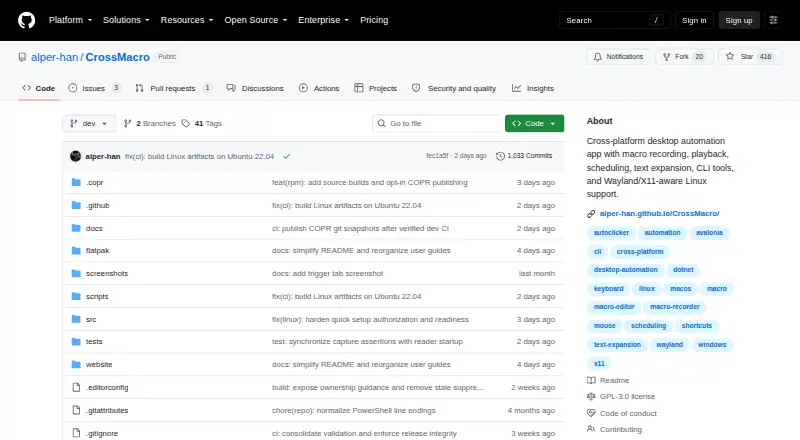
CrossMacro is a free, open-source desktop automation application for Linux, Windows, and macOS. It records mouse and keyboard actions, provides visual workflow editing, and replays automations through the graphical interface, global shortcuts, schedules, triggers, the command line, or a local MCP server. Solo users and small teams can use named profiles, per-app profiles, text expansion, clipboard and window controls, and macro playback settings such as speed, repeats, pauses, and delays.
Its strongest distinction is the breadth of automation actions beyond standard macro recording. CrossMacro supports screen, pixel, color, and image-based actions, along with loops, conditions, screenshots, and trigger-based workflows. The command-line and JSON interface adds another way to manage automation, while MCP provides a local integration path. Linux support includes both Wayland and X11, and the cross-platform desktop deployment makes the same general automation approach available across the three supported operating systems.
CrossMacro is a better fit for users seeking desktop workflow automation than for buyers choosing software for dedicated keyboard or mouse hardware configuration. Its positioning is less focused on DPI, lighting, polling, and onboard memory, so users prioritizing those peripheral controls should look elsewhere. Support is provided through community resources and documentation. Pick CrossMacro when visual macro editing, scheduling, screen-aware actions, text expansion, and programmable access matter more than hardware-specific settings; choose an alternative when peripheral configuration is the main requirement.
Your product? Our editors can test CrossMacro in depth and publish a review, labelled as paid · from $149/mo →
CrossMacro pricing
CrossMacro fact sheet
| Free plan | Yes |
|---|---|
| Paid from | Free |
| Supported operating systems | Cross-platform |
| Macro support | Yes |
| Per-app profiles | Yes |
| Onboard device memory | Not verified |
| Polling rate control | Not verified |
| Sensitivity controls | Not verified |
| Profile slots | Not verified |
| Deployment | Desktop |
| Platforms | Windows, macOS, Linux |
| Support | Community, Docs |
| Built for | Solo, Small business (editorial estimate) |
| Integrations | 1 integrations: MCP |
| Pricing | Free plan |
| Website | github.com |
| Facts checked | 22 Sep 2026 |
CrossMacro integrations
CrossMacro lists 1 integrations on its own site.
- MCP
Alternatives to CrossMacro
- Razer SynapseA free Razer-focused hub for remapping, macros, profiles, and Chroma lighting.9.2
- Logi Options+A broad free toolkit for remapping, automation, profiles, and multi-computer control.9.1
- Logitech G HUBA free desktop suite for Logitech G lighting, profiles, and device settings.9.0



See all CrossMacro alternatives →
Used CrossMacro? Be the first to review it
The editor score above is our own research. What this page doesn't have yet is a reader's view — what you used CrossMacro for, what worked and what didn't. No stars are seeded and no review is paid for; an editor reads every one before it appears.
Write a reviewTwo minutes · verified accounts only · read by an editor before it appears
Featured on iTechGuides

CrossMacro is listed in our Keyboard and Mouse Customization Software directory. Add the badge to your site — it links back to this page.
<a href="https://www.itechguides.com/products/crossmacro/"><img src="https://www.itechguides.com/best/badge/crossmacro.svg" alt="Featured on iTechGuides" width="230" height="46"></a>
Reviewed by iTechGuides Editors · Editorial team · Updated Oct 2026
Advertiser disclosure: iTechGuides is reader-supported. Vendors can pay for top positions in our rankings and for a place on other products' pages, and we may earn a commission when you click some links. Bought places stand at the number bought; this page and our disclosure say so. Paying vendors may get a fuller, more detailed review from our editors, and that review can change their score. How we rank.
Last updated · How we research and update