
ControllerKeys
ControllerKeys: A deep macOS mapper for streamers, with automation features but no virtual-controller output. Ranked #15 of 27 in Game Controller Mapper Software by our editors (6.6/10); pricing: 14-day trial; best for mac streamers needing advanced controller automation.
At a glance
- Editor score6.6 / 10
- Pricing14-day trial
- Best forMac streamers needing advanced controller automation
- Free planNo
- Paid from$24.99 one-time
- Virtual-controller outputNo
- Facts checked20 Sep 2026
Where it wins
- Supports macros, scripts, shell commands, webhooks, layers, and sequences
- Offers per-app profiles, controller-linked switching, gyro, and touchpad input
- Connects with OBS Studio, Stream Deck V2 profiles, and HTTP webhooks
Where it doesn't
- Runs on macOS 14.6 or later only
- Requires a $24.99 one-time license after the 14-day trial
- Does not provide verified virtual-controller output
Our verdict on ControllerKeys
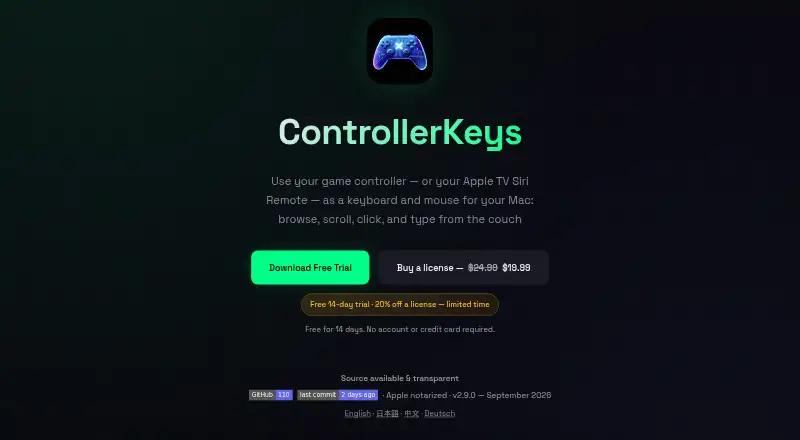
ControllerKeys is a native macOS application for turning game-controller input into keyboard shortcuts, modifier combinations, mouse movement, scrolling, WASD, arrow keys, macros, scripts, webhooks, and system commands. It supports Xbox, PlayStation, Nintendo, Steam, Apple TV Siri Remote, 8BitDo, Logitech, PowerA, Hori, and other SDL-supported gamepads. Its strongest fit is Mac streamers and power users who want controller-driven automation rather than simple button remapping. The software requires macOS 14.6 or later and Accessibility permissions.
The feature depth is broad for a controller mapper. ControllerKeys supports per-application and controller-linked profiles, layers, chords, sequences, long holds, double taps, and repeats. DualSense, DualShock 4, and Steam Controller touchpads and gyroscopes can provide additional input, while the on-screen keyboard supports swipe typing. Stream workflows can connect through OBS WebSocket commands and a stream overlay, HTTP webhooks, and Stream Deck V2 profiles. GitHub community profiles are also listed as an integration. These capabilities make it suitable for workflows that need several input modes and context-specific mappings.
Pricing is straightforward: according to the published plan, the ControllerKeys license costs $24.99 USD as a one-time purchase. It includes lifetime downloads of the official signed binary, coverage for all Macs under one license, and updates. A 14-day full-featured trial is available, but there is no free plan. The product is macOS-only and does not provide verified virtual-controller output, so it is a weaker fit for users who need software to present a remapped device as another controller. Choose ControllerKeys for advanced Mac automation, streaming controls, and layered profiles; consider an alternative when broader platform support or virtual-controller output is essential.
Your product? Our editors can test ControllerKeys in depth and publish a review, labelled as paid · from $149/mo →
ControllerKeys pricing
All 1 ControllerKeys plans and prices →
ControllerKeys fact sheet
| Free plan | No |
|---|---|
| Paid from | $24.99 one-time |
| Keyboard/mouse output | Yes |
| Virtual-controller output | No |
| Profile switching | Yes |
| Per-app profiles | Yes |
| Platform support | Macos |
| Maximum profiles | Not verified |
| Controller input types | Xbox, PlayStation, Nintendo Joy-Con, Nintendo Switch Pro Controller, Steam Controller, Apple TV Siri Remote, 8BitDo, Logitech, PowerA, Hori, and other SDL-supported gamepads |
| Free trial | 14 days · no card needed |
| Deployment | Desktop |
| Platforms | macOS |
| Support | Community, Docs |
| Built for | Solo, Small business (editorial estimate) |
| Integrations | 4 integrations: OBS Studio, HTTP webhooks, Stream Deck V2 profiles, GitHub community profiles |
| Pricing | 14-day trial (source) |
| Website | kevintang.xyz |
| Facts checked | 20 Sep 2026 |
ControllerKeys integrations
ControllerKeys lists 4 integrations on its own site.
- OBS Studio
- HTTP webhooks
- Stream Deck V2 profiles
- GitHub community profiles
Alternatives to ControllerKeys
- Steam InputA free, mature mapper for per-game controller profiles across Windows, macOS, and Linux.8.6
- DS4WindowsA capable free mapper for PlayStation controllers, limited to Windows PCs.7.9
- JoyShockMapperA free, gyro-focused mapper for Windows and Linux with deep binding controls.7.8

See all ControllerKeys alternatives →
Used ControllerKeys? Be the first to review it
The editor score above is our own research. What this page doesn't have yet is a reader's view — what you used ControllerKeys for, what worked and what didn't. No stars are seeded and no review is paid for; an editor reads every one before it appears.
Write a reviewTwo minutes · verified accounts only · read by an editor before it appears
Featured on iTechGuides

ControllerKeys is listed in our Game Controller Mapper Software directory. Add the badge to your site — it links back to this page.
<a href="https://www.itechguides.com/products/controllerkeys/"><img src="https://www.itechguides.com/best/badge/controllerkeys.svg" alt="Featured on iTechGuides" width="230" height="46"></a>
Reviewed by iTechGuides Editors · Editorial team · Updated Oct 2026
Advertiser disclosure: iTechGuides is reader-supported. Vendors can pay for top positions in our rankings and for a place on other products' pages, and we may earn a commission when you click some links. Bought places stand at the number bought; this page and our disclosure say so. Paying vendors may get a fuller, more detailed review from our editors, and that review can change their score. How we rank.
Last updated · How we research and update