
Steam Input
Steam Input: A free, flexible mapping system for Steam players across Windows, macOS, and Linux. Ranked #1 of 29 in Controller Mapping Software by our editors (9.4/10); pricing: Free plan; best for steam users wanting broad, free cross-platform mapping.
At a glance
- Editor score9.4 / 10
- PricingFree plan
- Best forSteam users wanting broad, free cross-platform mapping
- Free planYes
- Paid fromFree
- Per-app profilesYes
- Founded1996 · Bellevue, Washington, USA
- Facts checked20 Sep 2026
Where it wins
- Free across Windows, macOS, and Linux
- Per-game profiles with layers, activators, and macros
- Community configurations plus keyboard, mouse, and gamepad emulation
Where it doesn't
- Built into the Steam client rather than offered as a separate tool
- Native action mappings depend on game support for the Steam Input API
- Its focus is controller configuration and input translation
Our verdict on Steam Input
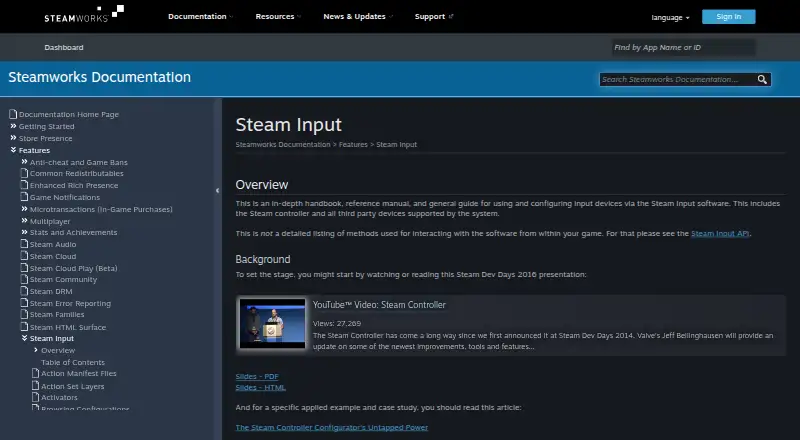
Steam Input is Valve’s controller configuration and input-translation system, built into the Steam client. It is designed for PC and SteamOS/Linux players who want to customize controls across games and controller types. The system supports per-game configurations, templates for common controller types and game genres, and saved personal, developer, and community configurations. Players can translate controller inputs into keyboard, mouse, or gamepad events, while games that support the Steam Input API can use native action-based bindings.
The published product details show a free offering across Windows, macOS, and Linux, with no paid tiers to compare. Its feature depth comes from the mapping controls: activators support long press, double press, turbo, and repeat behaviors; action sets and action set layers support different control contexts; and virtual Xbox controller output is available through gamepad emulation. Per-app profiles, profile switching, macro support, keyboard and mouse remapping, and virtual controller output make it suitable for users who want detailed control without a separate paid plan.
Steam Input’s strongest fit is its Steam-centered ecosystem. Players can save configurations, apply templates, and browse configurations shared by developers or the Steam community, which broadens the starting points for game-specific setups. The main boundary is also clear: it is integrated into the Steam client, and native action-based mappings depend on games supporting the Steam Input API. Choose Steam Input if you want broad, free cross-platform mapping with community and developer configurations. Choose another option if you need a standalone mapping tool outside the Steam client or a system centered on capabilities beyond controller configuration and input translation.
Your product? Our editors can test Steam Input in depth and publish a review, labelled as paid · from $149/mo →
Steam Input pricing
Steam Input fact sheet
| Free plan | Yes |
|---|---|
| Paid from | Free |
| Supported platforms | windows, macos, linux |
| Per-app profiles | Yes |
| Profile switching | Yes |
| Macro support | Yes |
| Keyboard and mouse remap | Yes |
| Virtual controller output | Yes |
| Simultaneous devices | Not verified |
| Deployment | Desktop |
| Platforms | Windows, macOS, Linux |
| Support | Docs |
| Built for | Solo (editorial estimate) |
| Pricing | Free plan |
| Website | partner.steamgames.com |
| Facts checked | 20 Sep 2026 |
Alternatives to Steam Input
- JoyShockMapperA powerful free mapper for players who want advanced gyro and layered controller configurations.9.2
- DS4WindowsA capable free mapper for Windows users who need profiles, emulation, and advanced input controls.9.0
- AntiMicroXA broad, free mapper for Windows and Linux power users who need profiles and macros.8.8

See all Steam Input alternatives →
Steam Input vs the competition
- Steam Input vs JoyShockMapper
- Steam Input vs DS4Windows
- Steam Input vs AntiMicroX
- Steam Input vs Joystick Gremlin
- Steam Input vs OmniControl
- Steam Input vs InputConfig


Compare Steam Input with any tool side by side →
Also Ranked In
Steam Input is ranked in 7 of our directories.
Used Steam Input? Be the first to review it
The editor score above is our own research. What this page doesn't have yet is a reader's view — what you used Steam Input for, what worked and what didn't. No stars are seeded and no review is paid for; an editor reads every one before it appears.
Write a reviewTwo minutes · verified accounts only · read by an editor before it appears
Featured on iTechGuides

Steam Input is listed in our Controller Mapping Software directory. Add the badge to your site — it links back to this page.
<a href="https://www.itechguides.com/products/steam-input/"><img src="https://www.itechguides.com/best/badge/steam-input.svg" alt="Featured on iTechGuides" width="230" height="46"></a>
Reviewed by iTechGuides Editors · Editorial team · Updated Oct 2026
Advertiser disclosure: iTechGuides is reader-supported. Vendors can pay for top positions in our rankings and for a place on other products' pages, and we may earn a commission when you click some links. Bought places stand at the number bought; this page and our disclosure say so. Paying vendors may get a fuller, more detailed review from our editors, and that review can change their score. How we rank.
Last updated · How we research and update