CodeAssist
CodeAssist: A capable on-device Android IDE for Java and Kotlin projects. Ranked #18 of 40 in Mobile Development IDEs by our editors (7.0/10); pricing: Free plan; best for open-source Android coding on-device.
At a glance
- Editor score7.0 / 10
- PricingFree plan
- Best forOpen-source Android coding on-device
- Free planYes
- Paid fromNone
- Facts checked22 Sep 2026
Where it wins
- Compiles, signs, packages, and installs APKs on-device
- Supports Java, Kotlin, Android XML, Git, and GitHub workflows
- Extensible plugins add languages, analyzers, and build systems
Where it doesn't
- The primary supported application platform is Android
- The C and C++ toolchain is experimental
- Support is centered on community resources and documentation
Our verdict on CodeAssist
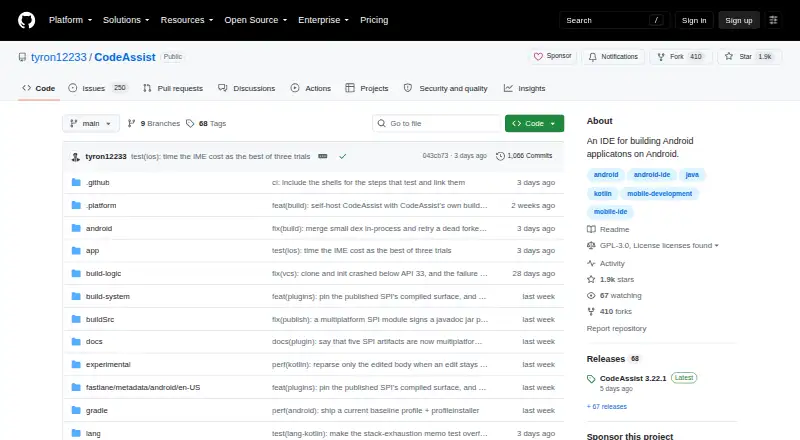
CodeAssist is a free, open-source IDE for editing and building Android and Java projects directly on Android devices. It suits solo developers and small teams who want to work without a laptop or Gradle daemon. Its core language support covers Java and Kotlin, while Android XML completion and live validation support interface and resource work. Block-based editing for Java files adds an alternative way to create code, and the project model and Android toolchain run on the device.
The standout capability is the complete on-device build workflow. CodeAssist can compile, package, sign, and install APKs, keeping the path from source code to an installable application within the Android environment. Java code completion, diagnostics, and quick-fixes support everyday editing, while Kotlin code completion is available on-device. The IDE also provides Git staging, commits, branches, merges, stashes, and pushes, along with GitHub repository cloning and pull-request workflows. This makes it a practical fit for developers whose repositories already use GitHub and who need source control alongside coding.
Extensibility broadens the product beyond its built-in language features: plugins can add languages, analyzers, and build systems. An NDK plugin provides an experimental C and C++ toolchain, so native Android work is possible but should not be the primary reason to choose the IDE. The repository includes a desktop launcher, while Android remains the primary supported application platform; the iOS host is groundwork rather than an installable option. Choose CodeAssist for open-source Android development on-device, especially with Java, Kotlin, XML, and GitHub workflows. Developers seeking a mature desktop-first IDE, an emulator-centered workflow, or non-experimental native tooling should choose an alternative.
Your product? Our editors can test CodeAssist in depth and publish a review, labelled as paid · from $99/mo →
CodeAssist pricing
CodeAssist fact sheet
| Free plan | Yes |
|---|---|
| Paid from | None |
| Mobile targets | Android |
| Desktop platforms | Not verified |
| Emulator or simulator | Not verified |
| Visual UI designer | Not verified |
| App packaging | Yes |
| Supported languages | Java, Kotlin, C, C++ |
| Deployment | Desktop, Mobile |
| Platforms | Android |
| Support | Community, Docs |
| Built for | Solo, Small business (editorial estimate) |
| Integrations | 1 integrations: GitHub |
| Pricing | Free plan |
| Website | github.com |
| Facts checked | 22 Sep 2026 |
CodeAssist integrations
CodeAssist lists 1 integrations on its own site.
- GitHub
Alternatives to CodeAssist
- DelphiA mature Windows IDE for native Object Pascal desktop and mobile development.9.2
- Ionic FrameworkA capable web-first toolkit for hybrid iOS and Android development, not a native IDE.9.0
- MobileTogether DesignerA visual Windows IDE for designing, testing, and generating native mobile apps.8.7



See all CodeAssist alternatives →
Used CodeAssist? Be the first to review it
The editor score above is our own research. What this page doesn't have yet is a reader's view — what you used CodeAssist for, what worked and what didn't. No stars are seeded and no review is paid for; an editor reads every one before it appears.
Write a reviewTwo minutes · verified accounts only · read by an editor before it appears
Featured on iTechGuides

CodeAssist is listed in our Mobile Development IDEs directory. Add the badge to your site — it links back to this page.
<a href="https://www.itechguides.com/products/codeassist/"><img src="https://www.itechguides.com/best/badge/codeassist.svg" alt="Featured on iTechGuides" width="230" height="46"></a>
Reviewed by iTechGuides Editors · Editorial team · Updated Oct 2026
Advertiser disclosure: iTechGuides is reader-supported. Vendors can pay for top positions in our rankings and for a place on other products' pages, and we may earn a commission when you click some links. How we rank.
Last updated · How we research and update