
Code Compare
Code Compare: A capable Windows diff tool with a free edition and deeper Pro merging features. Ranked #10 of 28 in Diff and Merge Tools by our editors (8.3/10); pricing: Free plan; best for windows developers wanting free and paid depth.
At a glance
- Editor score8.3 / 10
- PricingFree plan
- Best forWindows developers wanting free and paid depth
- Free planYes
- Paid from$69.95 one-time
- Three-way mergeYes
- Founded1997
- Facts checked20 Sep 2026
Where it wins
- Free two-way file, folder, and merge features
- Pro adds three-way and structural source-code comparison
- Integrates with Git, Visual Studio, and Windows Explorer
Where it doesn't
- Available only for Windows desktop
- Three-way comparison and merge require Pro
- Structural comparison is limited to supported programming languages
Our verdict on Code Compare
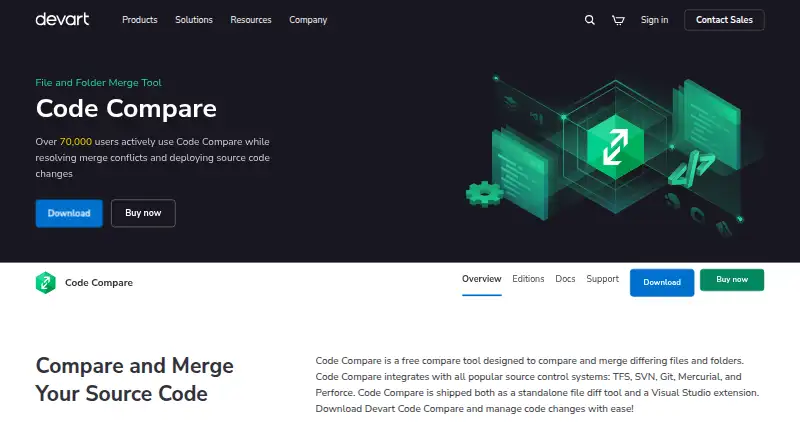
Code Compare is a Windows desktop tool for comparing and merging files, folders, and source code. It suits developers and software teams that need visual diffs, folder synchronization, version-control integrations, or a merge utility connected to Visual Studio and Windows Explorer. The free edition covers two-way file and folder comparison and merge, syntax highlighting, and inline change display. A command-line interface also supports comparison of files or folders, while the standalone application and Visual Studio extension provide different ways to fit the tool into a development workflow.
The plan structure is straightforward. Free includes two-way comparison and merge, folder comparison, syntax highlighting, and integrations with Visual Studio, Windows Explorer, and version-control systems. Pro costs $69.95 as a one-time payment and adds three-way comparison and merge, structure comparison for supported programming languages, advanced change navigation, and additional code-comparison features. The paid edition uses a perpetual license, so it is suited to teams that prefer a single purchase over recurring software charges. The free plan gives individual developers a practical starting point, while Pro is the relevant choice for more involved merge work.
Code Compare’s main strength is its combination of file-level, folder-level, and source-code workflows. Git, TFS, SVN, Mercurial, Perforce, Visual Studio, Windows Explorer, and Android Studio integrations give it useful coverage across development environments, and folder synchronization extends its scope beyond isolated file diffs. Its main boundary is platform: the product is focused on Windows desktop use. Developers who need macOS or Linux support should choose an alternative, while Windows users wanting a free diff tool or an affordable perpetual upgrade have a clear fit. Teams that depend on three-way merging should budget for Pro.
Your product? Our editors can test Code Compare in depth and publish a review, labelled as paid · from $149/mo →
Code Compare pricing
All 2 Code Compare plans and prices →
Code Compare fact sheet
| Free plan | Yes |
|---|---|
| Paid from | $69.95 one-time |
| Three-way merge | Yes |
| Folder comparison | Yes |
| Git integration | Yes |
| Syntax highlighting | Yes |
| Platform support | Desktop |
| Merge scope | Three_way |
| Money-back guarantee | 30 days |
| Deployment | Desktop |
| Platforms | Windows |
| Support | Email, Community, Docs |
| Built for | Solo, Small business, Mid-market (editorial estimate) |
| Integrations | 8 integrations: Git, TFS, SVN, Mercurial, Perforce, Visual Studio … |
| Pricing | Free plan (source) |
| Website | devart.com |
| Facts checked | 20 Sep 2026 |
Code Compare integrations
Code Compare lists 8 integrations on its own site.
- Git
- TFS
- SVN
- Mercurial
- Perforce
- Visual Studio
- Windows Explorer
- Android Studio
Alternatives to Code Compare
- Beyond CompareA broad desktop diff suite with three-way merging, synchronization, and version-control integrations.9.4
- DiffractA capable free-first diff tool with cross-platform support and Pro merging features.9.3
- P4MergeA free desktop diff and merge tool with three-way merging and broad platform support.9.1



See all Code Compare alternatives →
Also Ranked In
Code Compare is ranked in 2 of our directories.
Used Code Compare? Be the first to review it
The editor score above is our own research. What this page doesn't have yet is a reader's view — what you used Code Compare for, what worked and what didn't. No stars are seeded and no review is paid for; an editor reads every one before it appears.
Write a reviewTwo minutes · verified accounts only · read by an editor before it appears
Featured on iTechGuides

Code Compare is listed in our Diff and Merge Tools directory. Add the badge to your site — it links back to this page.
<a href="https://www.itechguides.com/products/code-compare/"><img src="https://www.itechguides.com/best/badge/code-compare.svg" alt="Featured on iTechGuides" width="230" height="46"></a>
Reviewed by iTechGuides Editors · Editorial team · Updated Oct 2026
Advertiser disclosure: iTechGuides is reader-supported. Vendors can pay for top positions in our rankings and for a place on other products' pages, and we may earn a commission when you click some links. Bought places stand at the number bought; this page and our disclosure say so. Paying vendors may get a fuller, more detailed review from our editors, and that review can change their score. How we rank.
Last updated · How we research and update