Coconut Secure Cloud Browser
Coconut Secure Cloud Browser: A strong fit for teams controlling browser sessions, AI tools, and data movement. Ranked #11 of 24 in Browser Isolation Software by our editors (8.2/10); pricing: Pricing on request; best for cloud browser and GenAI governance teams.
At a glance
- Editor score8.2 / 10
- PricingPricing on request
- Best forCloud browser and GenAI governance teams
- Isolation modeRemote
- Facts checked21 Sep 2026
Where it wins
- Remote isolation keeps browser sessions off local devices
- GenAI allowlists and AI activity visibility support policy control
- Controls cover URLs, files, downloads, copy-paste, and DLP
Where it doesn't
- Uses a sales-led contact process for purchasing
- Web delivery may not suit teams needing local browser execution
- Malware scanning and full session recording are outside its documented scope
Our verdict on Coconut Secure Cloud Browser
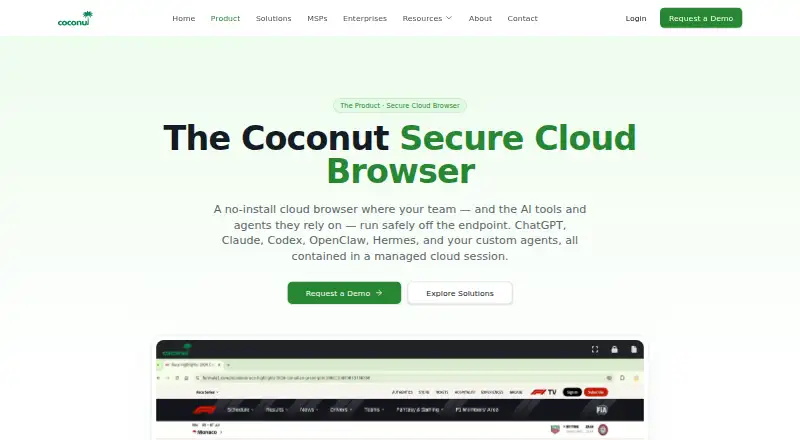
Coconut Secure Cloud Browser runs work applications, browsing sessions, and browser-based AI agents in managed cloud browser sessions rather than on users’ devices. Mnemonix LLC positions it for organizations managing phishing, malicious websites, BYOD, contractors, browser-based workloads, and GenAI usage. Access does not require endpoint installation, and browser-based work is supported from laptops, tablets, Chromebooks, and other devices. The product is especially relevant to teams that want centralized control over browser access and AI-tool usage.
Its strongest angle is policy and visibility across browser-based work. Administrators can manage users, organizations, licenses, and access centrally, while URL allowlists and blocklists govern destinations. GenAI allowlists cover approved AI tools, including ChatGPT, Claude, Codex, Gemini, and Copilot. Session-level visibility focuses on AI-tool and agent usage, and policy controls extend to files, downloads, and copy-paste. Browser-agent execution in the cloud adds a way to run supported browser tasks away from the local device.
Coconut also fits organizations working across established business applications and managed environments. Integrations include Microsoft 365, Google Workspace, Salesforce, Jira, ServiceNow, and Workday, while multi-tenant administration supports managed service providers. The cloud deployment model and web platform make it suitable for distributed access without endpoint installation, but teams needing local browser execution may prefer another approach. It is a focused choice for browser isolation, AI governance, and data-movement controls; buyers seeking malware scanning or full browsing-session recording should evaluate alternatives with those capabilities explicitly covered.
Coconut Secure Cloud Browser pricing
Coconut Secure Cloud Browser fact sheet
| Free plan | Not verified |
|---|---|
| Paid from | Not verified |
| Isolation mode | Remote |
| Malware scanning | Not verified |
| File transfer controls | Yes |
| Data loss prevention | Yes |
| Session recording | Not verified |
| Deployment model | Cloud |
| Deployment | Cloud |
| Platforms | Web |
| Built for | Small business, Mid-market, Enterprise (editorial estimate) |
| Integrations | 11 integrations: Microsoft 365, Google Workspace, Salesforce, Jira, ServiceNow, Workday … |
| Pricing | Pricing on request |
| Website | coconut.surf |
| Facts checked | 21 Sep 2026 |
Coconut Secure Cloud Browser integrations
Coconut Secure Cloud Browser lists 11 integrations on its own site.
- Microsoft 365
- Google Workspace
- Salesforce
- Jira
- ServiceNow
- Workday
- ChatGPT
- Claude
- Codex
- Gemini
- Copilot
Alternatives to Coconut Secure Cloud Browser
- Authentic8 SiloA comprehensive managed isolation platform for enterprises with demanding web-security needs.9.4
- Zscaler Zero Trust BrowserA broad enterprise browser security platform with strong access and data controls.9.2
- Menlo Security Secure Cloud BrowserA cloud browser security service with isolation, content controls, and session forensics.9.1


See all Coconut Secure Cloud Browser alternatives →
Used Coconut Secure Cloud Browser? Be the first to review it
The editor score above is our own research. What this page doesn't have yet is a reader's view — what you used Coconut Secure Cloud Browser for, what worked and what didn't. No stars are seeded and no review is paid for; an editor reads every one before it appears.
Write a reviewTwo minutes · verified accounts only · read by an editor before it appears
Featured on iTechGuides

Coconut Secure Cloud Browser is listed in our Browser Isolation Software directory. Add the badge to your site — it links back to this page.
<a href="https://www.itechguides.com/products/coconut-secure-cloud-browser/"><img src="https://www.itechguides.com/best/badge/coconut-secure-cloud-browser.svg" alt="Featured on iTechGuides" width="230" height="46"></a>
Reviewed by iTechGuides Editors · Editorial team · Updated Oct 2026
Advertiser disclosure: iTechGuides is reader-supported. Vendors can pay for top positions in our rankings and for a place on other products' pages, and we may earn a commission when you click some links. How we rank.
Last updated · How we research and update