
Menlo Security Secure Cloud Browser
Menlo Security Secure Cloud Browser: A cloud browser security service with isolation, content controls, and session forensics. Ranked #3 of 24 in Browser Isolation Software by our editors (9.1/10); pricing: Pricing on request; best for security teams needing deep cloud-browser controls.
At a glance
- Editor score9.1 / 10
- PricingPricing on request
- Best forSecurity teams needing deep cloud-browser controls
- Isolation modeRemote
- Founded2012 · Mountain View, California, United States
- Facts checked21 Sep 2026
Where it wins
- Remote isolation executes active web content in the Menlo Cloud.
- Browser DLP, transfer controls, and CDR address data and file risk.
- Microsoft, identity, SIEM, and security-platform integrations support broad deployments.
Where it doesn't
- Pricing requires a sales conversation and varies by products and licenses.
- The listed platform is web, which may limit teams needing broader platform coverage.
- Cloud deployment may not fit organizations requiring an on-premises isolation model.
Our verdict on Menlo Security Secure Cloud Browser
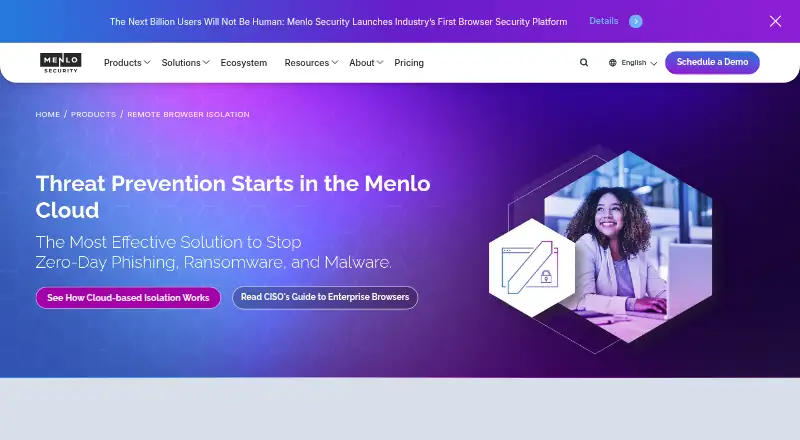
Menlo Security Secure Cloud Browser provides remote browser isolation for enterprises protecting managed and unmanaged devices. It creates a hardened browser session in the Menlo Cloud, executes active web content remotely, and delivers sanitized content to users’ browsers. The service is designed for security teams addressing phishing, malware, ransomware, and other browser-based threats, with additional controls for downloaded files, data movement, and investigation. Clientless deployment avoids endpoint software installation, while the web platform keeps the product focused on browser activity.
Its strongest area is the breadth of browser security controls. Adaptive Clientless Rendering supports sanitized endpoint rendering, while Cloud Content Disarm and Reconstruction handles downloaded files. Malware and threat analysis applies to web content and files, and browser DLP covers web pages, files, and archives. Per-application upload and download controls add policy granularity, while Browsing Forensics provides session recording and replay for visibility and investigation. Together, these features suit teams that need more than basic isolation and want controls around both browsing and file transfer.
Integration coverage is another important fit consideration. The product connects with Microsoft Teams, Outlook, OneDrive, SharePoint, and Sentinel, alongside Okta, OneLogin, PingOne, Palo Alto Networks Prisma Access, and Splunk. That combination supports Microsoft environments, identity workflows, SIEM operations, and security-platform integrations. Pricing is contact-sales and varies according to deployed products and user licenses, so it suits organizations evaluating a broader security deployment rather than buyers seeking a simple self-serve plan. Choose Menlo for deep cloud-browser controls and forensic visibility; consider an alternative if web-only coverage or cloud deployment does not match your requirements.
Your product? Our editors can test Menlo Security Secure Cloud Browser in depth and publish a review, labelled as paid · from $149/mo →
Menlo Security Secure Cloud Browser pricing
Menlo Security Secure Cloud Browser fact sheet
| Free plan | Not verified |
|---|---|
| Paid from | Not verified |
| Isolation mode | Remote |
| Malware scanning | Yes |
| File transfer controls | Yes |
| Data loss prevention | Yes |
| Session recording | Yes |
| Deployment model | Cloud |
| Deployment | Cloud, Browser extension |
| Platforms | Web |
| Compliance & security | SSO/SAML |
| Support | Email, Tickets, Docs · 24/7 |
| Built for | Enterprise (editorial estimate) |
| Integrations | 10 integrations: Microsoft Teams, Microsoft Outlook, Microsoft OneDrive, Microsoft SharePoint, Microsoft Sentinel, Okta … See all → |
| Pricing | Pricing on request (source) |
| Website | menlosecurity.com |
| Facts checked | 21 Sep 2026 |
Menlo Security Secure Cloud Browser integrations
Menlo Security Secure Cloud Browser lists 10 integrations on its own site.
- Microsoft Teams
- Microsoft Outlook
- Microsoft OneDrive
- Microsoft SharePoint
- Microsoft Sentinel
- Okta
- OneLogin
- PingOne
- Palo Alto Networks Prisma Access
- Splunk
See all Menlo Security Secure Cloud Browser integrations →
Alternatives to Menlo Security Secure Cloud Browser
- Authentic8 SiloA comprehensive managed isolation platform for enterprises with demanding web-security needs.9.4
- Zscaler Zero Trust BrowserA broad enterprise browser security platform with strong access and data controls.9.2
- Cloudflare Browser IsolationA Cloudflare-native isolation layer with strong policy and data controls.8.9



See all Menlo Security Secure Cloud Browser alternatives →
Menlo Security Secure Cloud Browser vs the competition
- Menlo Security Secure Cloud Browser vs Authentic8 Silo
- Menlo Security Secure Cloud Browser vs Zscaler Zero Trust Browser
- Menlo Security Secure Cloud Browser vs Cloudflare Browser Isolation
- Menlo Security Secure Cloud Browser vs Ericom Remote Browser Isolation
- Menlo Security Secure Cloud Browser vs Forcepoint Remote Browser Isolation
- Menlo Security Secure Cloud Browser vs Citrix Remote Browser Isolation



Compare Menlo Security Secure Cloud Browser with any tool side by side →
Used Menlo Security Secure Cloud Browser? Be the first to review it
The editor score above is our own research. What this page doesn't have yet is a reader's view — what you used Menlo Security Secure Cloud Browser for, what worked and what didn't. No stars are seeded and no review is paid for; an editor reads every one before it appears.
Write a reviewTwo minutes · verified accounts only · read by an editor before it appears
Featured on iTechGuides

Menlo Security Secure Cloud Browser is listed in our Browser Isolation Software directory. Add the badge to your site — it links back to this page.
<a href="https://www.itechguides.com/products/menlo-security-secure-cloud-browser/"><img src="https://www.itechguides.com/best/badge/menlo-security-secure-cloud-browser.svg" alt="Featured on iTechGuides" width="230" height="46"></a>
Reviewed by iTechGuides Editors · Editorial team · Updated Oct 2026
Advertiser disclosure: iTechGuides is reader-supported. Vendors can pay for top positions in our rankings and for a place on other products' pages, and we may earn a commission when you click some links. Bought places stand at the number bought; this page and our disclosure say so. Paying vendors may get a fuller, more detailed review from our editors, and that review can change their score. How we rank.
Last updated · How we research and update